Gemini in Google Workspace
Pyyhkäise näyttääksesi valikon
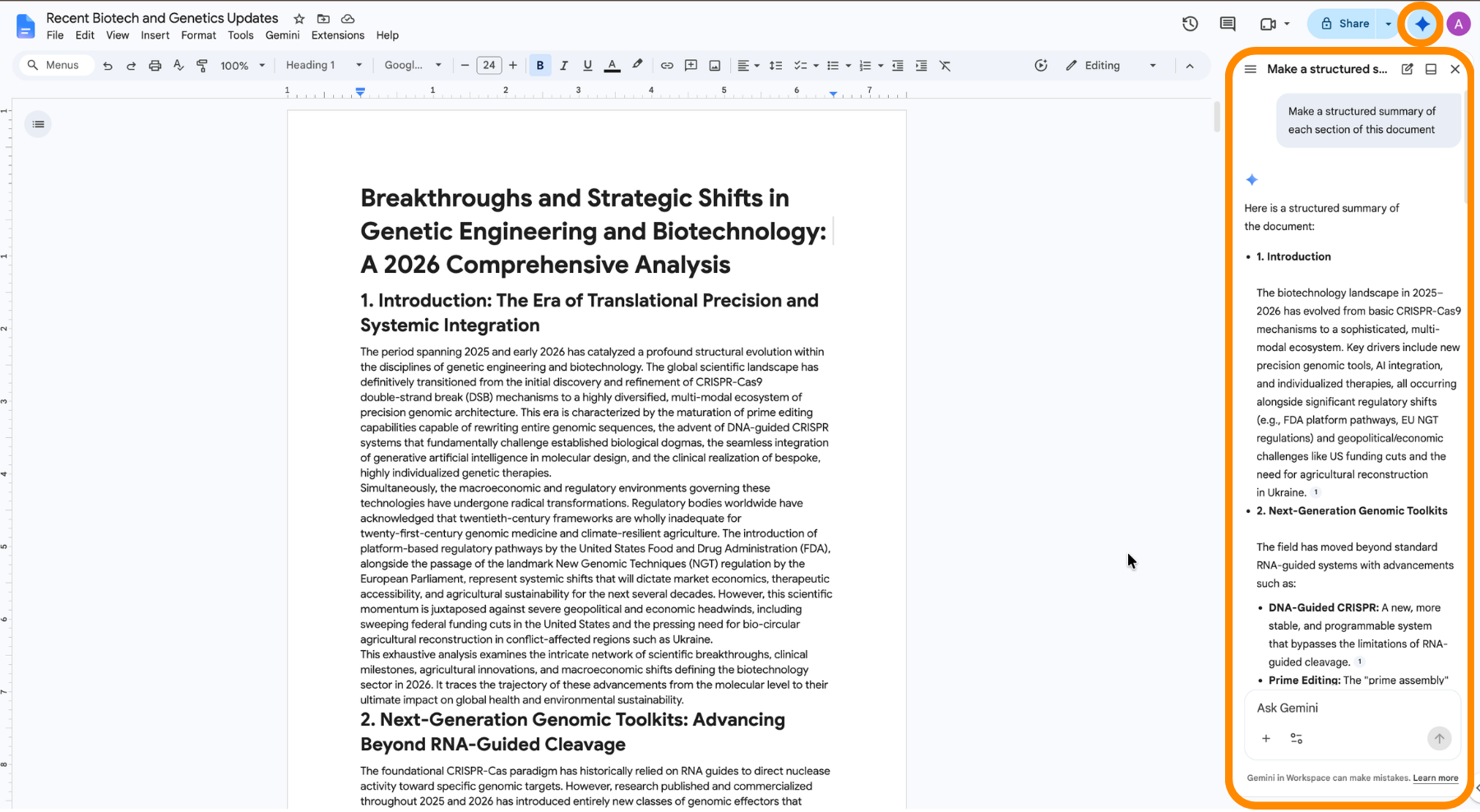
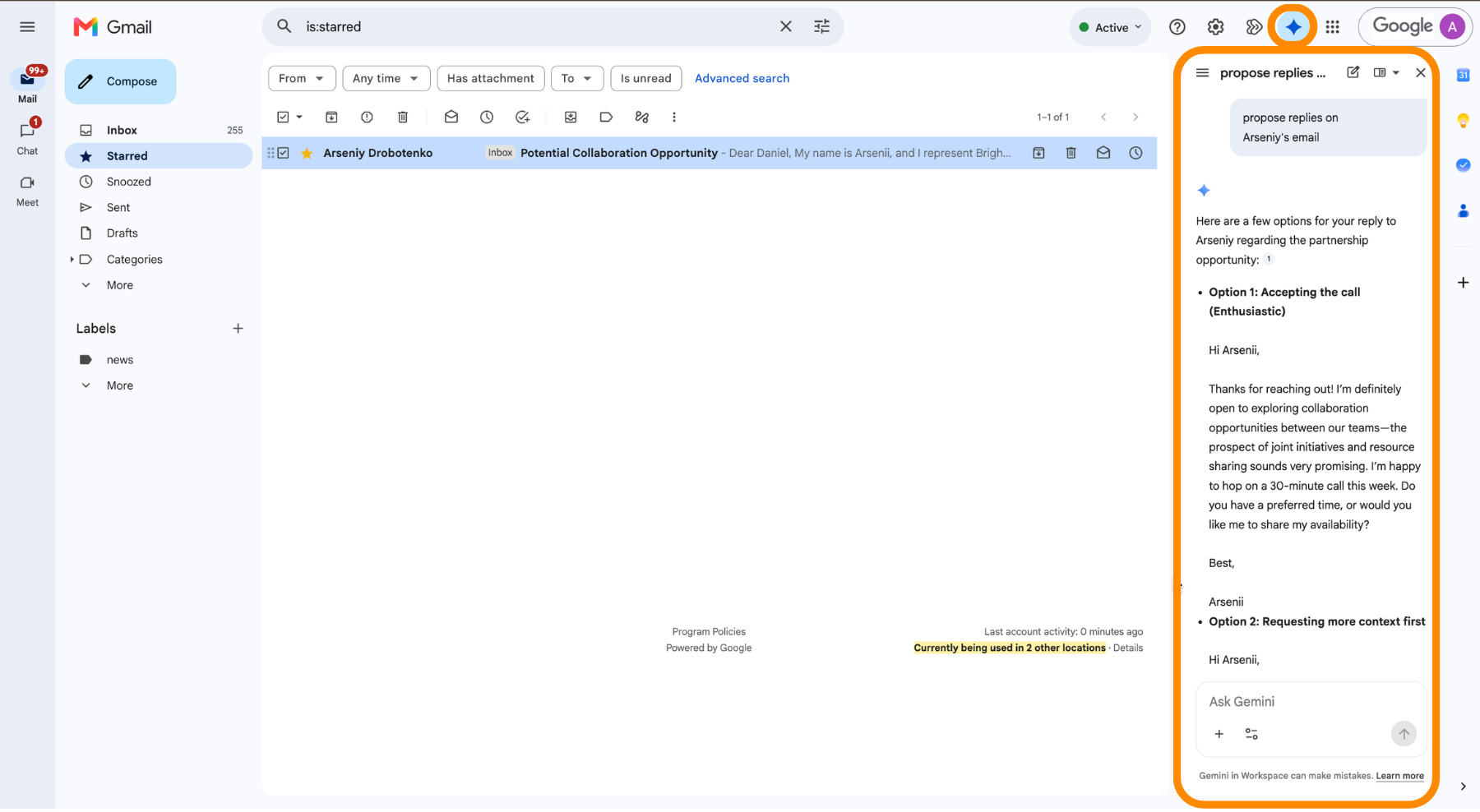
The Gemini app is one surface. The other is a side panel that opens inside the Google apps you already work in, and it starts with the file in front of you as context. Nothing gets exported, pasted, or re-uploaded.
Where the Panel Lives
The side panel appears in Gmail, Docs, Sheets, Slides, Drive, Meet, and Chat. Open it with the Gemini icon in the top-right corner of the app.
What It Does in Each App
- Gmail: summarize a long thread, draft a reply, or find the message that answers a question;
- Docs: produce a first draft that pulls from your Drive files and mail, rewrite a selection, or match the style of an existing document;
- Sheets: build a formula from a description, create pivot tables and charts, and clean or reformat a range;
- Slides: generate slides that follow the theme already applied to the deck;
- Drive: summarize a file without opening it.
The panel can pull from your other files while it works, and it lists what it used underneath the answer. Expand that list before trusting a summary, since the wrong source produces a confident and useless result.

Workspace access depends on the plan. Some tiers include the panel across every app, others limit it to drafting in Gmail and Docs, so what you see may differ from what a colleague sees on the same screen.
Kiitos palautteestasi!
Kysy tekoälyä

Kysy tekoälyä

Kysy mitä tahansa tai kokeile jotakin ehdotetuista kysymyksistä aloittaaksesi keskustelumme
