Chapter with GIFs
Pyyhkäise näyttääksesi valikon
Key Points
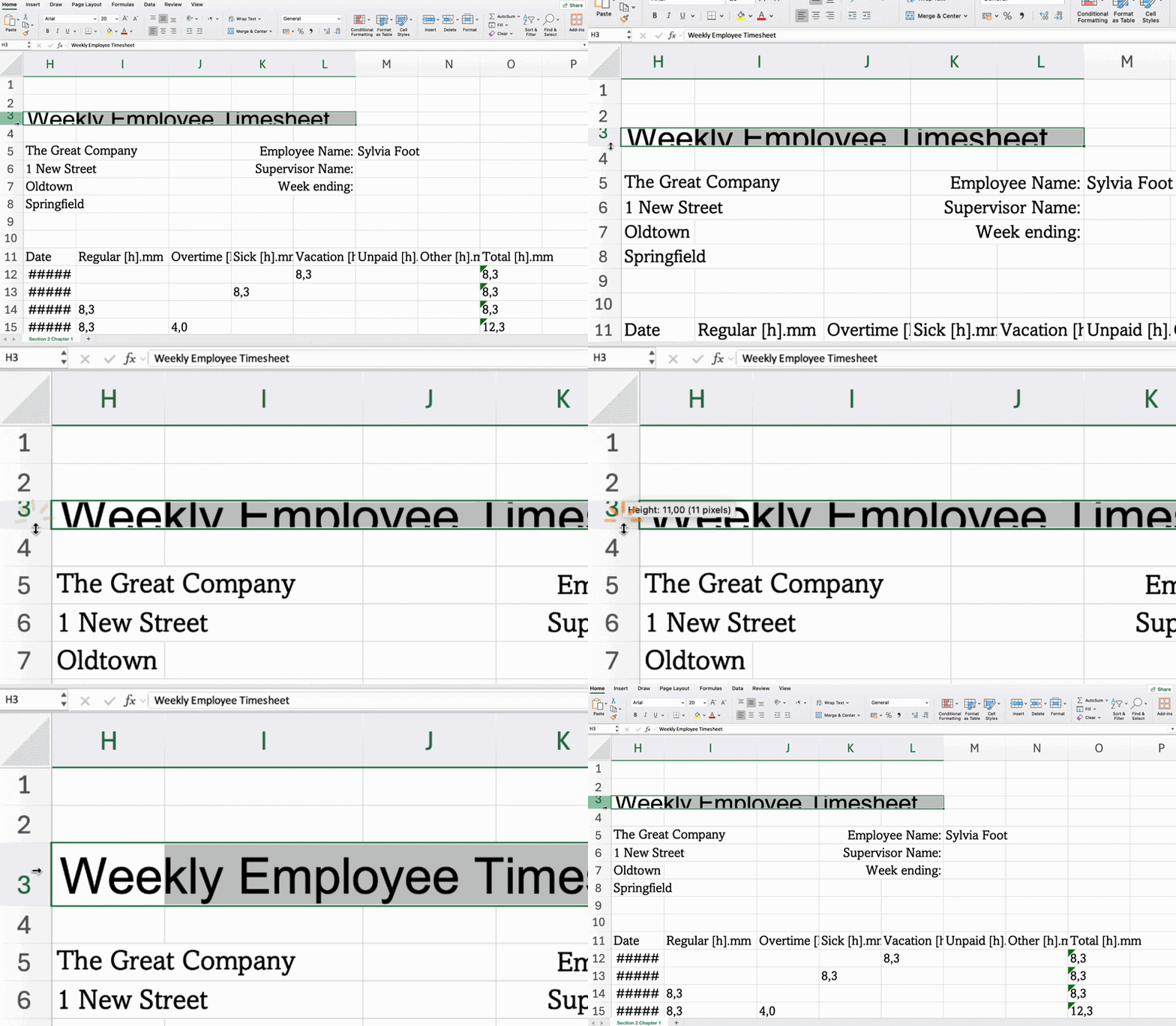
- Adjust row height and column width by dragging or double-clicking borders, or via Row Height/Column Width from the right-click menu;
- Add borders with Borders in the Home tab → Font group;
- Apply background color using Fill Color in the Home tab → Font group;
- Combine cells and center content with Merge & Center in the Home tab → Alignment group;
- Use Wrap Text to display all content without widening the column in the Home tab → Alignment group;
- Set vertical and horizontal alignment in the Home tab → Alignment group.
Key Points
- Adjust row height and column width by dragging or double-clicking borders, or via Row Height/Column Width from the right-click menu;
- Add borders with Borders in the Home tab → Font group;
- Apply background color using Fill Color in the Home tab → Font group;
- Combine cells and center content with Merge & Center in the Home tab → Alignment group;
- Use Wrap Text to display all content without widening the column in the Home tab → Alignment group;
- Set vertical and horizontal alignment in the Home tab → Alignment group.
Oliko kaikki selvää?
Kiitos palautteestasi!
Osio 1. Luku 1
Kysy tekoälyä

Kysy tekoälyä

Kysy mitä tahansa tai kokeile jotakin ehdotetuista kysymyksistä aloittaaksesi keskustelumme
Chapter with GIFs
Key Points
- Adjust row height and column width by dragging or double-clicking borders, or via Row Height/Column Width from the right-click menu;
- Add borders with Borders in the Home tab → Font group;
- Apply background color using Fill Color in the Home tab → Font group;
- Combine cells and center content with Merge & Center in the Home tab → Alignment group;
- Use Wrap Text to display all content without widening the column in the Home tab → Alignment group;
- Set vertical and horizontal alignment in the Home tab → Alignment group.
Key Points
- Adjust row height and column width by dragging or double-clicking borders, or via Row Height/Column Width from the right-click menu;
- Add borders with Borders in the Home tab → Font group;
- Apply background color using Fill Color in the Home tab → Font group;
- Combine cells and center content with Merge & Center in the Home tab → Alignment group;
- Use Wrap Text to display all content without widening the column in the Home tab → Alignment group;
- Set vertical and horizontal alignment in the Home tab → Alignment group.
Oliko kaikki selvää?
Kiitos palautteestasi!
Osio 1. Luku 1
