Using AI Blocks and Custom Prompts
Pyyhkäise näyttääksesi valikon
Beyond quick actions like Summarize or Translate, Notion AI supports custom prompts saved as reusable blocks, so a task you repeat often — like drafting a weekly update in a specific format — does not need to be typed out every time.
To create a custom AI block:
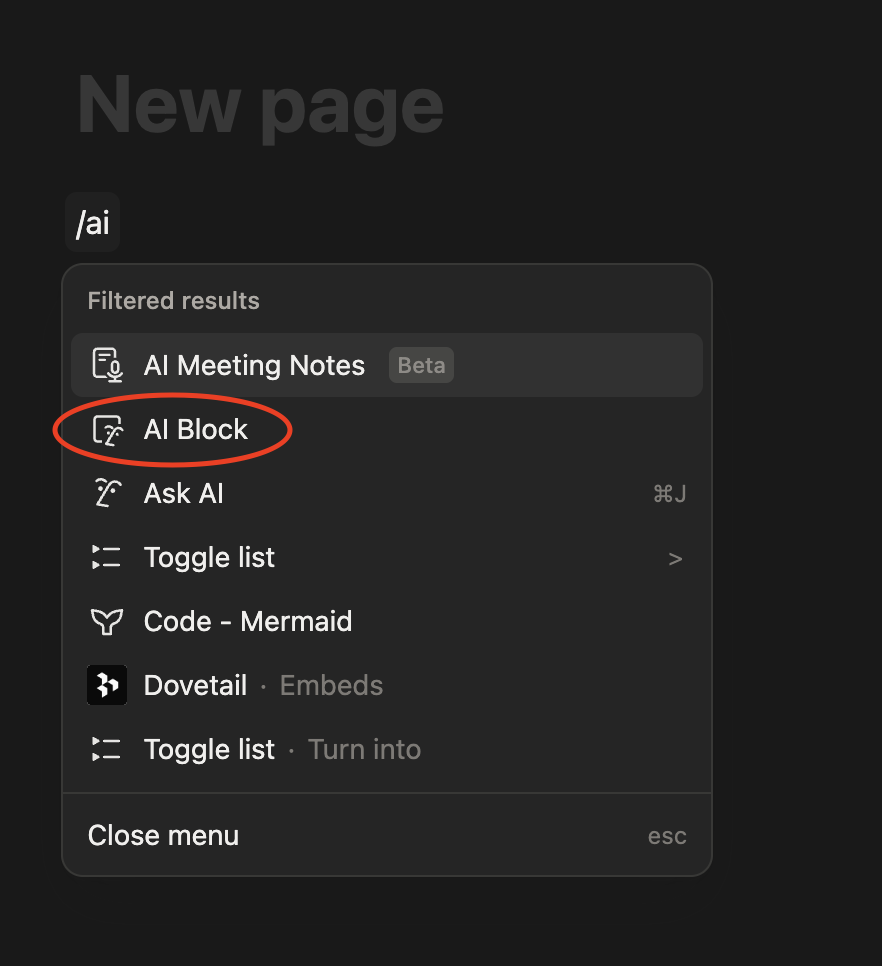
- Type
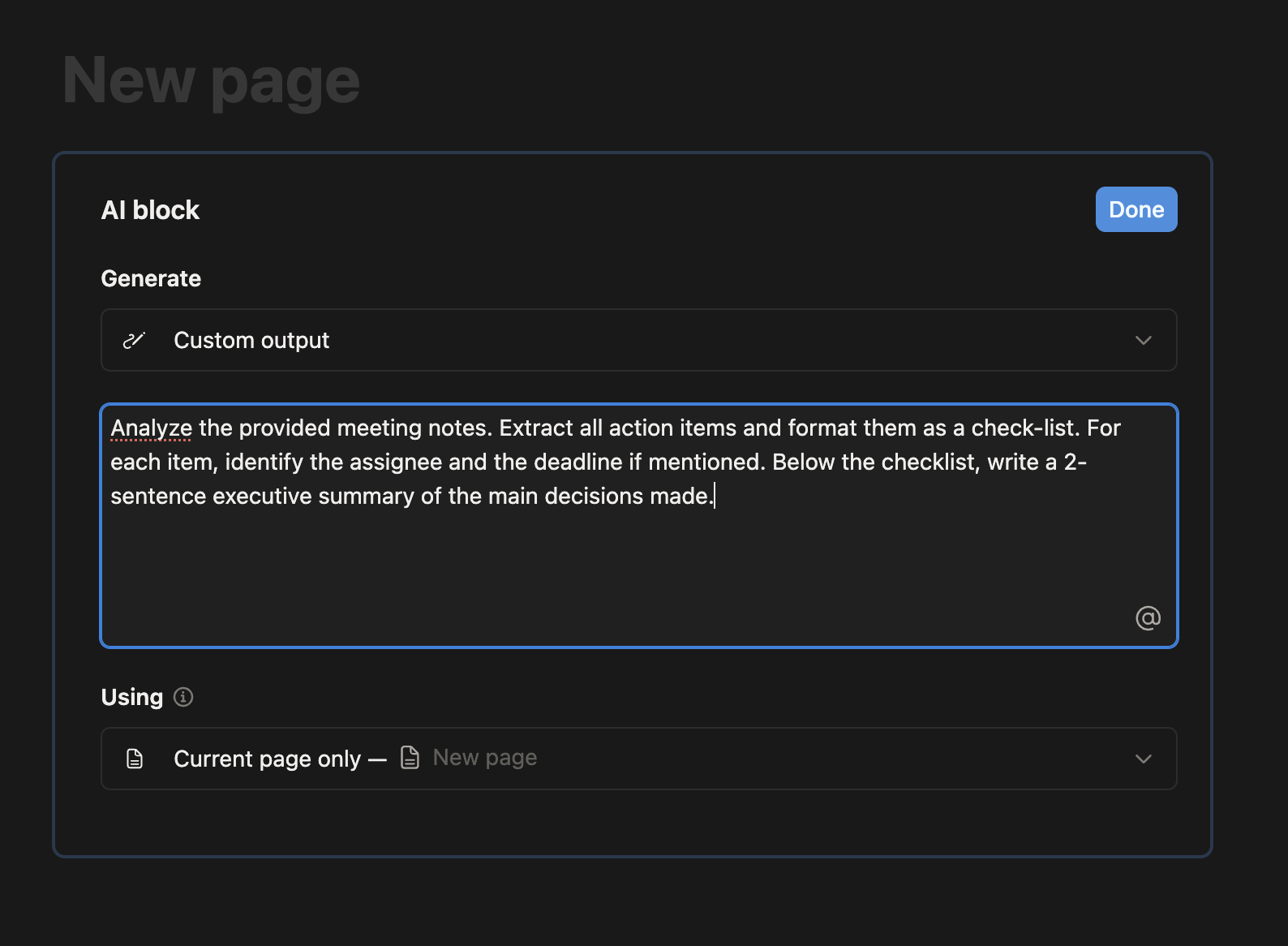
/aiblock on any line; - Write a prompt describing the task, for instance "turn these bullet points into a short client update";
- Save the block;
- Reuse it on future pages by duplicating the block or the page template that contains it.
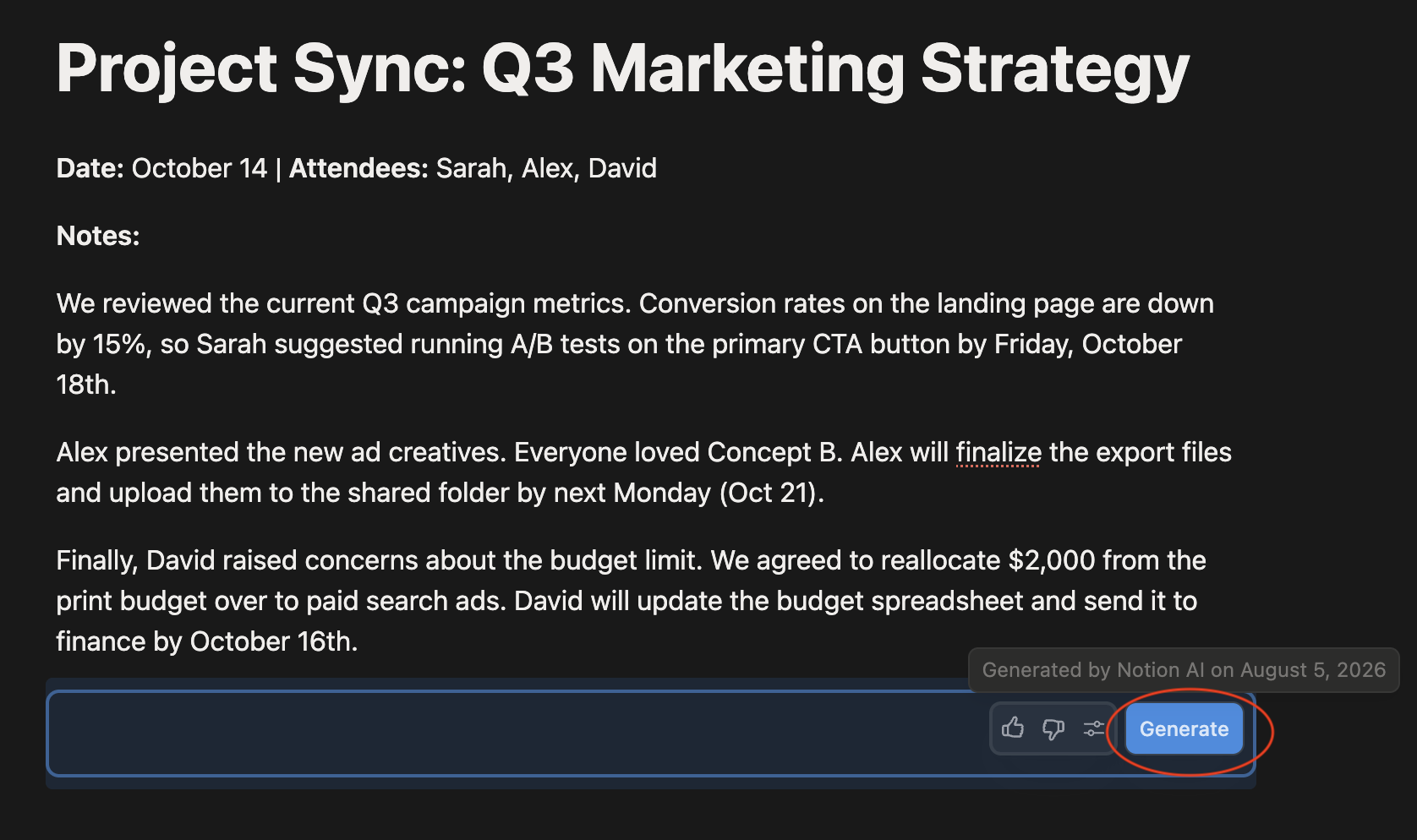
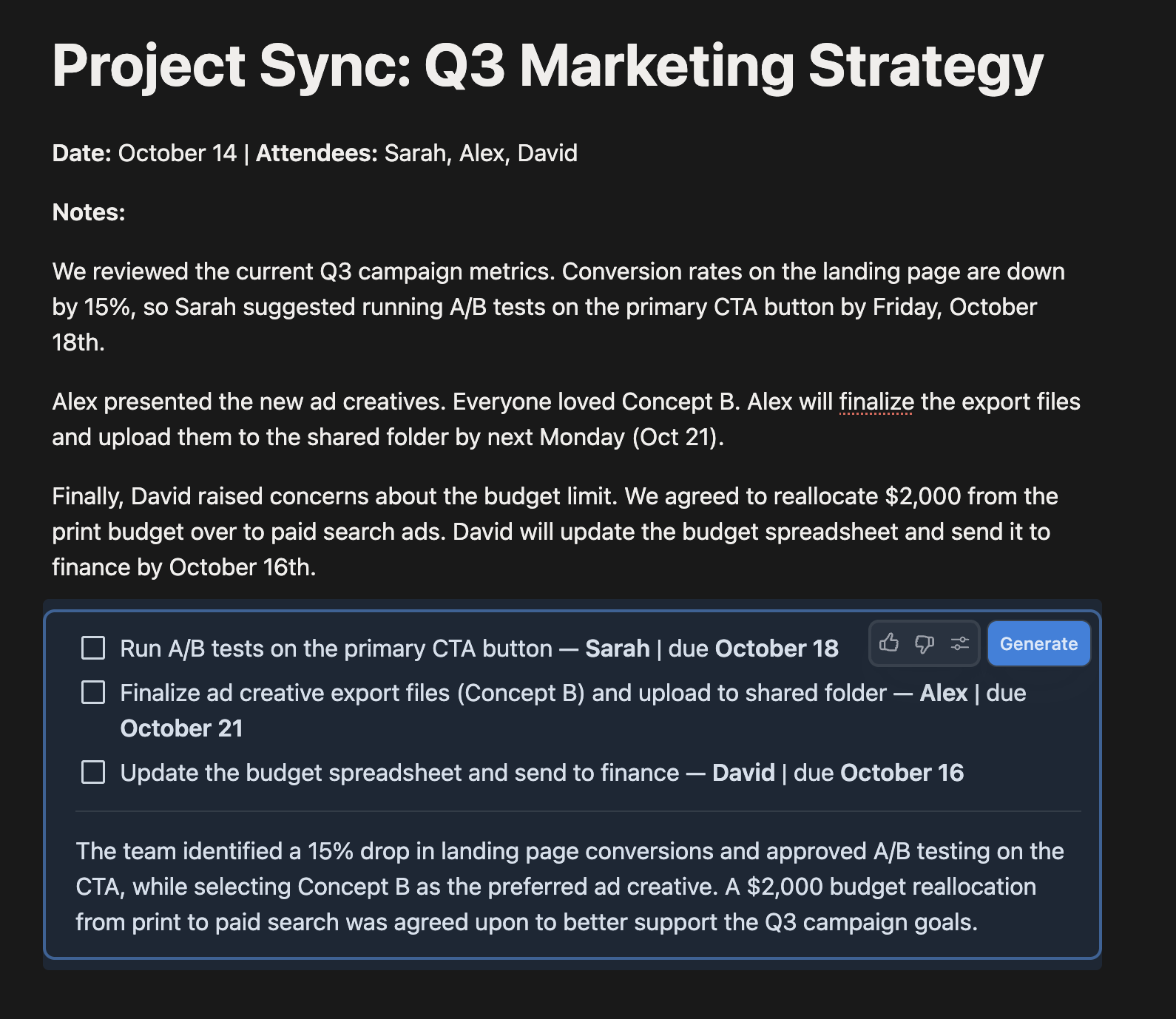
Saving a custom prompt inside a page template turns a one-off trick into a repeatable part of your workflow, since every new page created from that template already includes the AI block ready to run.
Oliko kaikki selvää?
Kiitos palautteestasi!
Osio 1. Luku 9
Kysy tekoälyä

Kysy tekoälyä

Kysy mitä tahansa tai kokeile jotakin ehdotetuista kysymyksistä aloittaaksesi keskustelumme
Osio 1. Luku 9
