Más Sobre el Seguimiento de Archivos
Desliza para mostrar el menú
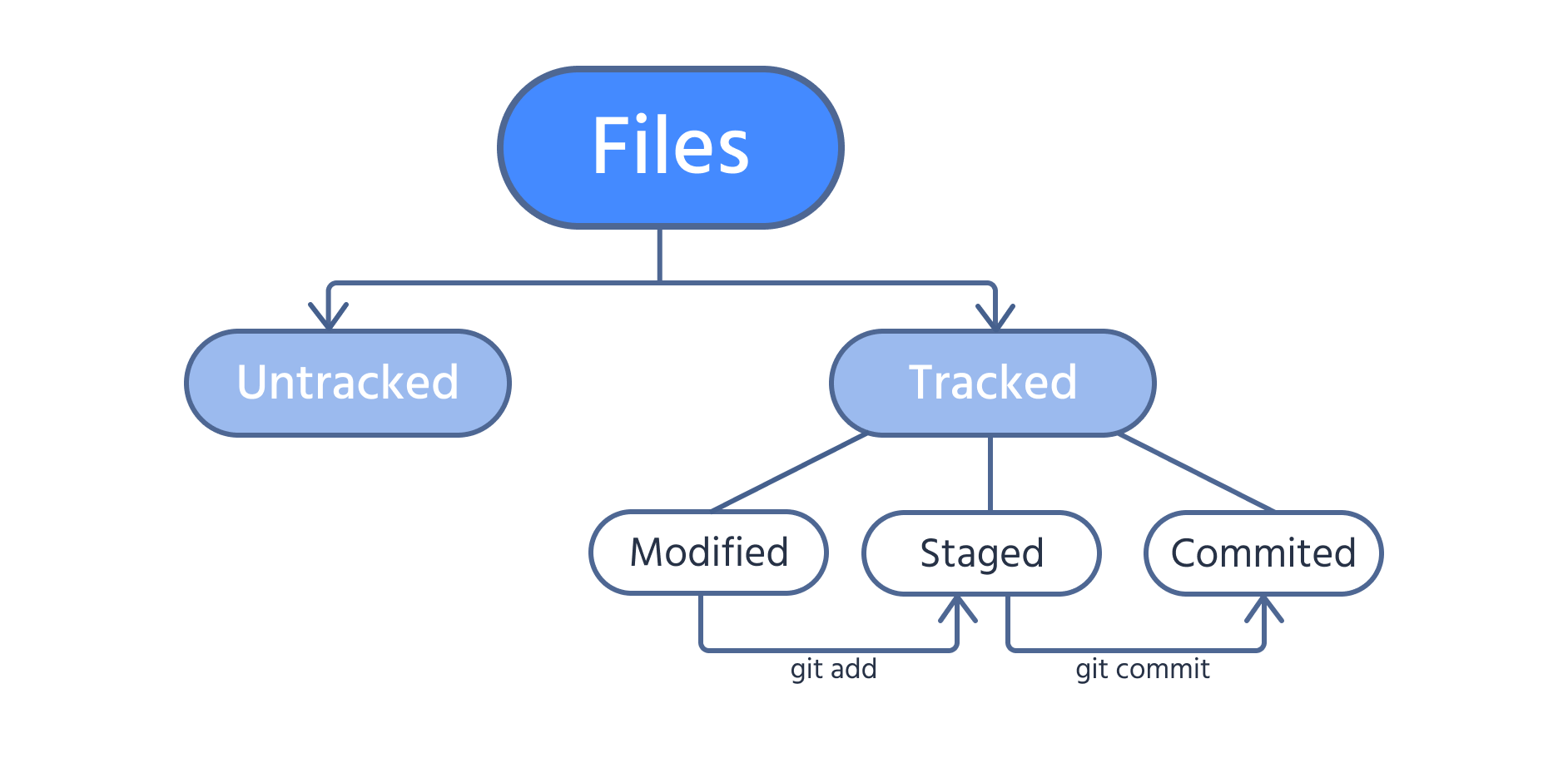
Al trabajar con Git, los archivos en el directorio del proyecto pueden estar seguros o no seguros. Los archivos seguros se incluyen en las instantáneas (commits futuros), mientras que los archivos no seguros no lo están. Los archivos recién creados suelen estar no seguros hasta que se agregan al área de preparación.
Los archivos seguros pueden estar en tres estados:
- Modificado: se han realizado cambios, pero Git aún no los ha almacenado;
- Preparado: los cambios están listos para ser confirmados e incluidos en la próxima instantánea;
- Confirmado: los cambios se guardan en una instantánea dentro del directorio
.git.
Utiliza la siguiente imagen para ilustrar claramente estos estados.

Si un archivo ya está seguro y se realizan cambios en él, es necesario ejecutar el comando git add para preparar esas modificaciones.
Modifica el archivo test.txt usando el siguiente comando:
echo "Never give up" >> test.txt
El operador >> añade el texto entre comillas dobles o simples a un archivo existente, en este caso test.txt.
El texto se agrega al final del archivo en una nueva línea.
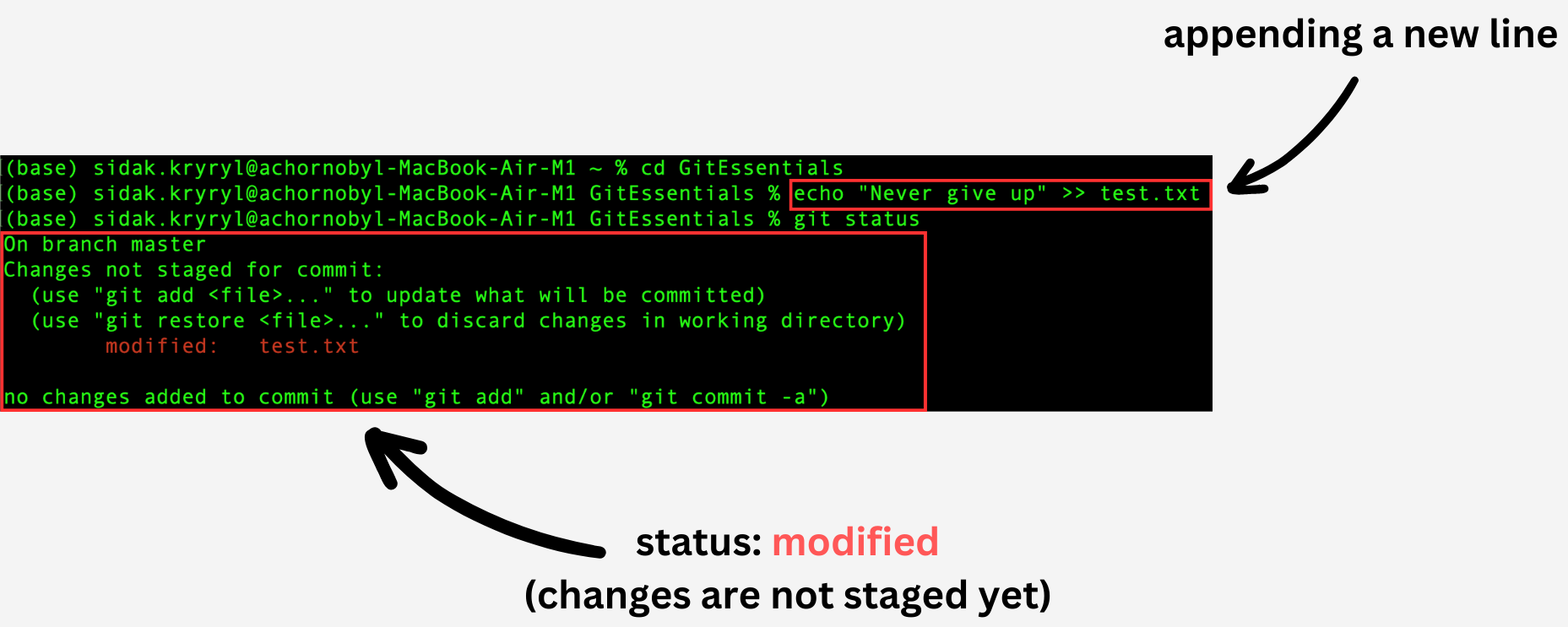
Ahora el archivo tiene un estado de modificado.
Utiliza los comandos git add, git status y git commit para preparar el cambio, verificar el estado del árbol de trabajo y el área de preparación, y confirmar el cambio, respectivamente:
git add test.txt
git status
git commit -m "Add a new line"
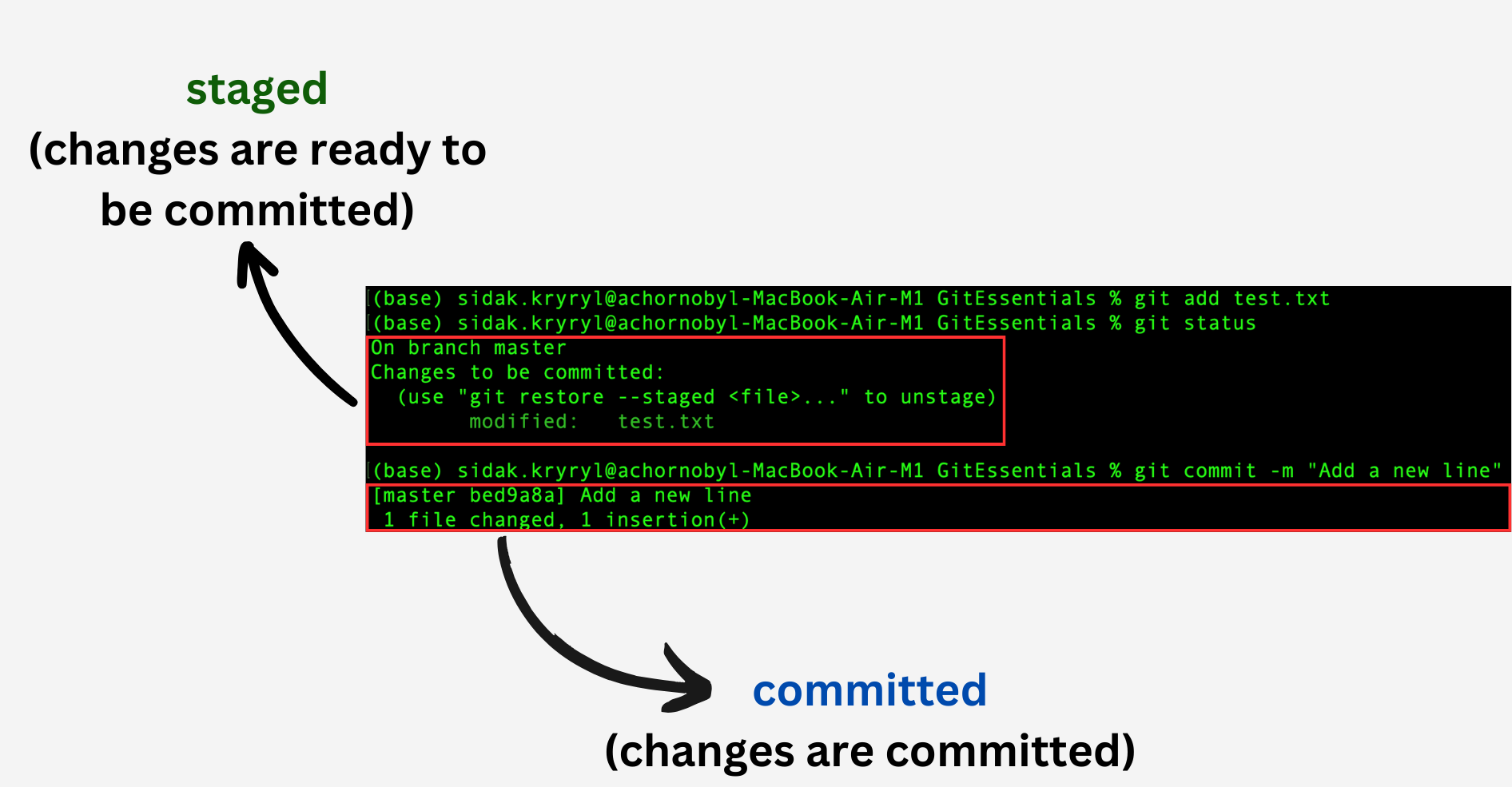
Como puedes ver, los cambios ahora están preparados y se ha creado una nueva instantánea del proyecto al confirmar los cambios preparados.
¡Gracias por tus comentarios!
Pregunte a AI

Pregunte a AI

Pregunte lo que quiera o pruebe una de las preguntas sugeridas para comenzar nuestra charla
