Indexación
Desliza para mostrar el menú
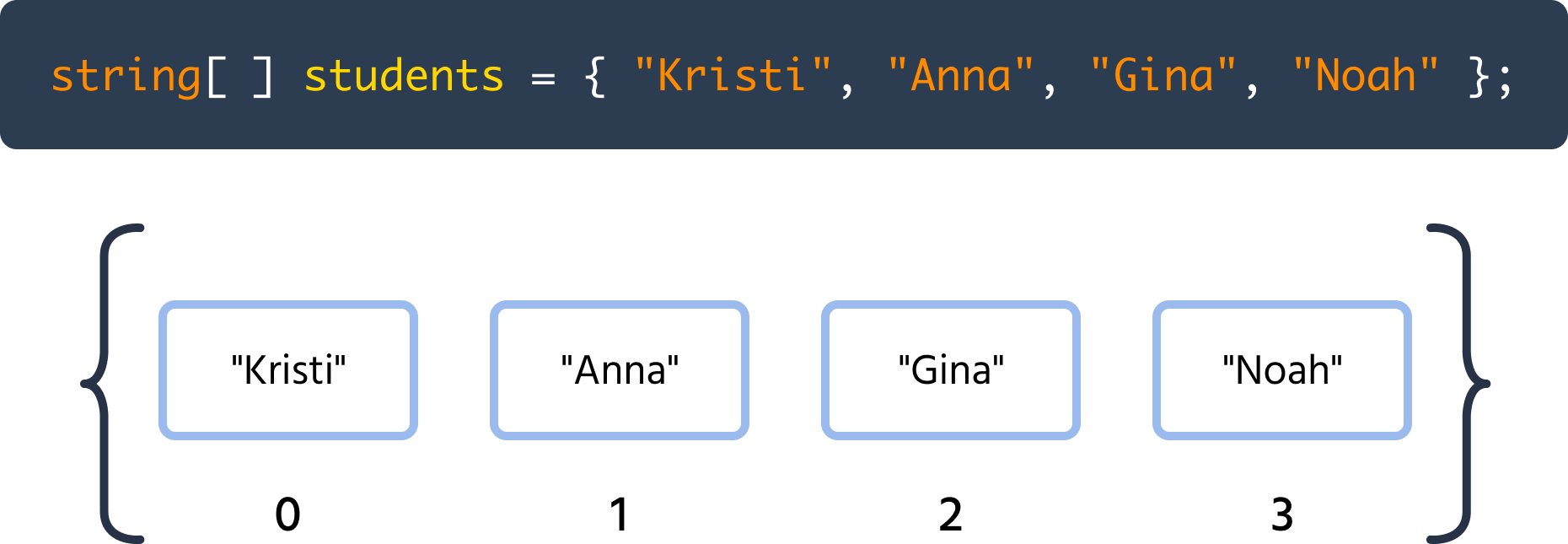
Cada elemento de un arreglo tiene un índice, que simplemente es su posición en el arreglo. El primer elemento tiene el índice 0, el segundo elemento tiene el índice 1, y así sucesivamente. Dado que los índices comienzan desde 0, el índice del último elemento es 1 menos que el size del arreglo (size - 1).
La siguiente ilustración es una versión ligeramente modificada de la del capítulo anterior, pero esta vez los elementos tienen sus índices correspondientes escritos debajo de ellos:
Se puede acceder a un elemento de un arreglo utilizando la siguiente sintaxis:

main.cs
1arrayName[index];
Consideremos el ejemplo de acceder a un elemento del arreglo por su índice:
main.cs
12345678910111213using System; namespace ConsoleApp { internal class Program { static void Main(string[] args) { int[] studentMarks = new int[50]; Console.WriteLine(studentMarks[9]); // Output: 0 } } }
En el código anterior, accedemos al décimo elemento del arreglo y muestra 0. Esto se debe a que, cuando creamos un nuevo arreglo vacío, se llena automáticamente con valores cero relevantes según su tipo de dato.
Cada elemento de un arreglo es esencialmente una variable.
Podemos acceder y modificar un elemento de un arreglo utilizando la siguiente sintaxis:
main.cs
1arrayName[index] = newValue;
Por ejemplo:
main.cs
1234567891011121314151617181920using System; namespace ConsoleApp { internal class Program { static void Main(string[] args) { int[] studentMarks = new int[50]; studentMarks[0] = 50; studentMarks[1] = 77; studentMarks[2] = 97; Console.WriteLine(studentMarks[0]); Console.WriteLine(studentMarks[1]); Console.WriteLine(studentMarks[2]); } } }
¡Gracias por tus comentarios!
Pregunte a AI

Pregunte a AI

Pregunte lo que quiera o pruebe una de las preguntas sugeridas para comenzar nuestra charla
