Notice: This page requires JavaScript to function properly.
Please enable JavaScript in your browser settings or update your browser.
Lernen Translating and Animating Content with AI | Canva AI Toolkit
Canva AI

Translating and Animating Content with AI

Swipe um das Menü anzuzeigen

Translate rewrites all the text in a design into another language while keeping the original layout, and Animate adds motion to a static page without any manual keyframing.

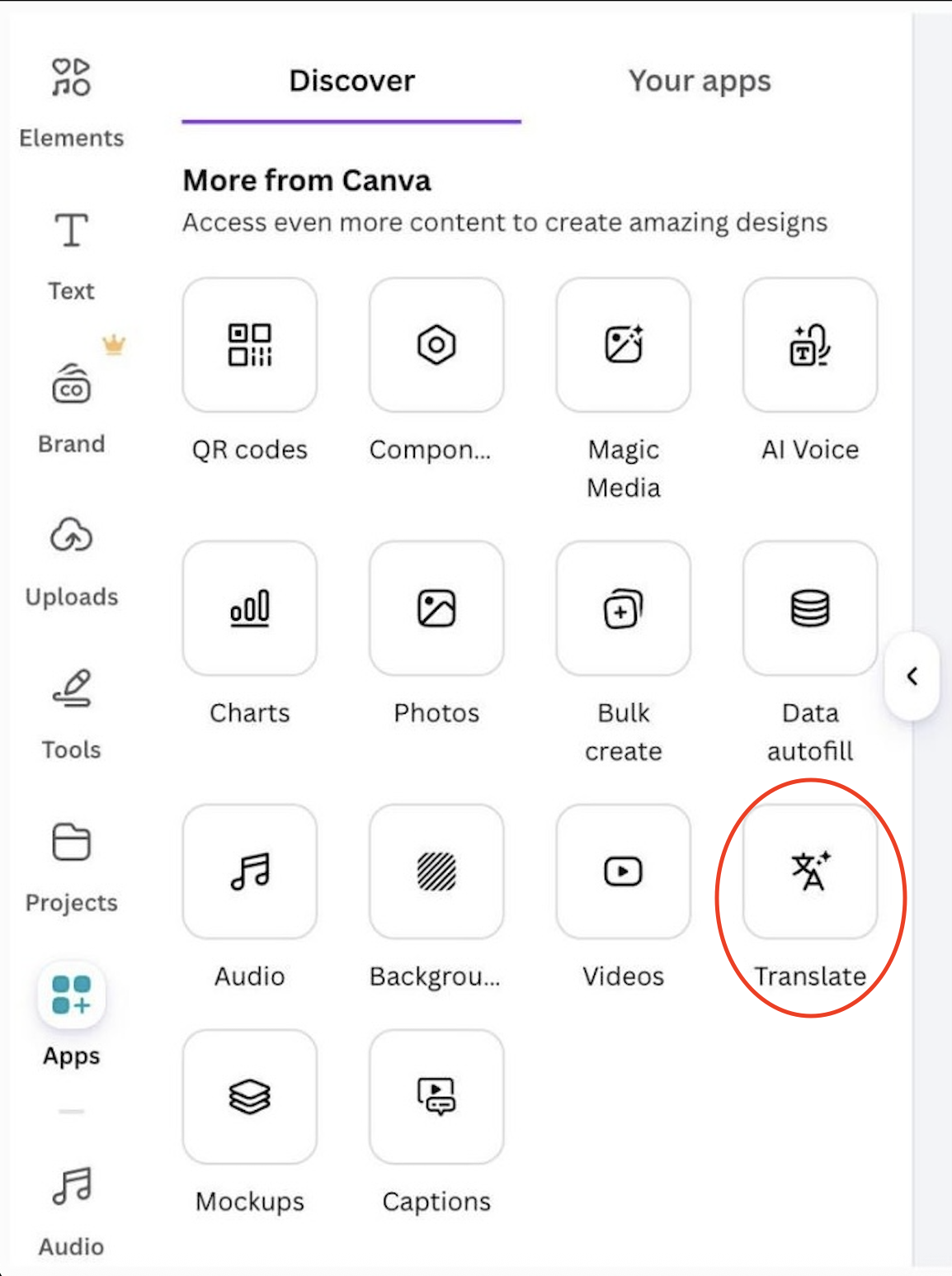
Translating a design:

  • Open Apps → Translate;
  • Choose the target language;
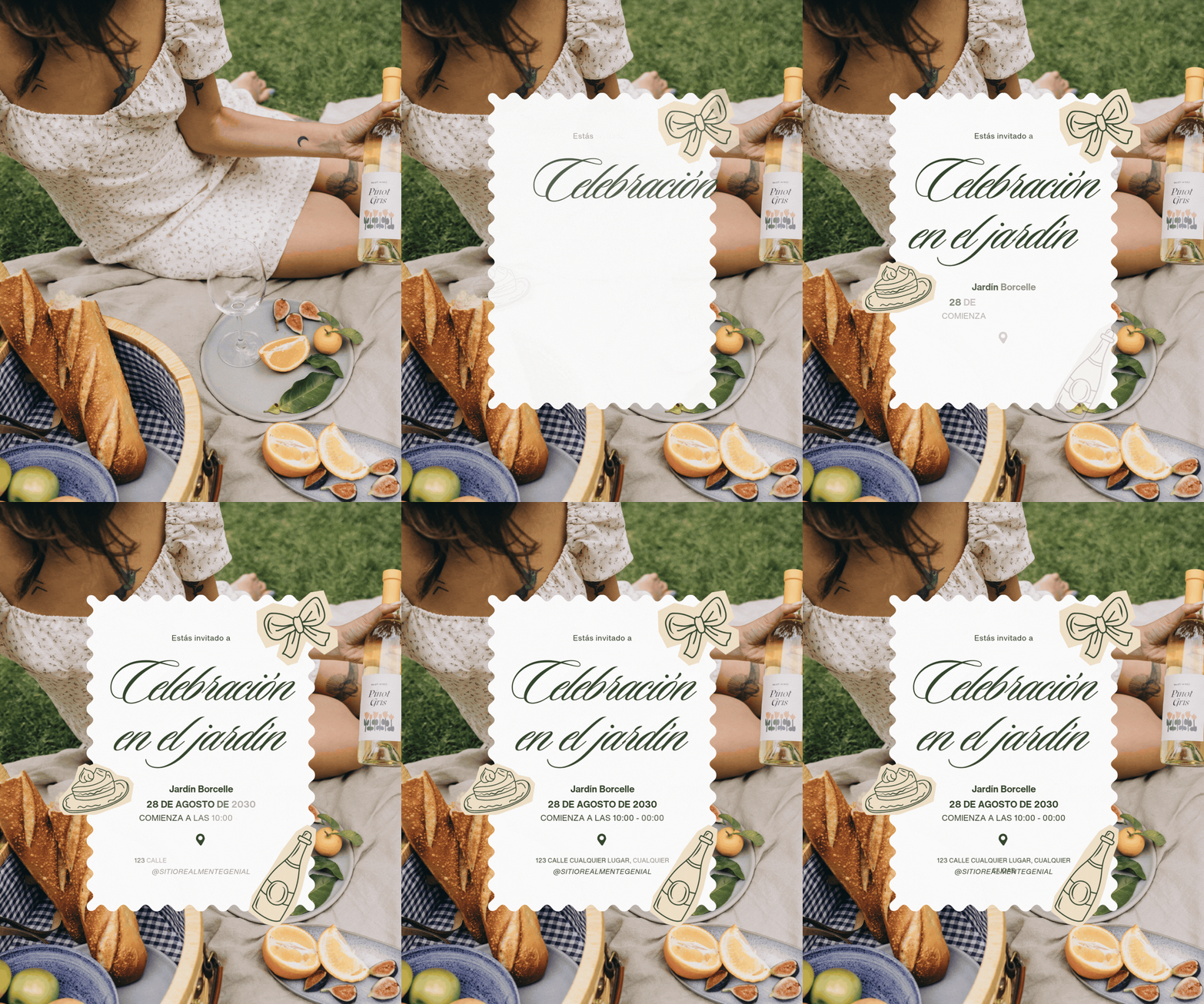
  • Canva replaces the text in every text box and regenerates the layout if needed.
Result:

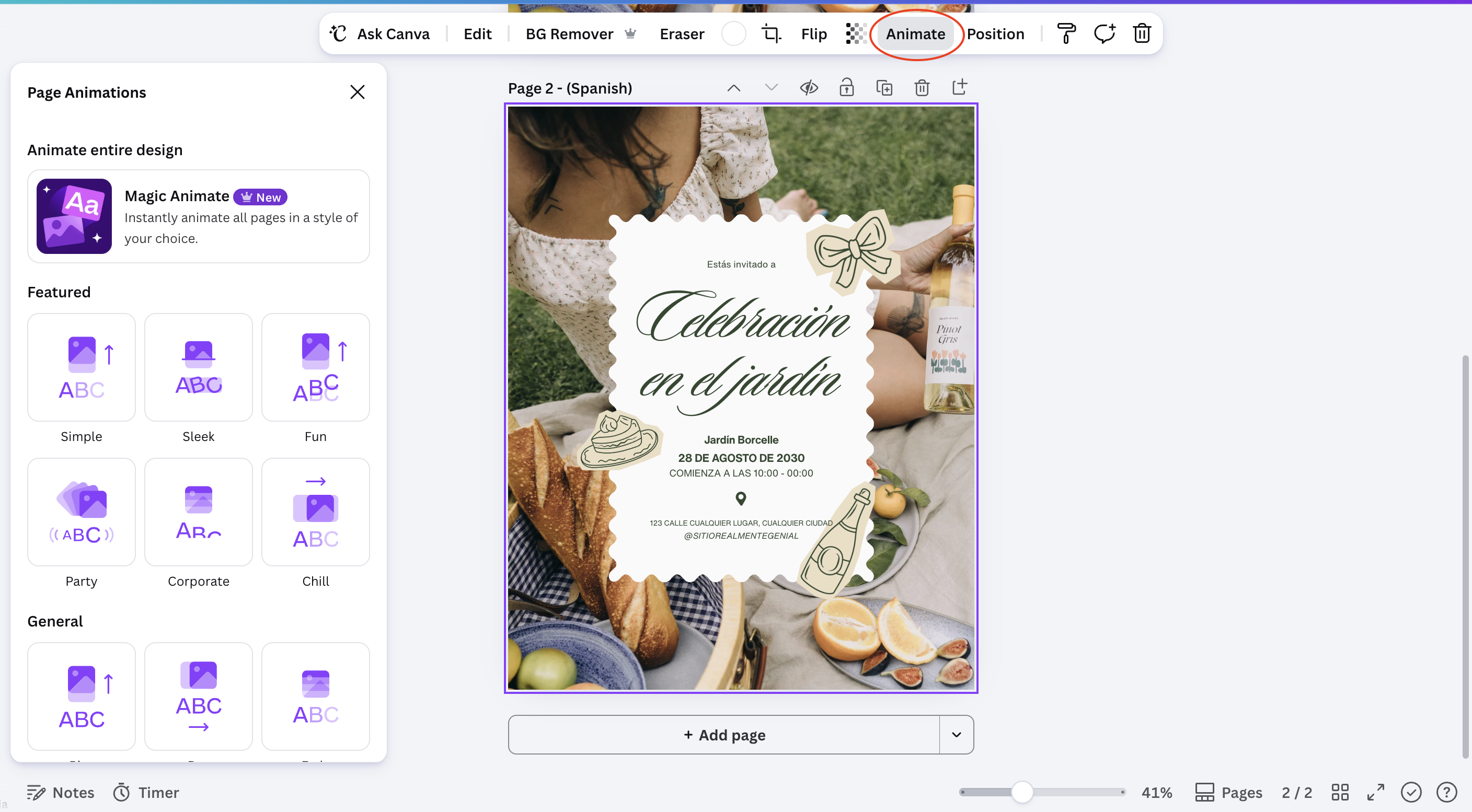
Animating a page:

  • Select a page or an individual element;
  • Open Animate;
  • Choose a style, such as Fade, Rise, or Pulse;
  • Preview the result before exporting.

Result:

Note
Note

Translate changes text only. Images, icons, and any text baked into a photo stay exactly as they were, so double-check for leftover source-language text inside images.

Both tools are reversible: switching the language back or removing an animation restores the design to its previous state without losing any content.

War alles klar?

Wie können wir es verbessern?

Danke für Ihr Feedback!

Abschnitt 1. Kapitel 9

Fragen Sie AI

expand

Fragen Sie AI

ChatGPT

Fragen Sie alles oder probieren Sie eine der vorgeschlagenen Fragen, um unser Gespräch zu beginnen

Translating and Animating Content with AI

Translate rewrites all the text in a design into another language while keeping the original layout, and Animate adds motion to a static page without any manual keyframing.

Translating a design:

  • Open Apps → Translate;
  • Choose the target language;
  • Canva replaces the text in every text box and regenerates the layout if needed.
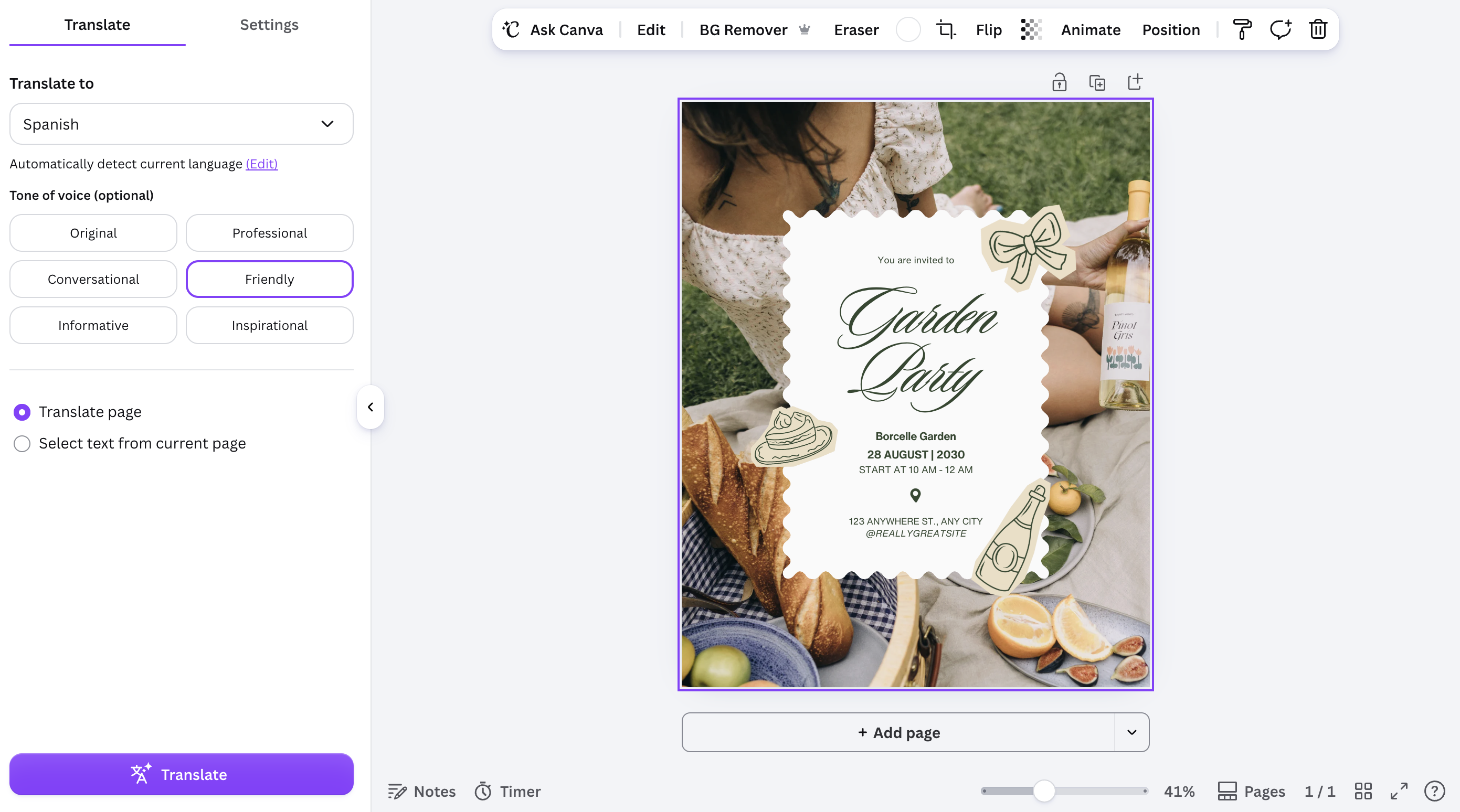
Result:
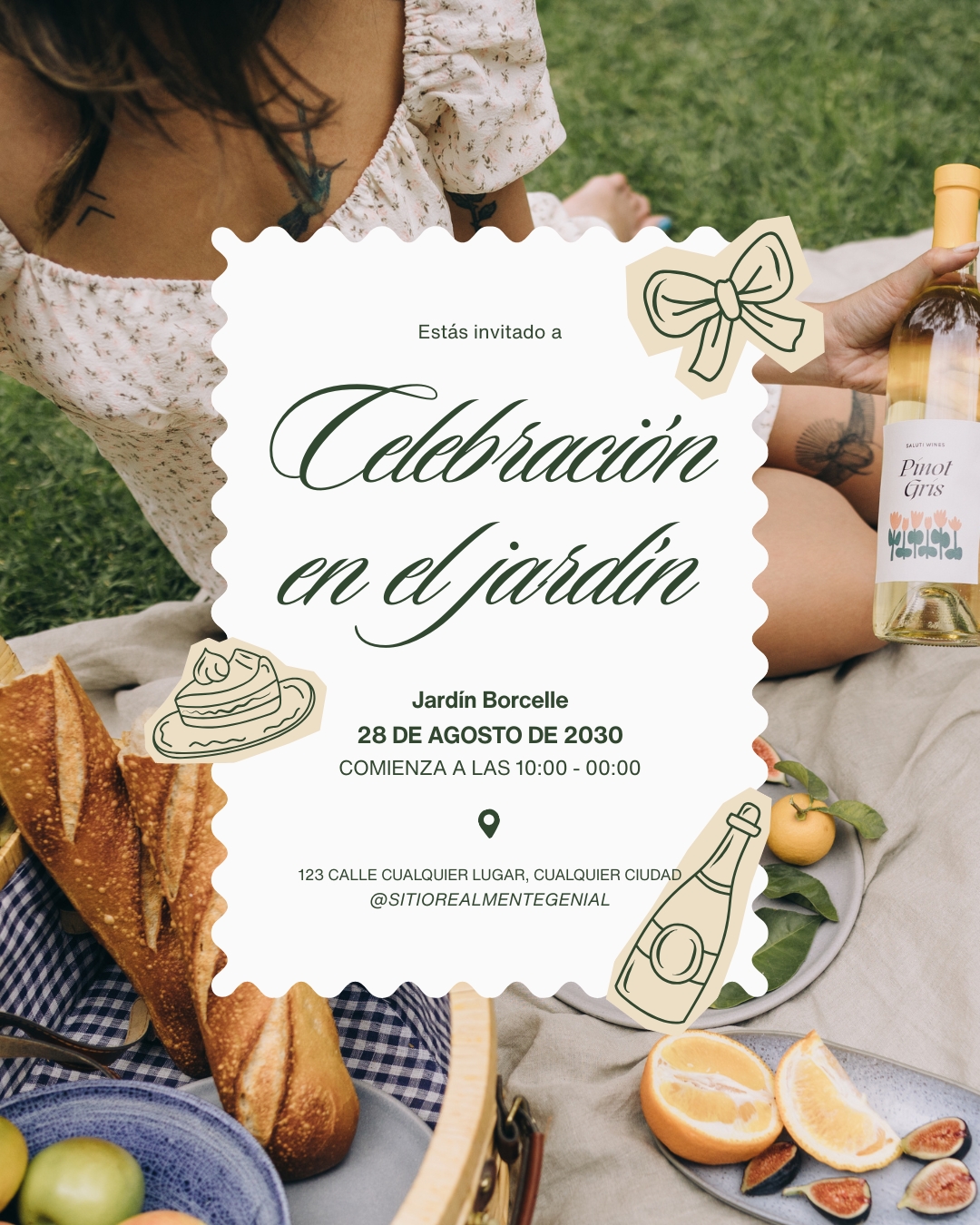
Animating a page:

  • Select a page or an individual element;
  • Open Animate;
  • Choose a style, such as Fade, Rise, or Pulse;
  • Preview the result before exporting.

Result:
Note
Note

Translate changes text only. Images, icons, and any text baked into a photo stay exactly as they were, so double-check for leftover source-language text inside images.

Both tools are reversible: switching the language back or removing an animation restores the design to its previous state without losing any content.

War alles klar?

Wie können wir es verbessern?

Danke für Ihr Feedback!

Abschnitt 1. Kapitel 9
some-alt