How Spill Works in Excel Tables
Swipe um das Menü anzuzeigen
When the same data is formatted as an Excel Table, calculations behave differently.
If you enter this formula in the Revenue column (second sheet Sales_Data_table):
=[@Quantity] * [@Unit Price]
Excel automatically applies the formula to every row in the table. Each row multiplies its own Quantity by its own Unit Price, without referencing fixed cell ranges.
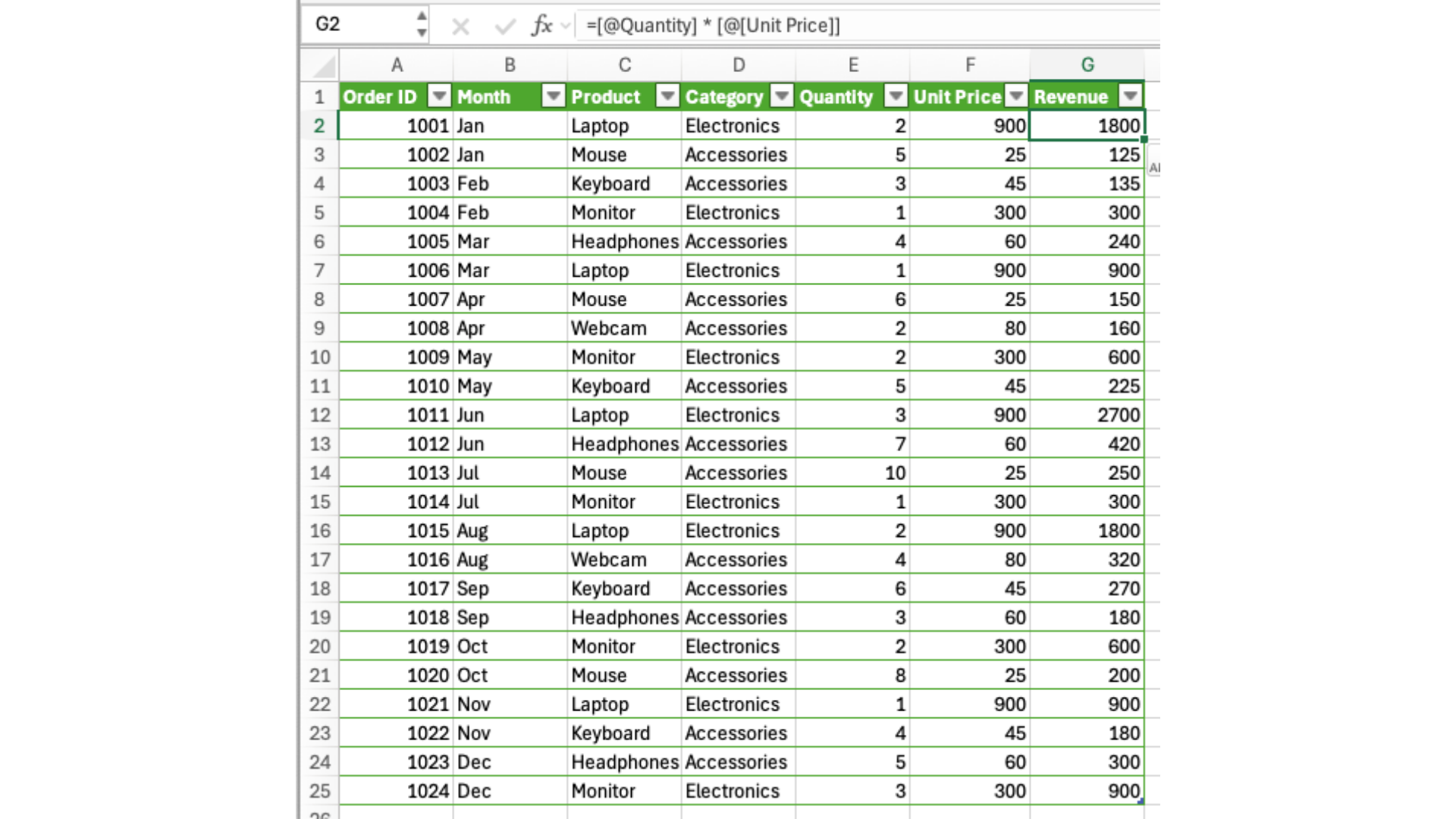
The result column expands automatically when new rows are added.
Create a dynamic column that combines Order ID (column A) and Product (column C) into one text value using one spill formula.
The result should return a full column where each value looks like:
1001 – Laptop
The formula must be written in one cell (e.g. J2) outside the table and should spill automatically for all rows in the Sales_Data table (default table name is Table1).
Use the & operator or a text function to combine two columns into one result.
=Table1[Order ID]&" - "&Table1[Product]
Danke für Ihr Feedback!
Fragen Sie AI

Fragen Sie AI

Fragen Sie alles oder probieren Sie eine der vorgeschlagenen Fragen, um unser Gespräch zu beginnen
How Spill Works in Excel Tables
When the same data is formatted as an Excel Table, calculations behave differently.
If you enter this formula in the Revenue column (second sheet Sales_Data_table):
=[@Quantity] * [@Unit Price]
Excel automatically applies the formula to every row in the table. Each row multiplies its own Quantity by its own Unit Price, without referencing fixed cell ranges.
The result column expands automatically when new rows are added.
Create a dynamic column that combines Order ID (column A) and Product (column C) into one text value using one spill formula.
The result should return a full column where each value looks like:
1001 – Laptop
The formula must be written in one cell (e.g. J2) outside the table and should spill automatically for all rows in the Sales_Data table (default table name is Table1).
Use the & operator or a text function to combine two columns into one result.
=Table1[Order ID]&" - "&Table1[Product]
Danke für Ihr Feedback!
