Ausführen und Testen der REST-API
Swipe um das Menü anzuzeigen
Nachdem wir die Entwicklung unserer Twitter-ähnlichen API abgeschlossen haben, ist es an der Zeit, die Anwendung auszuführen und ihre Funktionalität zu testen. Um die App zu starten, öffne das Terminal und führe folgenden Befehl aus:
node index
Sobald die Erfolgsmeldung im Terminal erscheint, kann Postman geöffnet werden, um zu beobachten, wie unsere App auf Client-Anfragen reagiert.

Falls du einmal nicht weiterkommst oder tiefer in den Code einsteigen möchtest, findest du den vollständigen Quellcode dieser Twitter-ähnlichen API im folgenden Repository: GitHub repository
Testen in Postman
Analyse der URLs für verschiedene Funktionalitäten und Betrachtung der API-Antworten auf die jeweiligen Anfragen.
Alle Beiträge abrufen
Diese Anfrage dient dazu, alle Beiträge aus unserer Datenbank abzurufen. Es sind weder ein Request-Body noch zusätzliche Parameter erforderlich.
- Methode: GET;
- URI:
localhost:3000/api/; - Antwort:
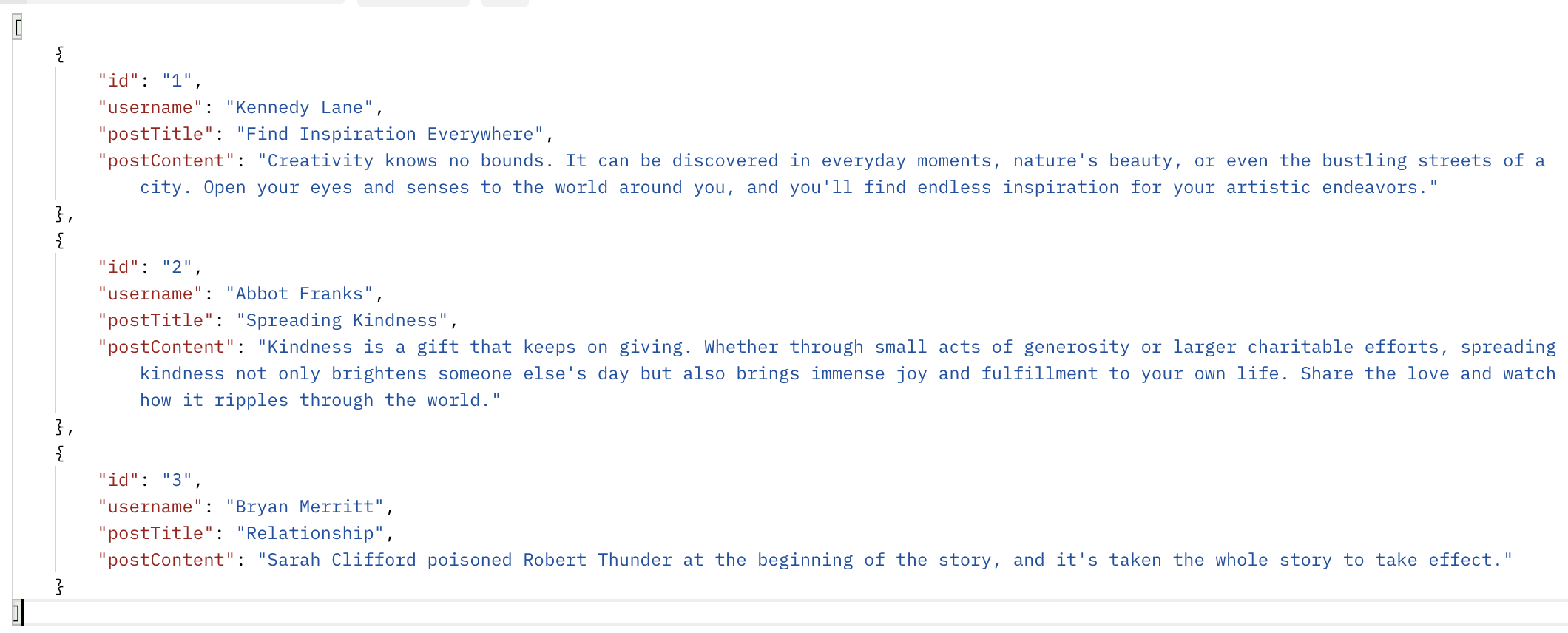
Einen Beitrag anhand seiner ID abrufen
Abrufen eines bestimmten Beitrags anhand seiner ID. Die ID muss in die URL eingefügt werden; der Request-Body bleibt unverändert.
- Methode: GET;
- URI:
localhost:3000/api/post/2; - Antwort:

Beitrag erstellen
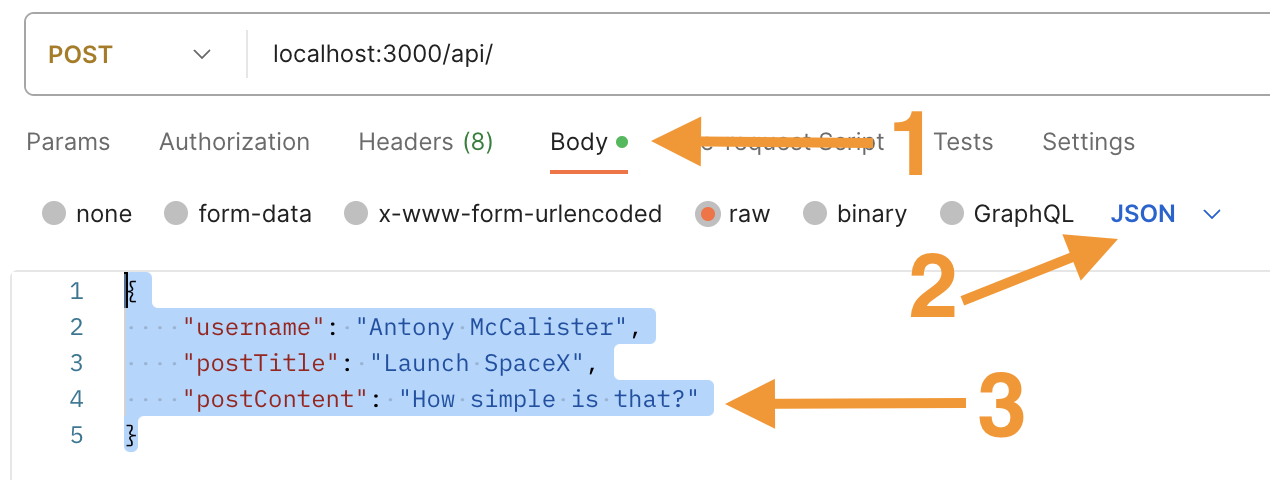
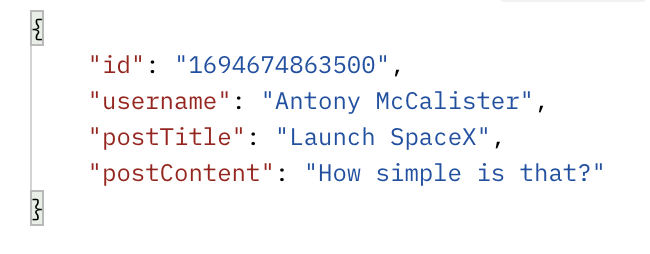
Einen neuen Beitrag erstellen, indem gültige Daten an die API übermittelt werden. Die Daten müssen im JSON-Format vorliegen und die korrekten Felder enthalten.
- Methode: POST;
- URI:
localhost:3000/api/; - Request Body:
- Antwort:
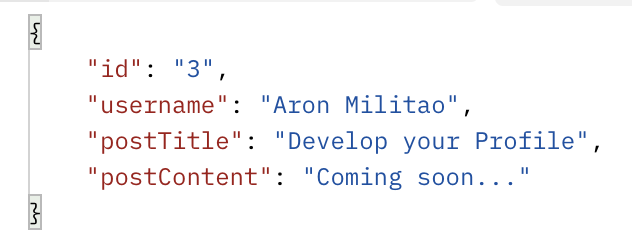
Beitrag aktualisieren
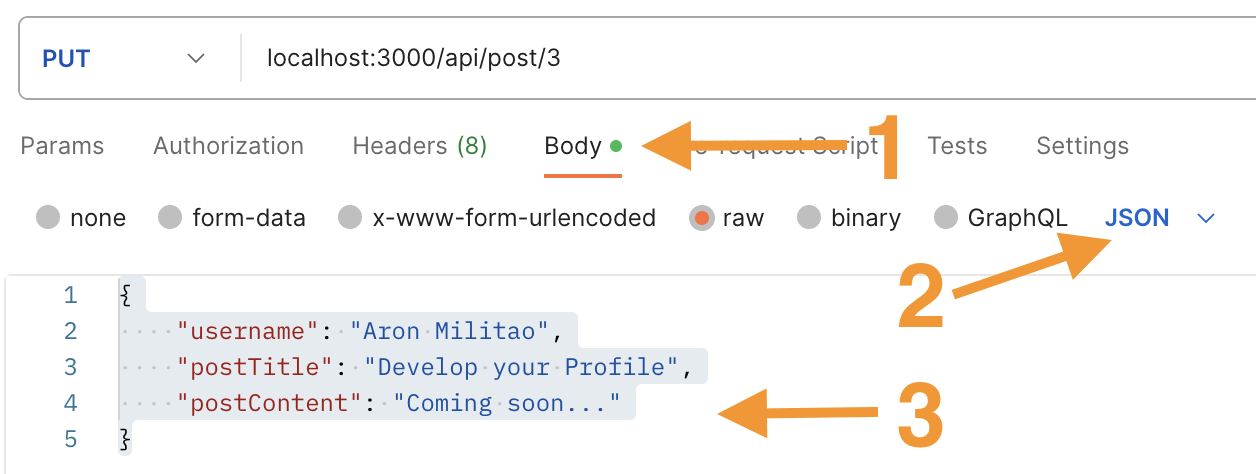
Aktualisierung eines bestehenden Beitrags durch Angabe der Beitrags-ID in den Parametern und gültigen Daten im Anfrage-Body im JSON-Format. Die API aktualisiert die Datenbank entsprechend
- Methode: PUT;
- URI:
localhost:3000/api/post/3; - Anfrage-Body:
- Antwort:
Einen Beitrag löschen
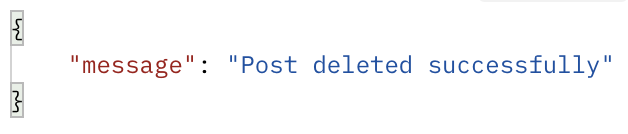
Einen Beitrag aus der Datenbank löschen, indem die Beitrags-ID in den URL-Parametern übergeben wird.
- Methode: DELETE;
- URI:
localhost:3000/api/post/1; - Antwort:
Durch das Befolgen dieser Schritte und das Testen der API mit Postman kann sichergestellt werden, dass sie wie erwartet funktioniert, verschiedene Anfragen verarbeitet und passende Antworten liefert.
Danke für Ihr Feedback!
Fragen Sie AI

Fragen Sie AI

Fragen Sie alles oder probieren Sie eine der vorgeschlagenen Fragen, um unser Gespräch zu beginnen
