Oprettelse af Din Første Pivottabel
Stryg for at vise menuen
Når dine data er forberedt, kan du opsummere dem ved hjælp af en pivottabel.
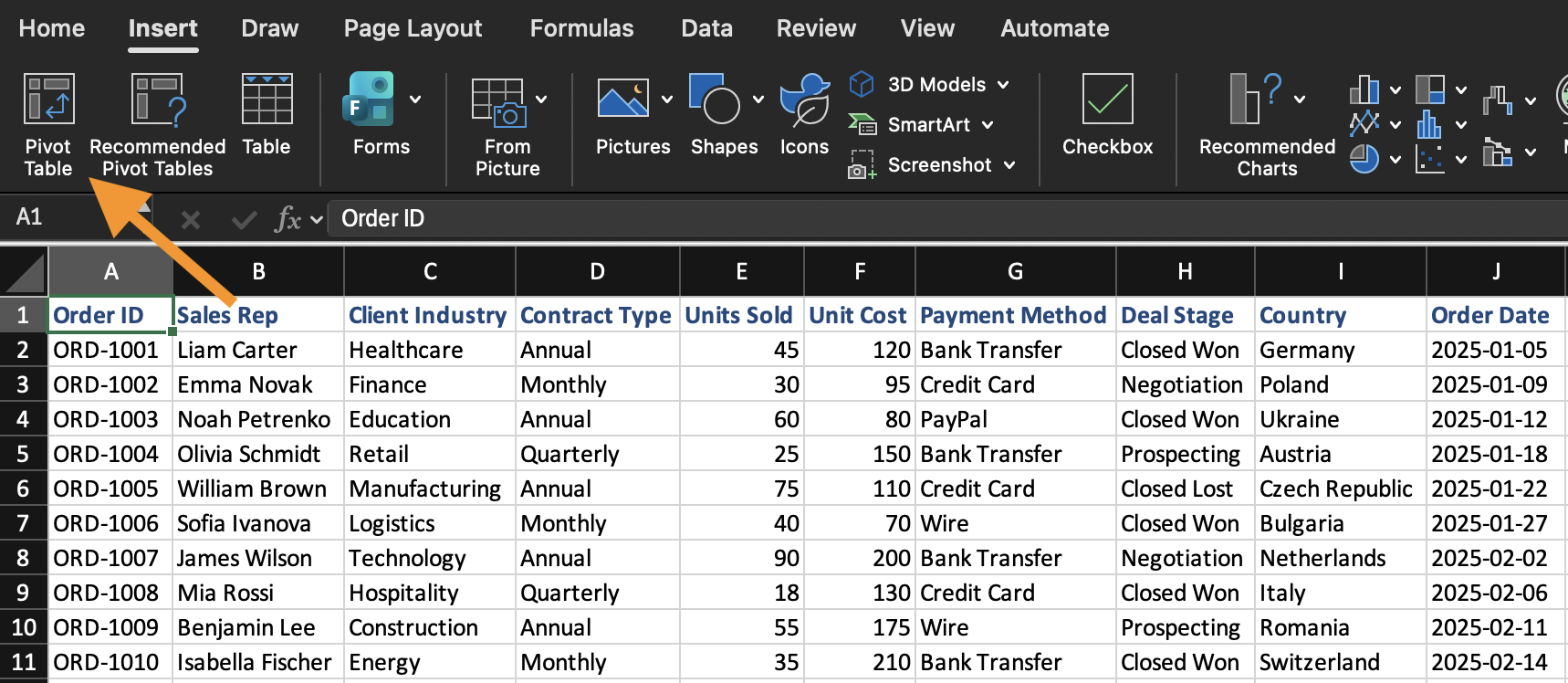
En pivottabel oprettes ud fra et eksisterende datasæt. For at indsætte en pivottabel:
- Vælg en vilkårlig celle i datasættet;
- Åbn fanen Indsæt;
- Klik på Pivottabel;
- Bekræft dataintervallet;
- Vælg at placere pivottabellen på et nyt regneark.
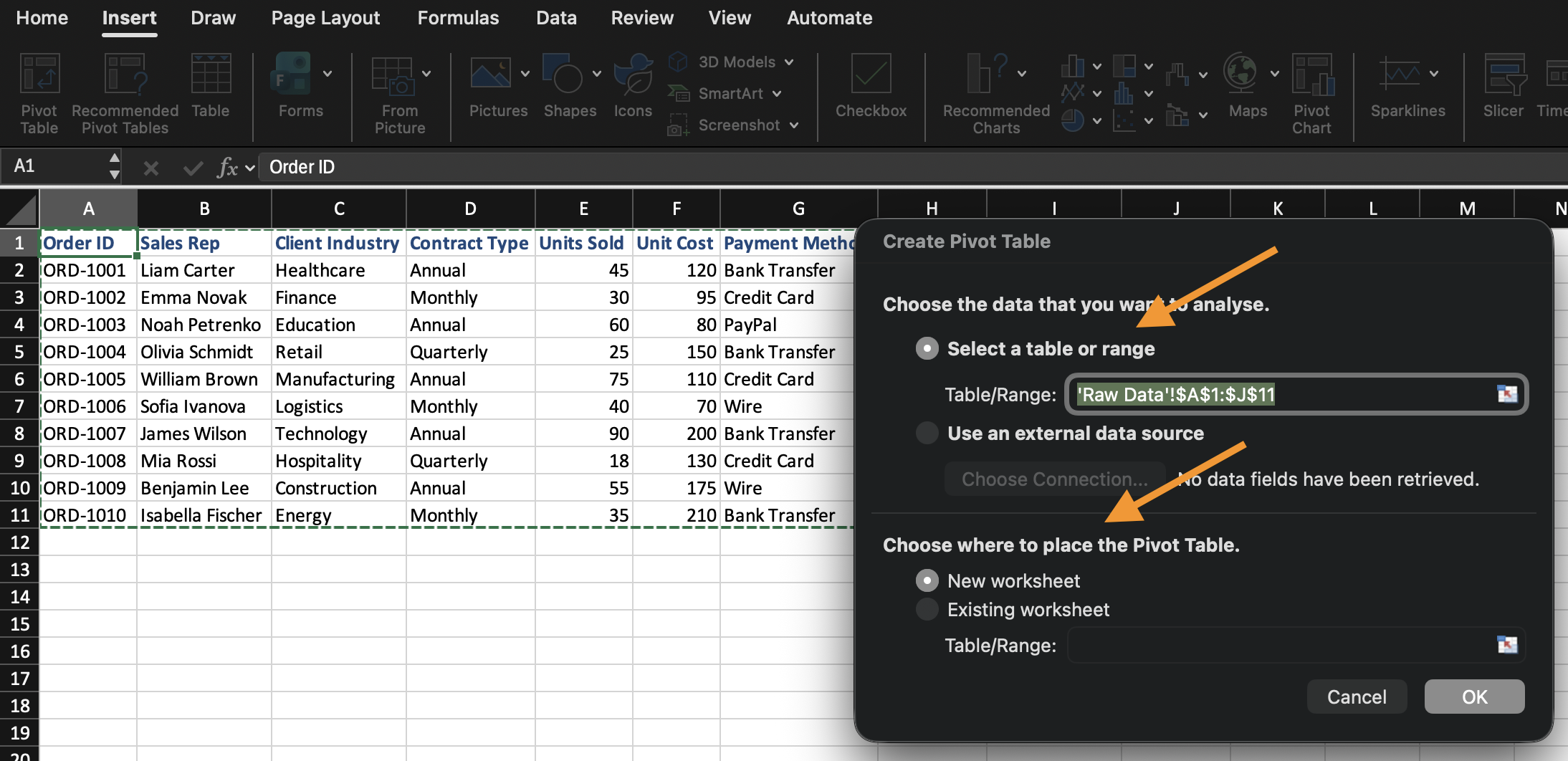
Excel opretter en tom pivottabel og åbner feltlisten til pivottabellen.
Forståelse af feltlistens områder
Feltlisten styrer, hvordan pivottabellen opbygges. Den består af fire separate områder, og hvert område håndterer det felt, du placerer der, på forskellig vis:
- Rækker: definerer gruppering. Feltet, der placeres her, bliver de etiketter, dine data opdeles efter (f.eks. vil placering af
Categoryher oprette én række pr. kategori); - Kolonner: definerer også gruppering, men hen over toppen i stedet for ned langs siden. Fungerer på samme måde som Rækker, men vises horisontalt;
- Værdier: definerer beregninger. I stedet for blot at vise feltet, aggregerer Excel det (Sum, Antal, Gennemsnit osv.) på tværs af den gruppering, der er angivet i Rækker/Kolonner;
- Filtre: indsnævrer hele pivottabellen til et datasæt, uden at feltet vises i selve tabellen.
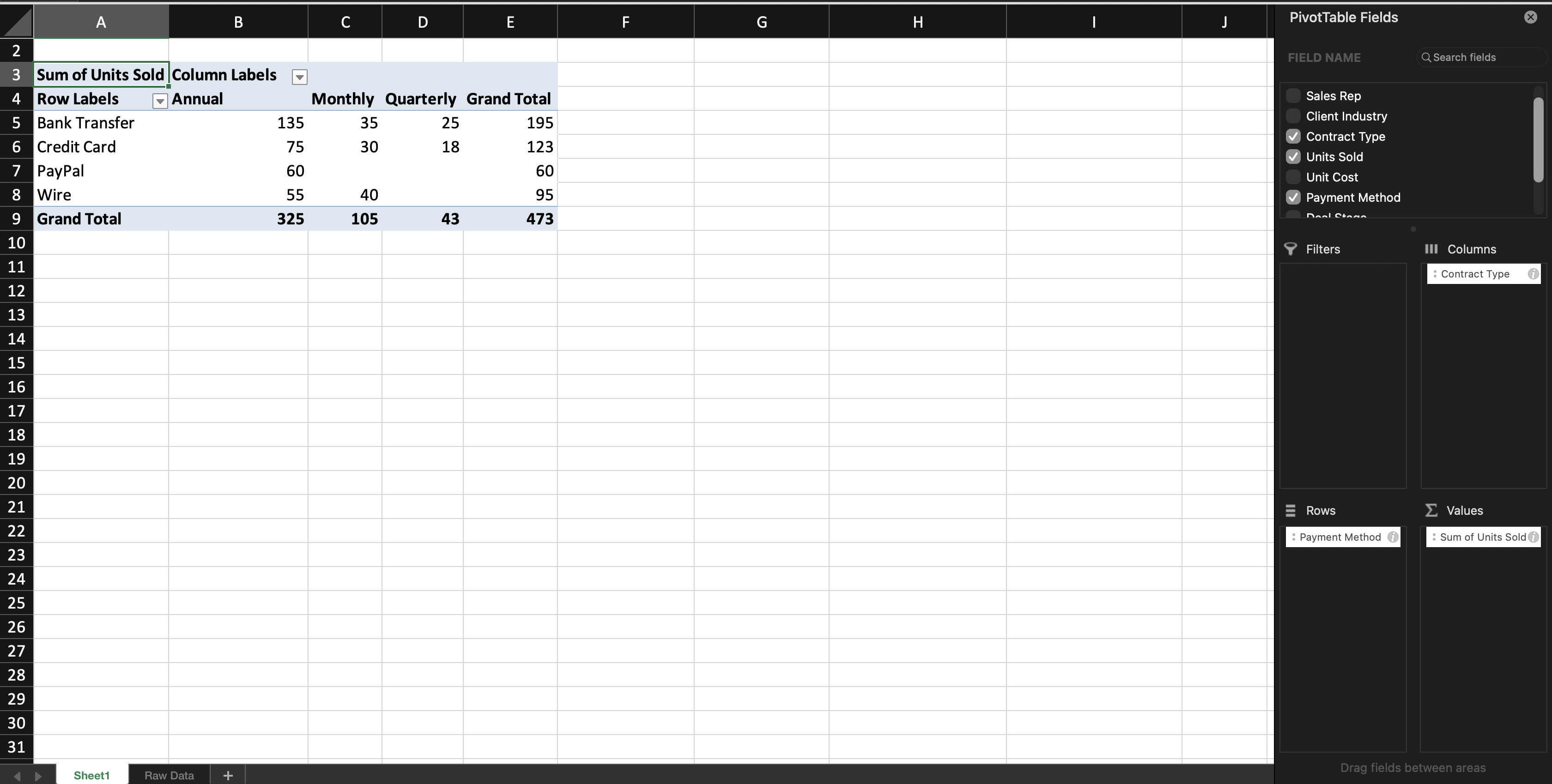
Når du tilføjer et tekstfelt til Rækker (eller Kolonner), grupperer Excel posterne efter dette felt. Når du tilføjer et numerisk felt til Værdier, beregner Excel som standard en total (Sum) — denne standard er baseret på feltets datatype: numeriske felter summeres som standard, mens tekstfelter som standard tælles, da tekstværdier ikke kan summeres. Du lærer, hvordan du ændrer denne standardindstilling i næste kapitel.
Du kan til enhver tid ændre pivottabellen ved at flytte felter mellem områder. Kildedataene ændres ikke.

Hvis panelet Pivottabel-feltliste lukkes, skal du klikke et vilkårligt sted inde i pivottabellen, så vises det automatisk igen.
Opgave
Opret din første pivottabel.
Gør følgende:
- Indsæt en pivottabel fra datasættet;
- Placer Category i rækker;
- Placer Sales i værdier;
Opret pivottabellen på et nyt regneark.
Tak for dine kommentarer!
Spørg AI

Spørg AI

Spørg om hvad som helst eller prøv et af de foreslåede spørgsmål for at starte vores chat
