Audio and Video Overviews
Stryg for at vise menuen
The Studio panel turns the same sources into something other than text. Audio came first and is still the feature people remember the product for.
Audio Overviews
An audio overview is a produced conversation between two AI hosts discussing your sources. It is genuinely listenable, which matters when the alternative is reading forty pages on a commute.
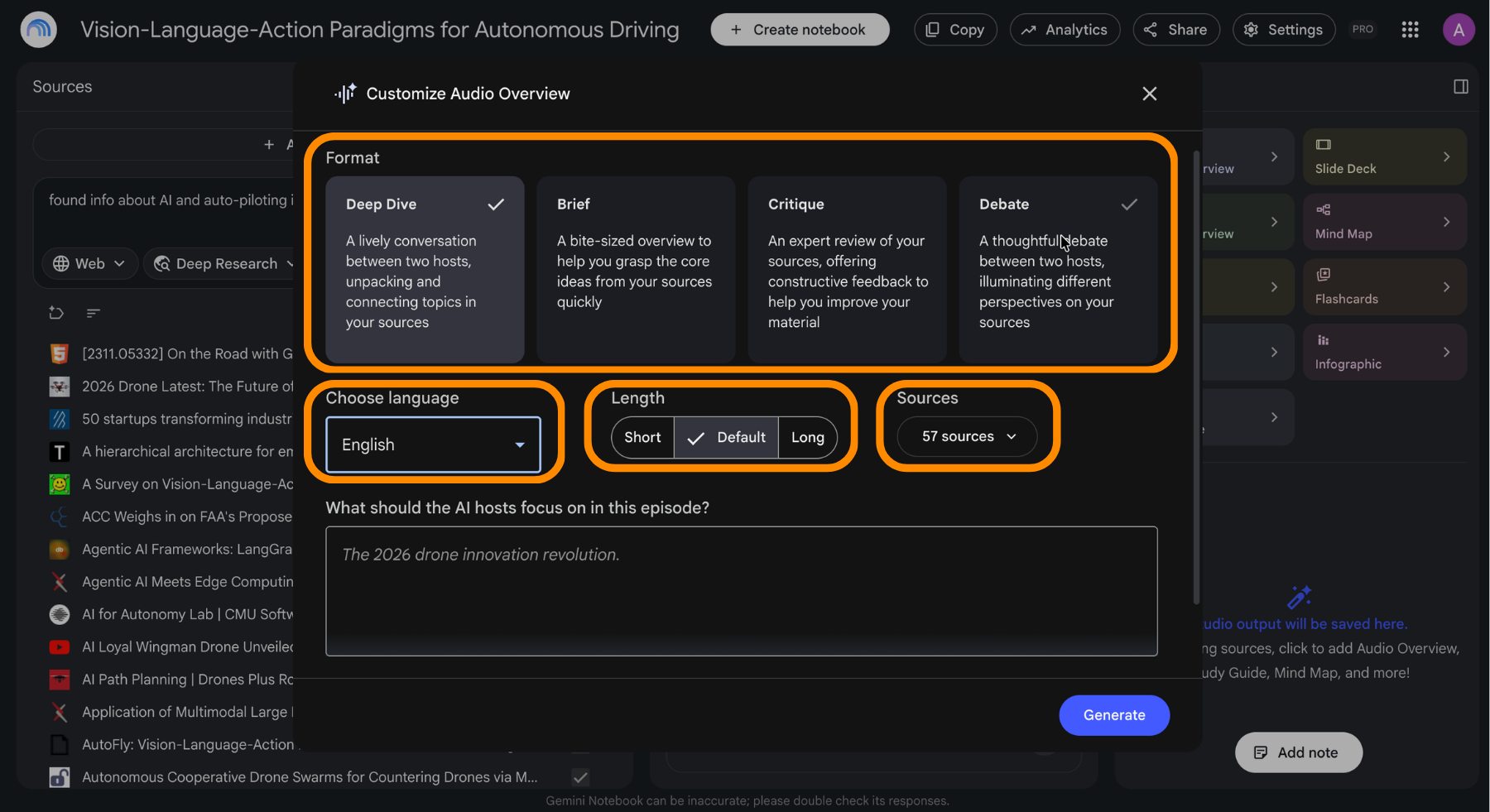
Four formats cover different jobs:
- Deep dive: an extended exploration, best for complex material;
- Brief: a short summary for catching up quickly;
- Debate: the hosts argue opposing sides, useful for pressure-testing an idea;
- Critique: an analytical teardown, useful when editing your own work.
You can also write a custom instruction before generating to aim the discussion at a specific angle rather than the whole source set.
Interactive Mode
While an audio overview plays, interactive mode lets you interrupt and ask the hosts a question. They answer from your sources and continue. It turns a passive listen into something closer to sitting in on a discussion where you can raise a hand.
Video Overviews
A video overview is narrated visuals rather than a talking head: an animated sequence of slides that walks through the material. It suits anything where seeing the structure helps more than hearing it described. The most cinematic version is limited to the top plan.
More Than One of Each
A notebook can hold multiple outputs of the same type. That unlocks combinations worth knowing:
- One audio overview per chapter of a course, instead of one long one;
- The same overview generated in several languages for a shared notebook;
- A brief for the team and a deep dive for yourself, from identical sources.
Tak for dine kommentarer!
Spørg AI

Spørg AI

Spørg om hvad som helst eller prøv et af de foreslåede spørgsmål for at starte vores chat
