Justifying Content Horizontally
Stryg for at vise menuen
The justify-content property is instrumental in determining the position of flex items along the main axis. Its default value is flex-start.
justify-content: flex-start | flex-end | center | space-between | space-around;
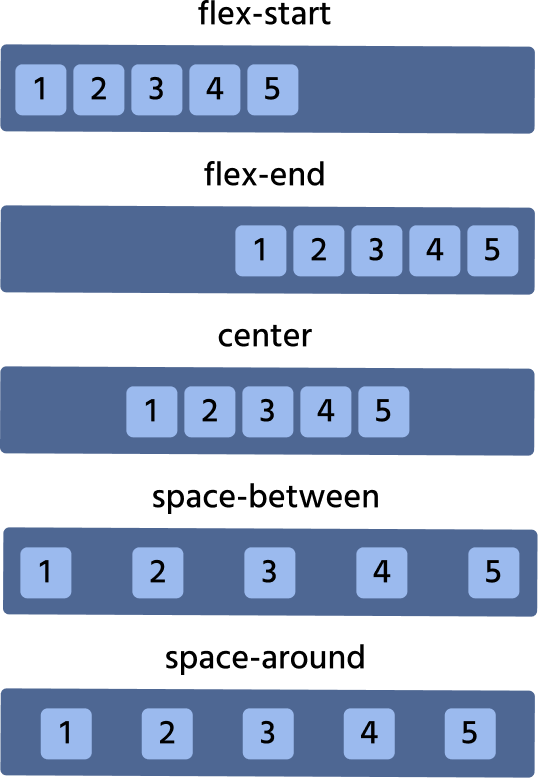
Let's consider each case on practice. We will play with the list of cards.
flex-start
Default value, which makes all the items be at the start of the main axis.

index.html

index.css
flex-end
All items are at the axis end.
index.html
index.css
center
All items are in the center.
index.html
index.css
space-around
It distributes all the items evenly along the main axis with a bit of space left at either end.
index.html
index.css
space-between
It is very similar to space-around except that it doesn't leave any space at the axis on both ends.
index.html
index.css
Tak for dine kommentarer!
Spørg AI

Spørg AI

Spørg om hvad som helst eller prøv et af de foreslåede spørgsmål for at starte vores chat
