Minidiagrammer
Stryg for at vise menuen
Sparklines er den mest kompakte måde at tilføje visuel kontekst til en tabel på. I stedet for at bede læseren om at kigge fra en tabelcelle til et separat diagram et andet sted på arket, placerer en sparkline tendensen direkte i cellen.
De erstatter ikke fulde diagrammer. En sparkline kan ikke vise aksemærkater, præcise værdier eller detaljerede sammenligninger på tværs af mange produkter på én gang. Det, den gør, er at lade læseren skimme en kolonne med sparklines og straks se, hvilke produkter der er stigende, hvilke der er stabile, og hvilke der er faldende — uden at forlade tabellen.
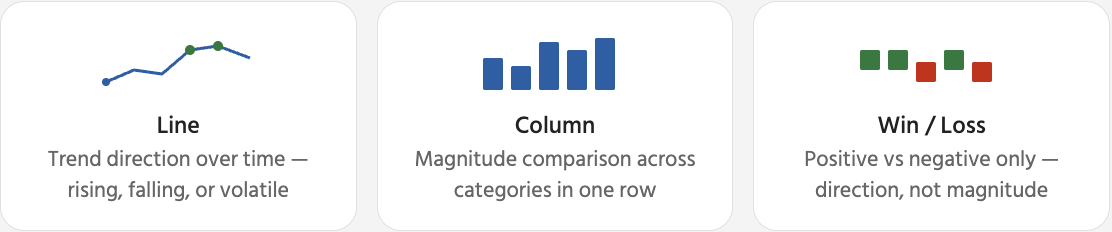
Når en sparkline er valgt, vises en kontekstafhængig Sparkline-fane i båndet. Her styrer du, hvordan sparkline ser ud, og hvilke datapunkter der fremhæves. De mest nyttige muligheder er markører og punktfremhævninger — de hjælper læseren med hurtigt at identificere top og bund uden at skulle læse de underliggende tal.

Fjernelse af sparklines: vælg sparkline-celle(r) → Sparkline-fanen → Ryd → Ryd valgte sparklines. Dette fjerner kun det visuelle element — tabeldataene i samme række forbliver helt upåvirkede. Hvis du trykker på Delete, fjernes celleindholdet, ikke sparkline.
Tak for dine kommentarer!
Spørg AI

Spørg AI

Spørg om hvad som helst eller prøv et af de foreslåede spørgsmål for at starte vores chat
