Fra Data til Diagram
Stryg for at vise menuen
Excel tilbyder to måder at oprette et diagram på. Anbefalede diagrammer er den hurtigste start. Excel analyserer de valgte data og foreslår diagramtyper, der passer til deres struktur. Gruppen Diagrammer på fanen Indsæt giver manuel kontrol til at vælge enhver type direkte.

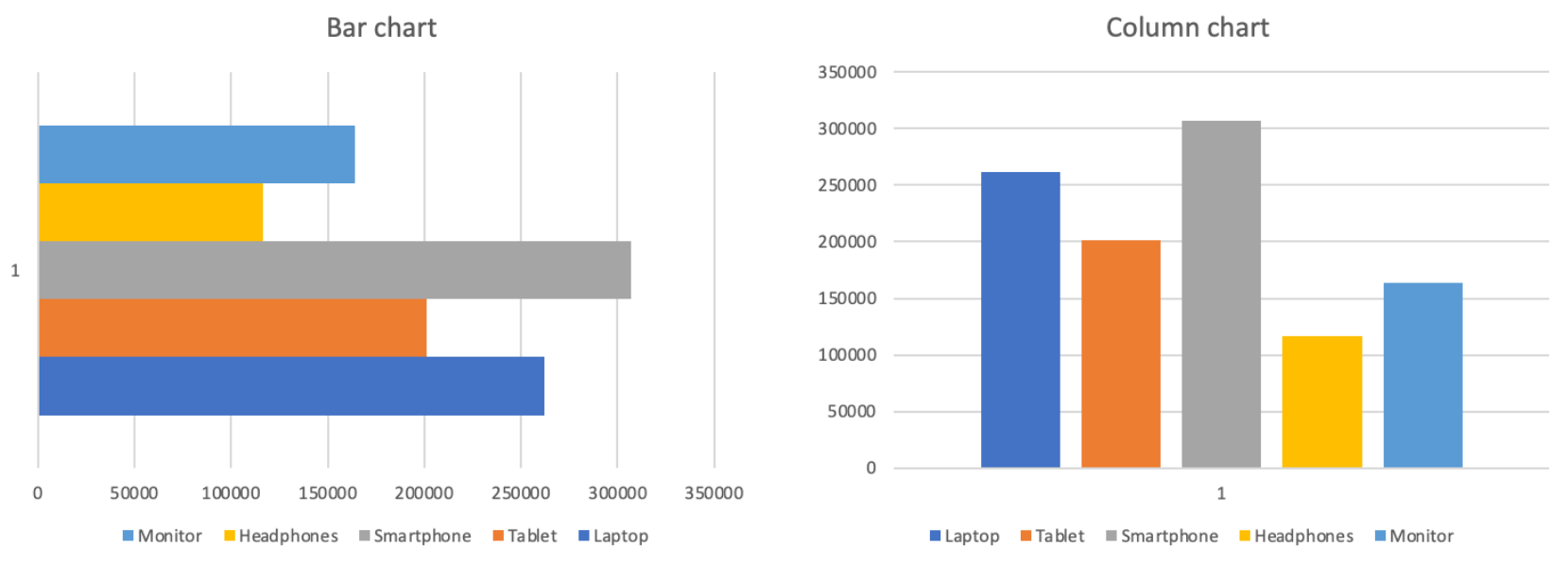
Søjle-/stolpediagram
Højden af hver søjle repræsenterer værdien. Mellemrum mellem søjlerne understreger, at kategorierne er adskilte og uafhængige, ikke en del af en kontinuerlig sekvens.
Sammenligning:
- Samlet omsætning pr. produkt;
- Salg efter region eller kategori;
- Enhver rangering eller side-om-side sammenligning;
- Ikke ideel til at vise ændringer over tid.
Linjediagram
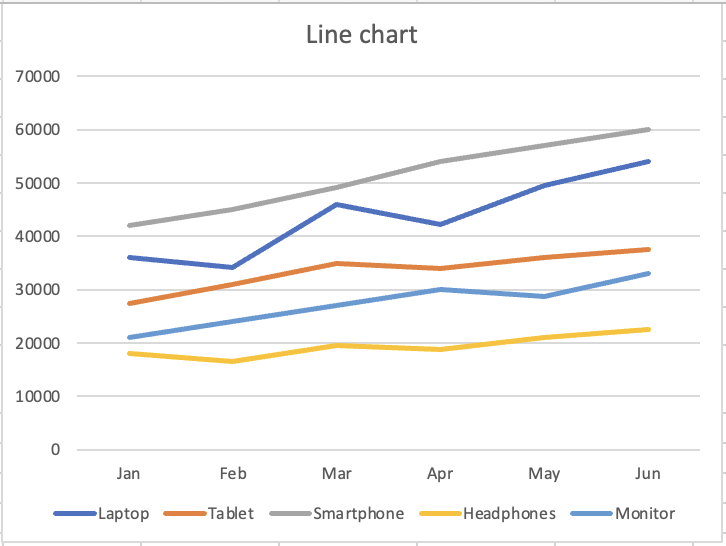
Den kontinuerlige linje antyder bevægelse og udvikling. Hvert punkt forbinder til det næste og viser retning og momentum. Den visuelle form fortæller læseren "dette ændrer sig."
Tendens over tid:
- Månedlig omsætning pr. produkt;
- Ethvert nøgletal fulgt over tidsperioder;
- Sammenligning af tendenser for flere serier;
- Ikke ideel til sammenligning af adskilte kategorier.
Tak for dine kommentarer!
Spørg AI

Spørg AI

Spørg om hvad som helst eller prøv et af de foreslåede spørgsmål for at starte vores chat
