Skrivning og Kørsel af SQL-Kode
Stryg for at vise menuen

SQL (Structured Query Language) er det industristandardiserede sprog til interaktion med relationelle databaser. I Databricks bruges SQL til at forespørge tabeller i Lakehouse, opbygge visualiseringer og udføre dataanalyse i notebooks.
Selvom Python er kraftfuldt til data engineering, er SQL stadig det mest populære sprog til dataanalyse. Databricks behandler SQL som et førsteklasses sprog. Selv hvis din notebooks standardsprog er sat til Python, kan du nemt skifte til SQL for at udføre hurtige dataopslag eller komplekse joins.
Brug af SQL i en SQL-notebook
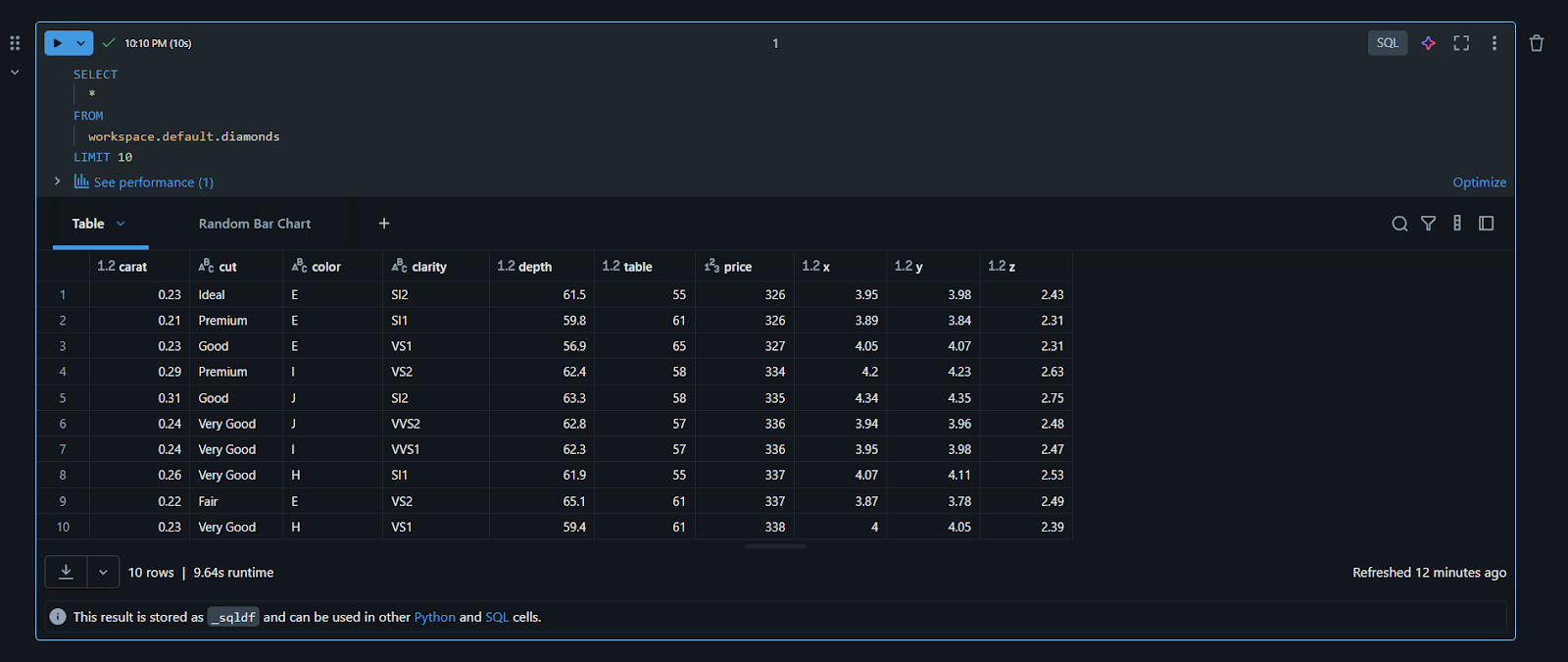
Hvis du har oprettet din notebook med SQL som standardsprog, vil hver celle, du opretter, automatisk være en SQL-celle. Du skriver blot din forespørgsel – såsom SELECT * FROM table_name – og kører den. Output vises i et rent, interaktivt tabel-format, hvor du kan sortere kolonner eller søge efter specifikke værdier uden at skrive ekstra kode.
Kommandoen "Magic": %sql
Hvis du arbejder i en Python-notebook, behøver du ikke oprette en helt ny fil blot for at køre en SQL-forespørgsel. Databricks anvender "Magic Commands" til at skifte sprog dynamisk. Ved at skrive %sql helt i starten af en celle, instruerer du clusteren i at ignorere Python og i stedet eksekvere netop denne celle som SQL-kode.
%sql
SELECT "Hello from the SQL engine" AS message
Forespørgsel på eksempeldata
I sektion 2 uploadede vi en fil kaldet diamonds. Nu kan vi forespørge den direkte. I en SQL-celle kan du prøve følgende kode:
SELECT
  carat,
  cut,
  price
FROM
  workspace.default.diamonds
LIMIT 10
Bemærk navngivningskonventionen: catalog.schema.table. Dette tredelte navn sikrer, at du henter de korrekte data fra Catalog, som vi udforskede tidligere.
Interaktive resultater og visualiseringer
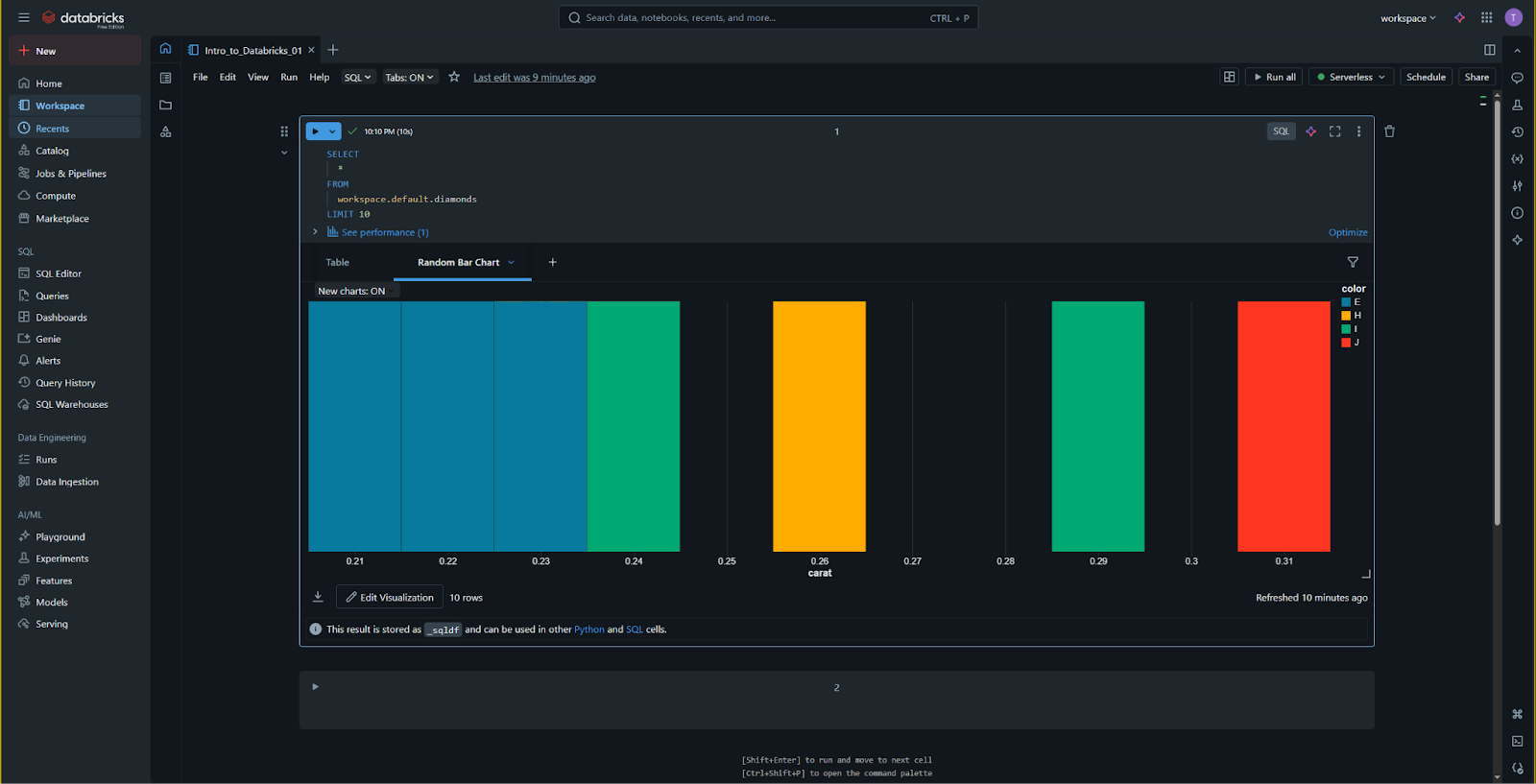
Når en SQL-celle er færdig med at køre, giver Databricks et interaktivt resultatsæt. Under resultattabellen vil du se et "+"-ikon efterfulgt af "Visualisering". Dette giver dig mulighed for straks at omdanne dine SQL-resultater til søjlediagrammer, linjediagrammer eller lagkagediagrammer. I modsætning til traditionelle SQL-miljøer, hvor du måske skal eksportere data til Excel for at se et diagram, giver Databricks dig mulighed for at opbygge både analysen og visualiseringen i samme miljø.
Formatering af SQL for læsbarhed
SQL kan blive svært at læse, efterhånden som forespørgslerne bliver mere komplekse. Databricks indeholder en indbygget SQL Formatter. Du finder denne i celleværktøjslinjen (ofte repræsenteret ved et lille "tryllestav"-ikon eller under menuen "Rediger"). Ved at klikke på denne bliver dine nøgleord automatisk indrykket og kolonnerne justeret, hvilket gør din kode lettere for dine kollegaer at gennemgå i Workspace.

1. Hvis du er i en Python-notebook og vil skrive en SQL-forespørgsel i en enkelt celle, hvilken "Magic Command" skal du skrive øverst?
2. Hvad er den korrekte måde at referere til en tabel i Databricks ved brug af den tre-delte navngivningskonvention?
Tak for dine kommentarer!
Spørg AI

Spørg AI

Spørg om hvad som helst eller prøv et af de foreslåede spørgsmål for at starte vores chat
Skrivning og Kørsel af SQL-Kode
SQL (Structured Query Language) er det industristandardiserede sprog til interaktion med relationelle databaser. I Databricks bruges SQL til at forespørge tabeller i Lakehouse, opbygge visualiseringer og udføre dataanalyse i notebooks.
Selvom Python er kraftfuldt til data engineering, er SQL stadig det mest populære sprog til dataanalyse. Databricks behandler SQL som et førsteklasses sprog. Selv hvis din notebooks standardsprog er sat til Python, kan du nemt skifte til SQL for at udføre hurtige dataopslag eller komplekse joins.
Brug af SQL i en SQL-notebook
Hvis du har oprettet din notebook med SQL som standardsprog, vil hver celle, du opretter, automatisk være en SQL-celle. Du skriver blot din forespørgsel – såsom SELECT * FROM table_name – og kører den. Output vises i et rent, interaktivt tabel-format, hvor du kan sortere kolonner eller søge efter specifikke værdier uden at skrive ekstra kode.
Kommandoen "Magic": %sql
Hvis du arbejder i en Python-notebook, behøver du ikke oprette en helt ny fil blot for at køre en SQL-forespørgsel. Databricks anvender "Magic Commands" til at skifte sprog dynamisk. Ved at skrive %sql helt i starten af en celle, instruerer du clusteren i at ignorere Python og i stedet eksekvere netop denne celle som SQL-kode.
%sql
SELECT "Hello from the SQL engine" AS message
Forespørgsel på eksempeldata
I sektion 2 uploadede vi en fil kaldet diamonds. Nu kan vi forespørge den direkte. I en SQL-celle kan du prøve følgende kode:
SELECT
  carat,
  cut,
  price
FROM
  workspace.default.diamonds
LIMIT 10
Bemærk navngivningskonventionen: catalog.schema.table. Dette tredelte navn sikrer, at du henter de korrekte data fra Catalog, som vi udforskede tidligere.
Interaktive resultater og visualiseringer
Når en SQL-celle er færdig med at køre, giver Databricks et interaktivt resultatsæt. Under resultattabellen vil du se et "+"-ikon efterfulgt af "Visualisering". Dette giver dig mulighed for straks at omdanne dine SQL-resultater til søjlediagrammer, linjediagrammer eller lagkagediagrammer. I modsætning til traditionelle SQL-miljøer, hvor du måske skal eksportere data til Excel for at se et diagram, giver Databricks dig mulighed for at opbygge både analysen og visualiseringen i samme miljø.
Formatering af SQL for læsbarhed
SQL kan blive svært at læse, efterhånden som forespørgslerne bliver mere komplekse. Databricks indeholder en indbygget SQL Formatter. Du finder denne i celleværktøjslinjen (ofte repræsenteret ved et lille "tryllestav"-ikon eller under menuen "Rediger"). Ved at klikke på denne bliver dine nøgleord automatisk indrykket og kolonnerne justeret, hvilket gør din kode lettere for dine kollegaer at gennemgå i Workspace.
Tak for dine kommentarer!
