Continue-sætning
Stryg for at vise menuen
continue-sætningen bruges til at springe til næste iteration af løkken.
Når vi bruger continue-sætningen, ignoreres al kode, der følger efter den inde i kodeblokken, og løkken springer til næste iteration.
Lad os se på et eksempel:
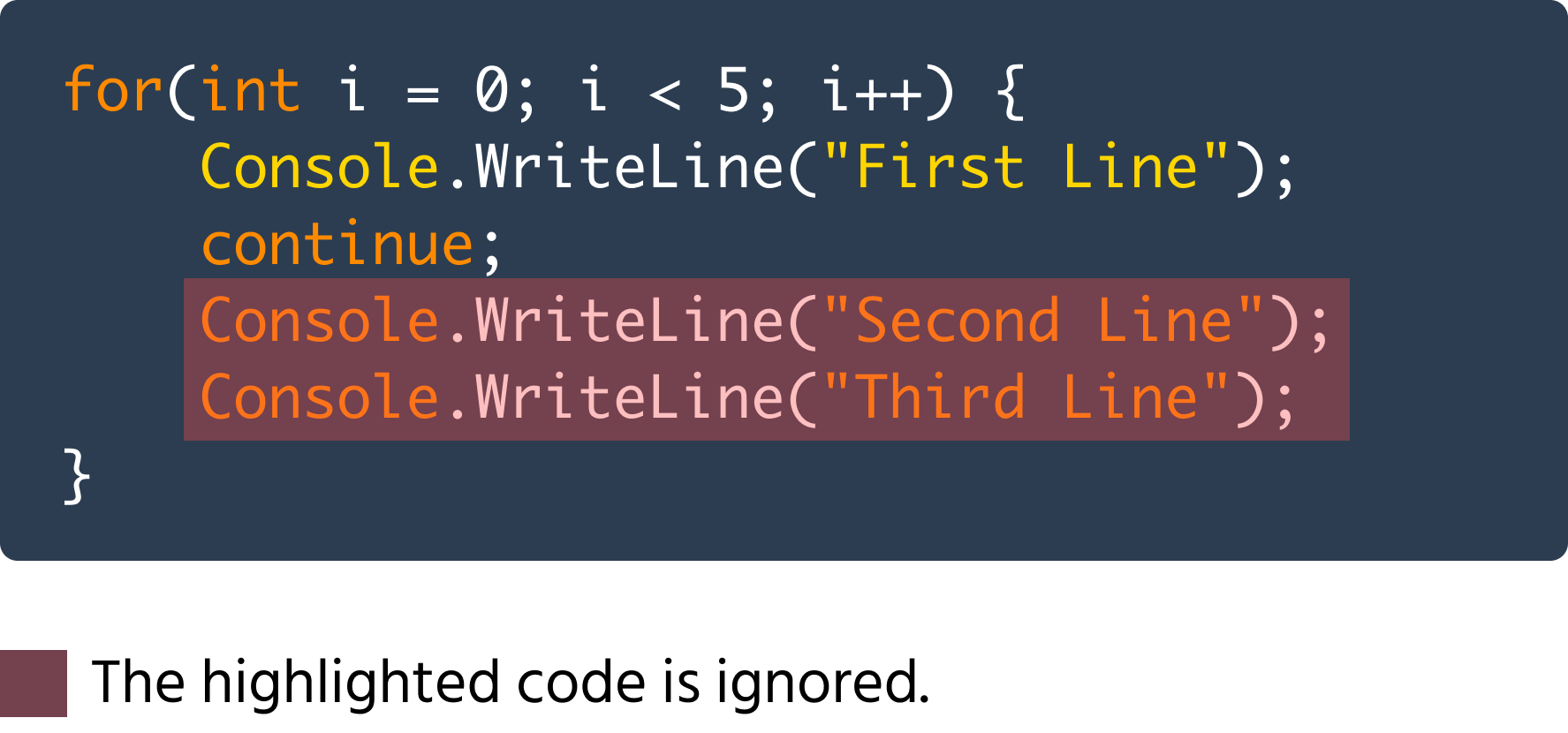
Som du kan se i koden ovenfor, bliver de anden og tredje Console.WriteLine-metoder ignoreret i hver iteration.
På samme måde kan vi også betinget ignorere kode ved hjælp af continue-sætningen:

main.cs
1234567891011121314151617using System; namespace ConsoleApp { internal class Program { static void Main(string[] args) { for(int i = 0; i < 5; i++) { if(i == 3) { continue; } Console.WriteLine(i); } } } }
I ovenstående eksempel bliver Console.WriteLine-sætningen ignoreret i den 4. iteration.
Et mere praktisk eksempel på continue-sætningen er følgende kode:
main.cs
1234567891011121314151617using System; namespace ConsoleApp { internal class Program { static void Main(string[] args) { for(int i = 0; i < 10; i++) { if(i % 2 != 0) { continue; } Console.WriteLine(i); } } } }
Ovenstående kode itererer fra tallene 0 til 9. Den kontrollerer, om i er ulige ved hjælp af betingelsen i % 2 != 0, da et ulige tal divideret med 2 altid giver en ikke-nul rest. Hvis et tal er ulige, springes til næste iteration, og hvis et tal er lige, springes der ikke over, og derfor udskrives i. På denne måde udskrives alle de lige tal mellem 0 og 9.
Tak for dine kommentarer!
Spørg AI

Spørg AI

Spørg om hvad som helst eller prøv et af de foreslåede spørgsmål for at starte vores chat
