Grouping Dates and Numbers
Swipe to show menu
Pivot Tables allow you to group raw values into logical ranges. Instead of analyzing individual dates or numbers, you can group them into months, quarters, years, or numeric intervals. This makes trends easier to see.
Grouping Dates
When a date field is placed in the Rows area, Pivot Tables initially display individual dates. You can group dates into: months, quarters, years, days, or any combination of these.
To group dates:
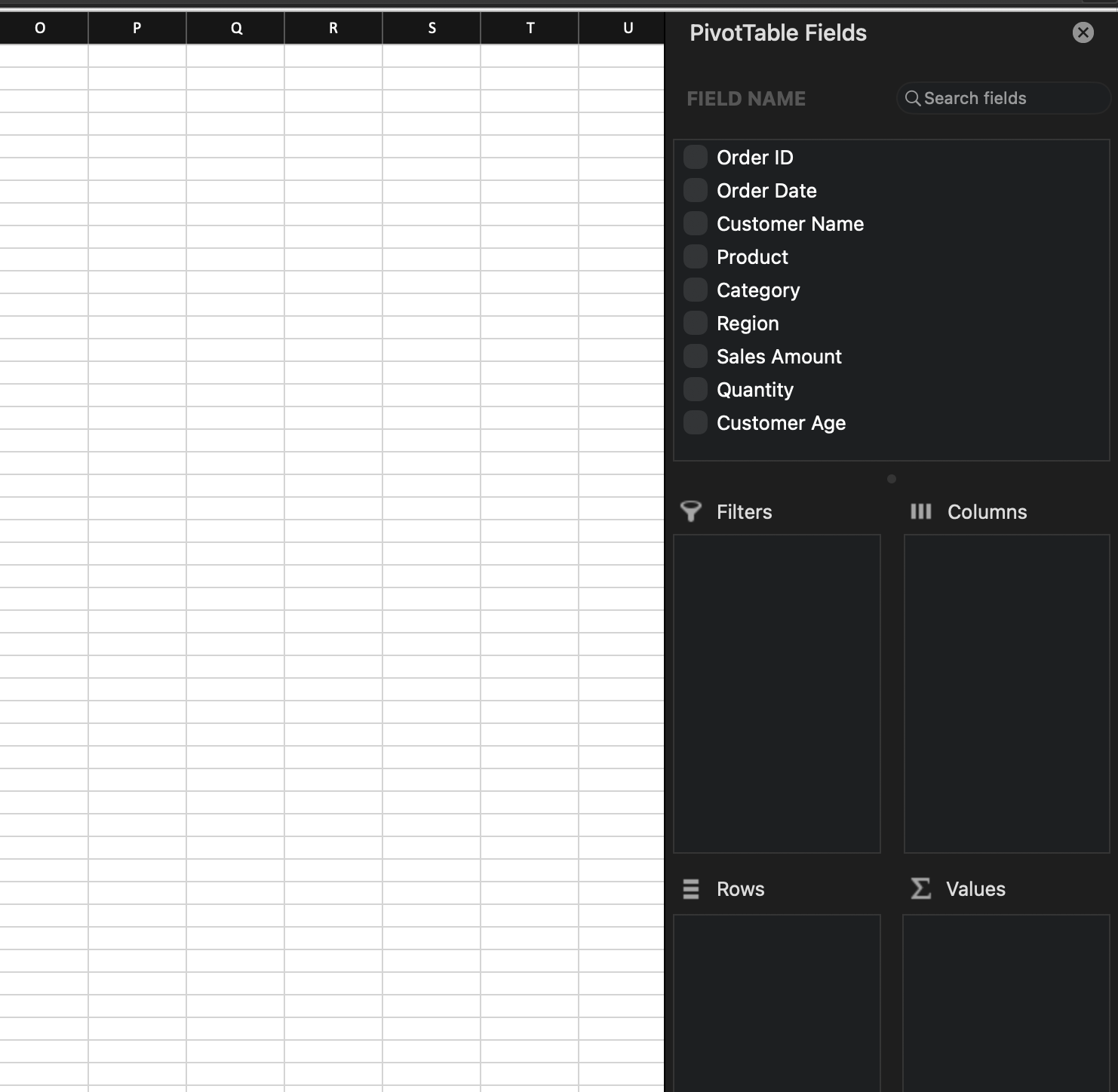
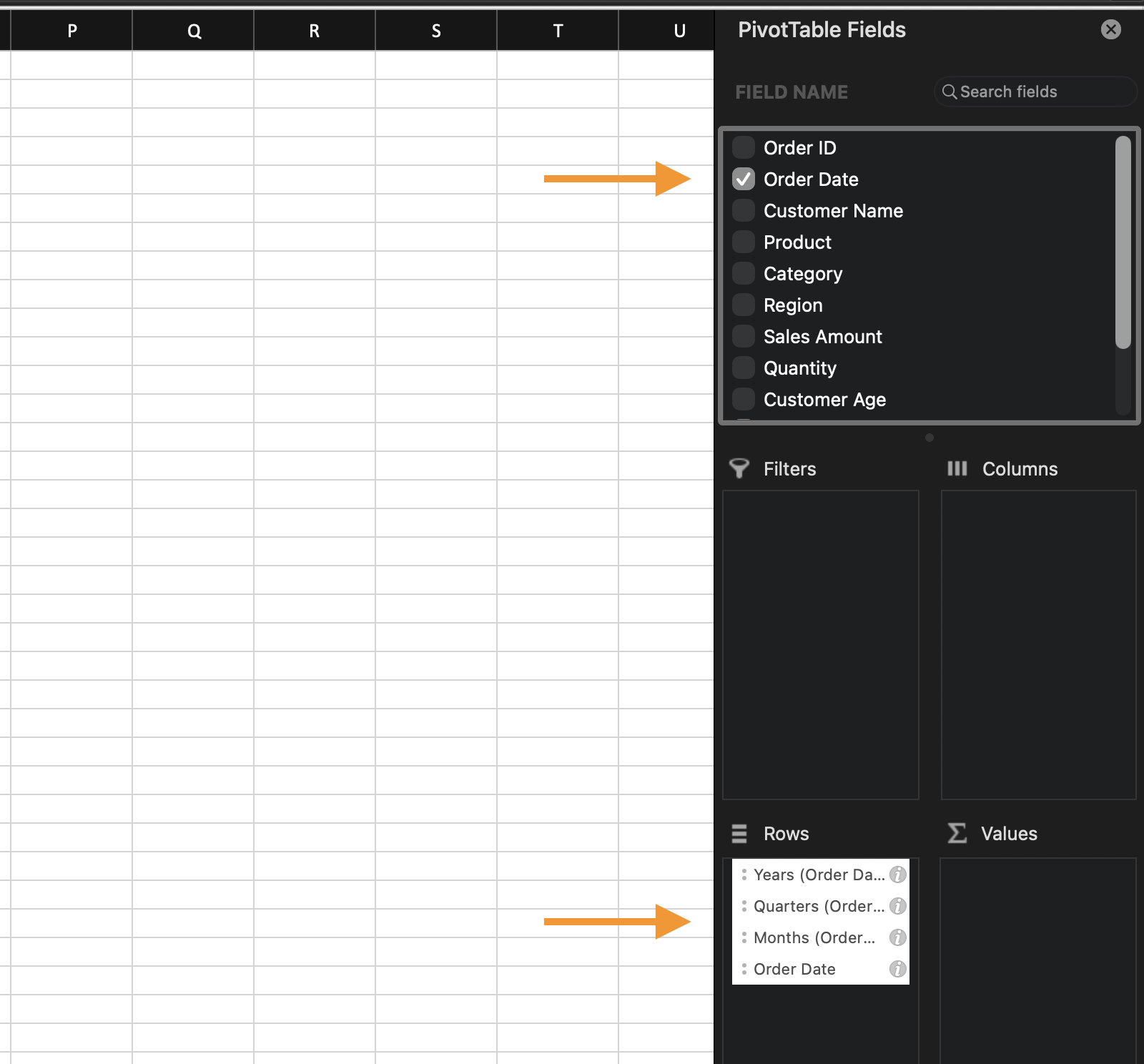
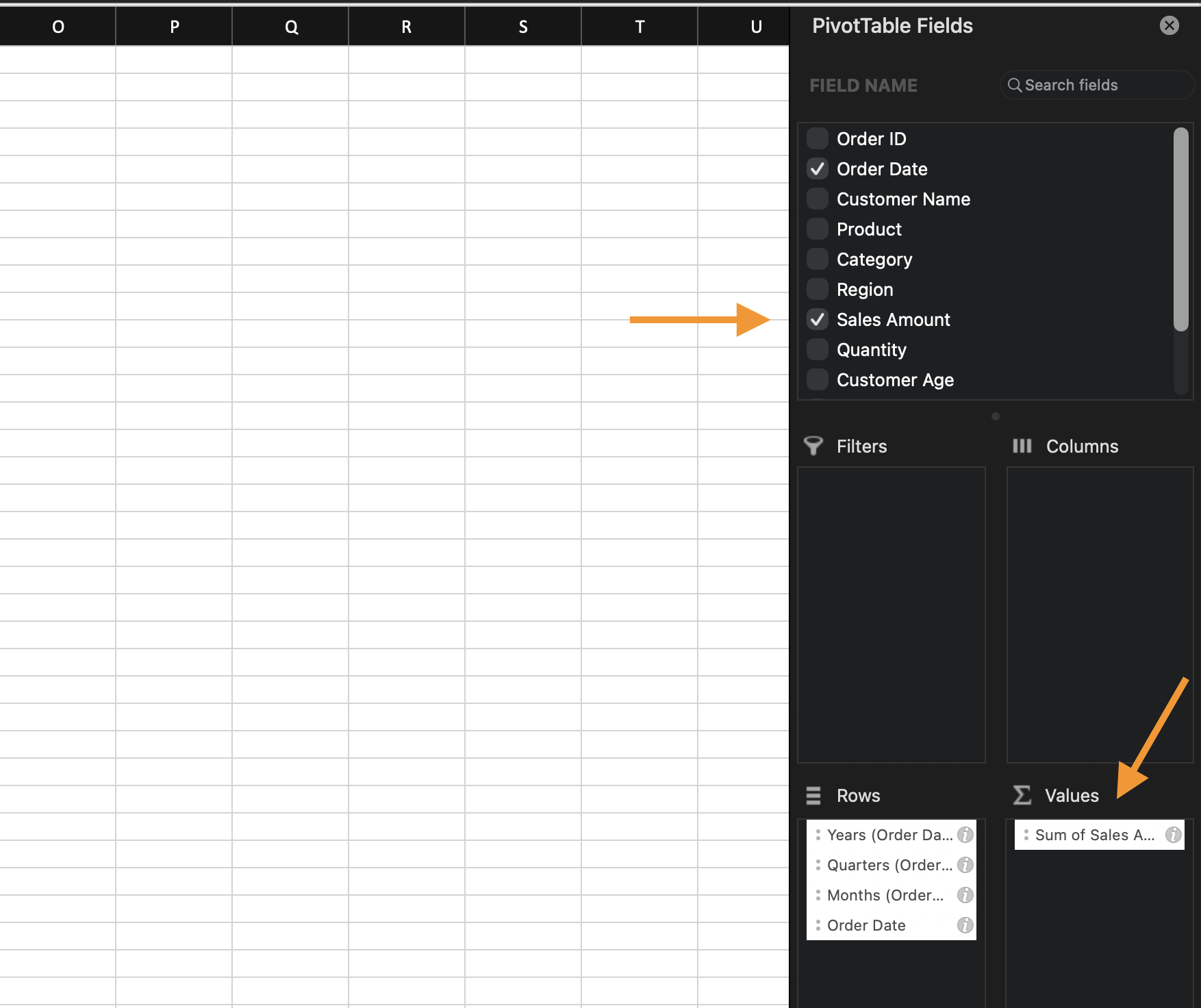
- Place a Date field in the Rows area;
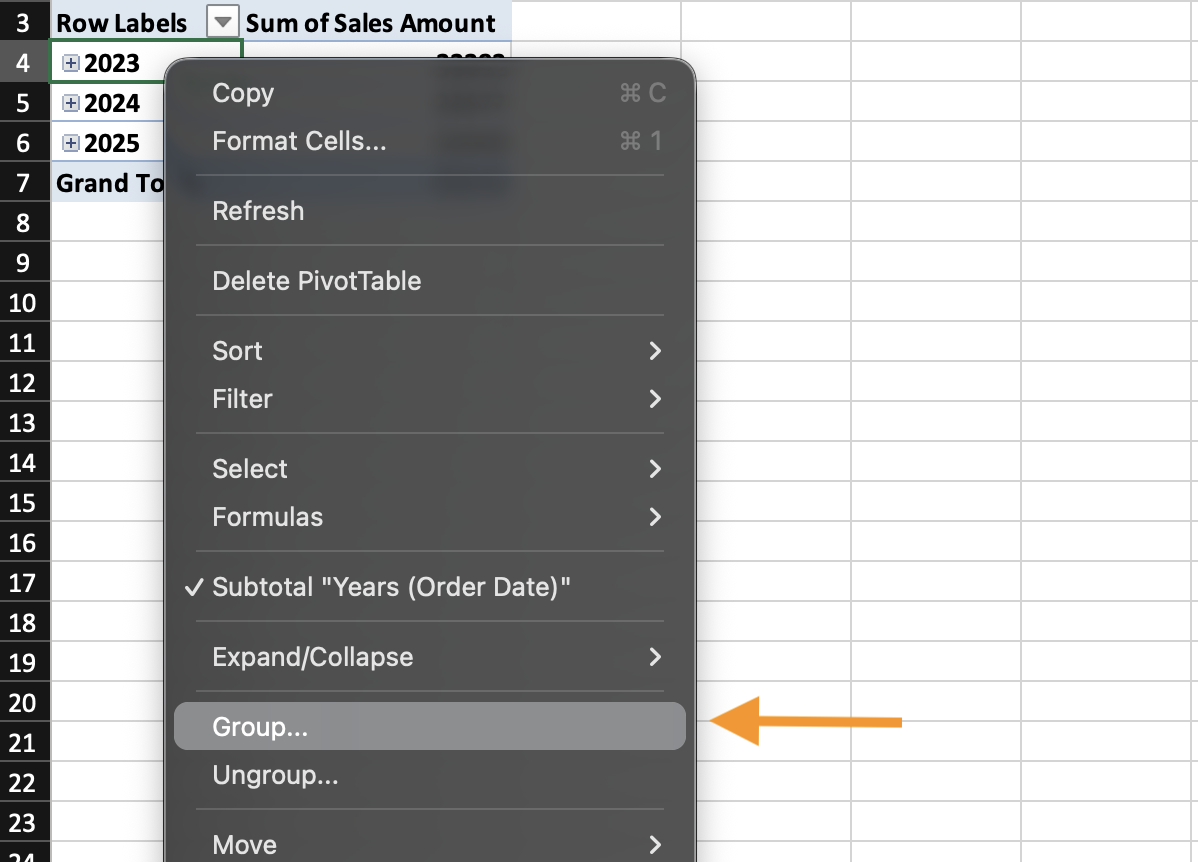
- Right-click any date inside the Pivot Table;
- Choose Group;
- Select the grouping options (for example,
MonthsandYears); - Confirm.
Excel creates a new grouped structure in the Pivot Table without modifying the original data.
Data Working with
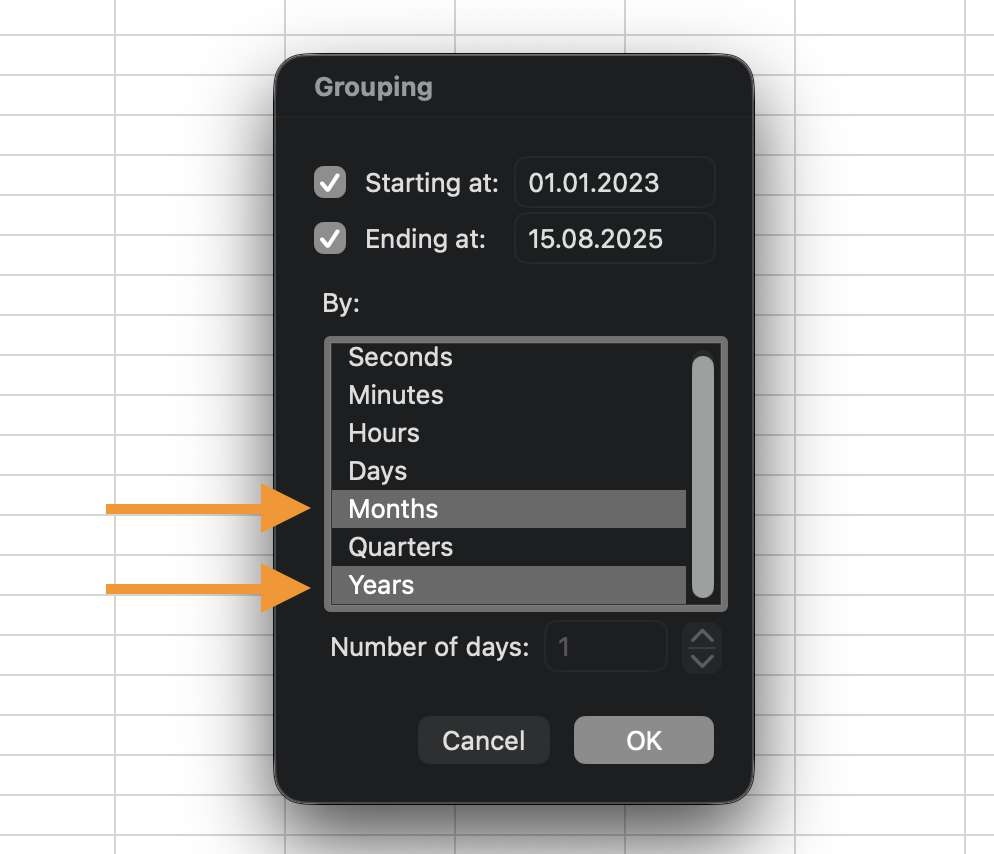
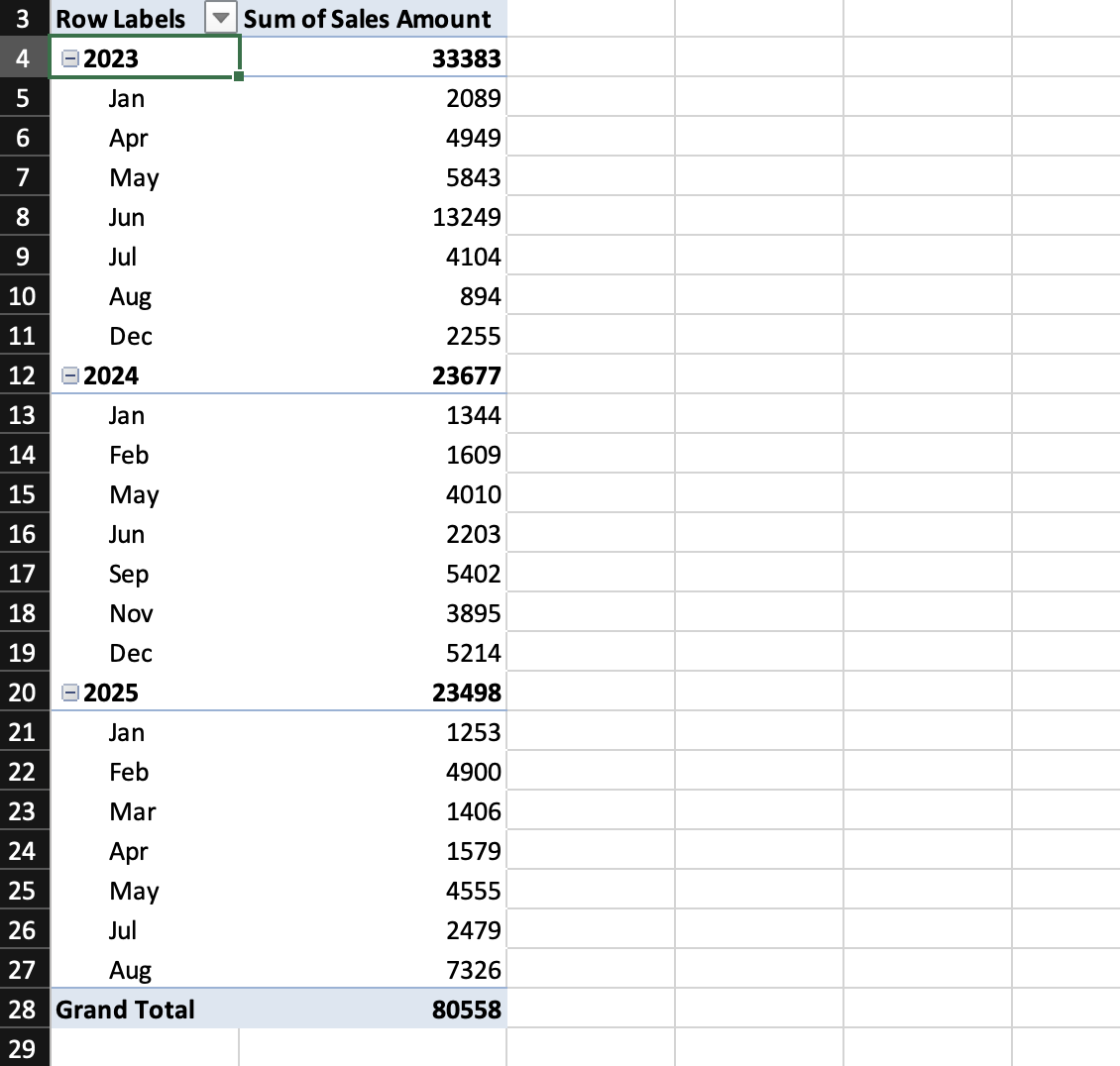

You can ungroup at any time: right-click a grouped label and choose Ungroup.
Grouping Numbers
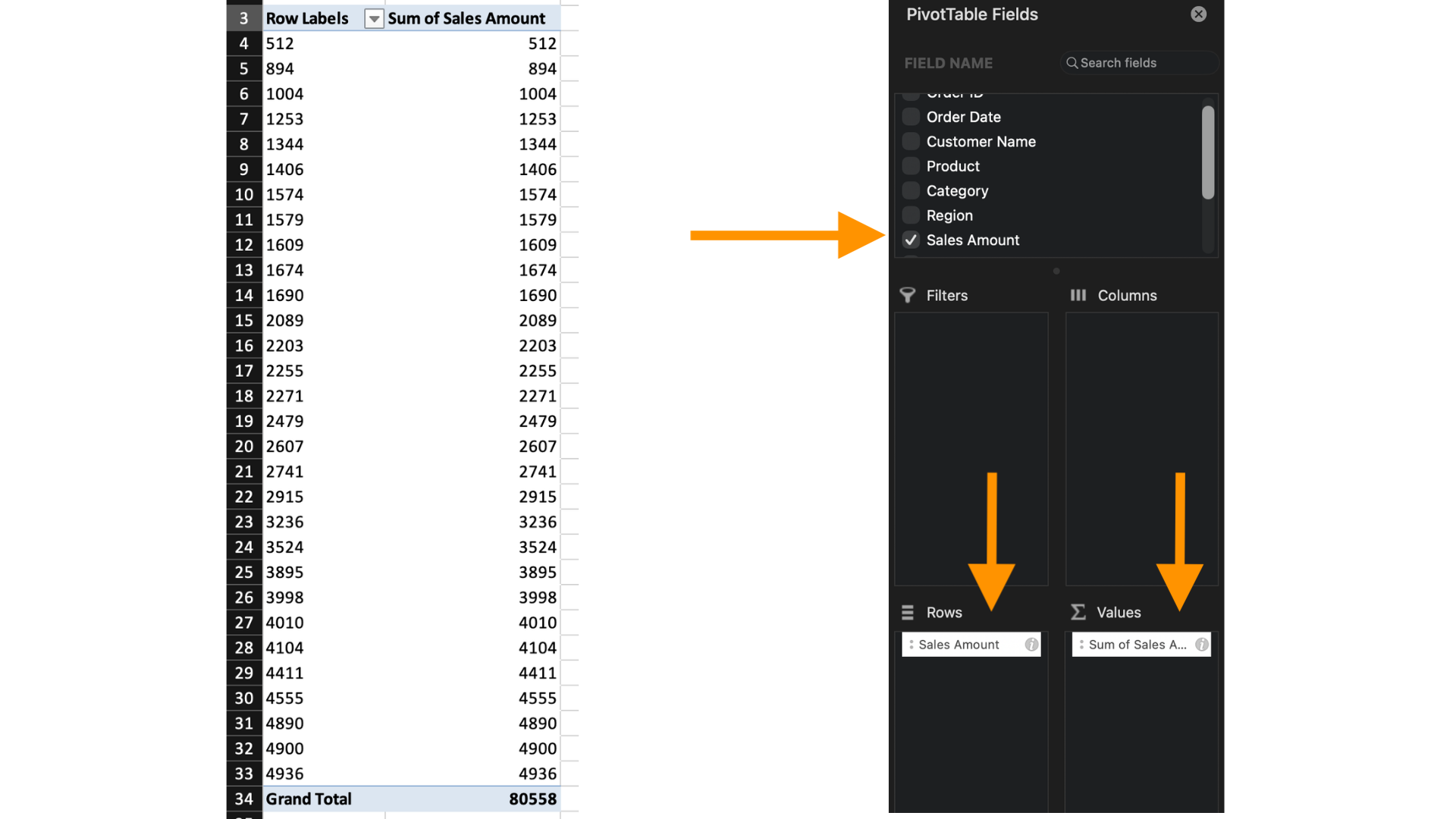
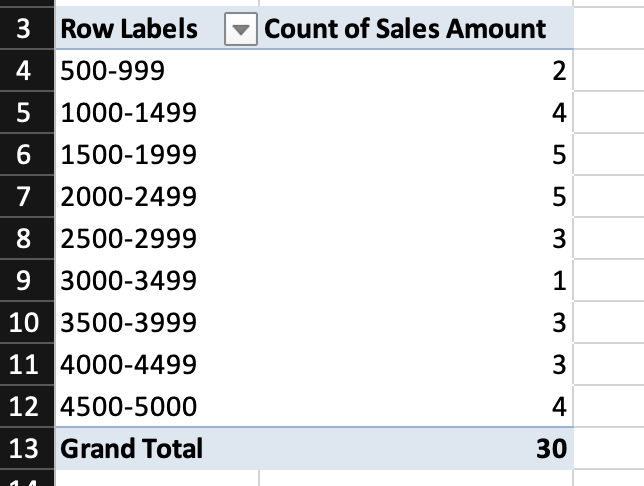
Numeric fields in the Rows or Columns area can also be grouped into intervals. For example: sales grouped into ranges of 0–499, 500–999, etc., or ages grouped into 10-year ranges.
To group numbers:
- Place a numeric field in Rows;
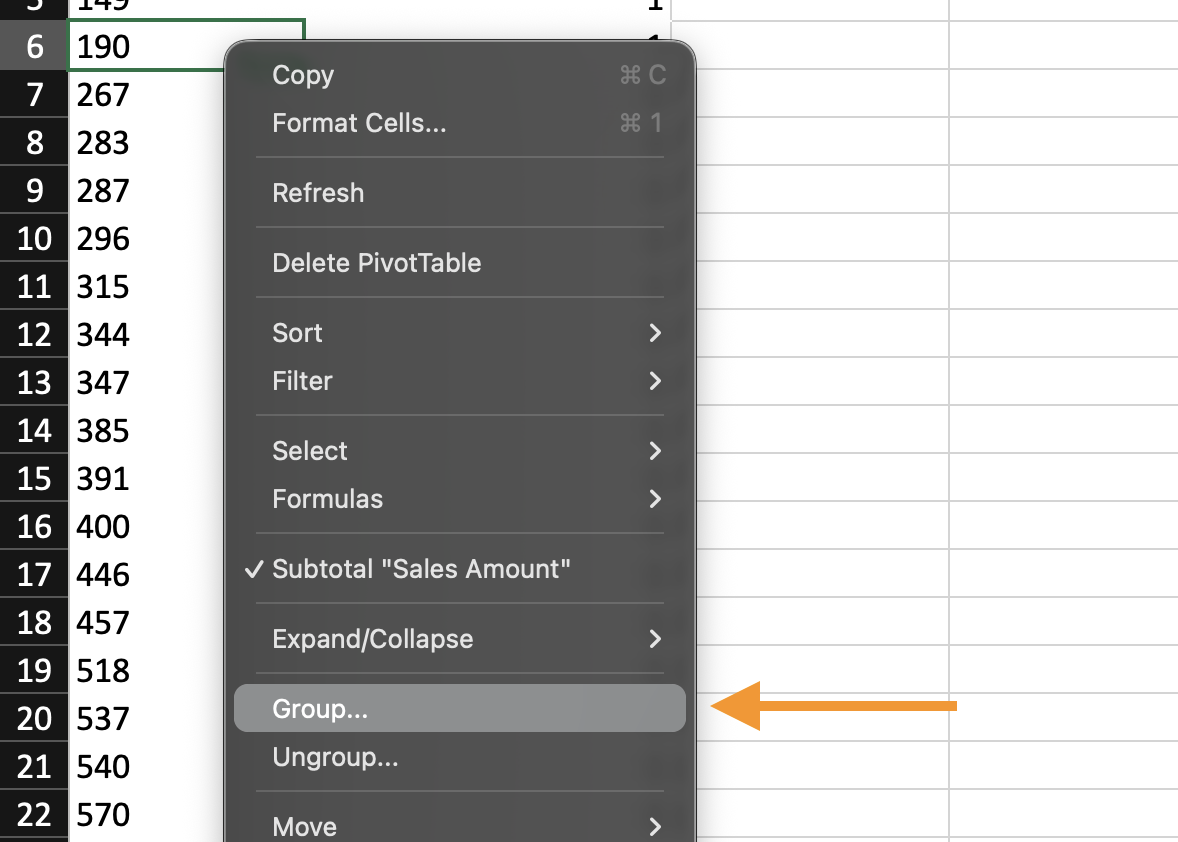
- Right-click a number in the Pivot Table;
- Choose Group;
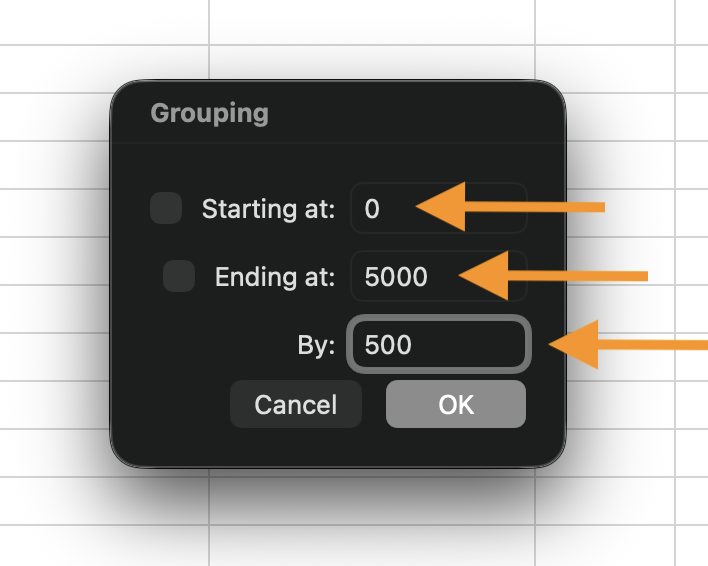
- Set:
- Starting value;
- Ending value;
- Interval size.
Excel creates automatic numeric ranges based on the interval you define.
Grouping works only with true dates and numbers (not text).
The grouping exists only inside the Pivot Table.
Task
Date Grouping
- Create a Pivot Table;
- Place Date in Rows;
- Place Sales in Values;
- Group the Date field by Months.
Number Grouping
- Create or modify a Pivot Table;
- Place Sales in Rows;
- Place Count of Sales in Values;
- Group Sales into intervals of 500.
Thanks for your feedback!
Ask AI

Ask AI

Ask anything or try one of the suggested questions to begin our chat
