Notice: This page requires JavaScript to function properly.
Please enable JavaScript in your browser settings or update your browser.
Learn Angular Project Structure | Angular Fundamentals
Introduction to Angular

Angular Project Structure

Swipe to show menu

When you create a project using Angular CLI, it generates a well-organized folder and file structure. This structure plays a crucial role in organizing code, making development more efficient and scalable.

You'll explore the key folders and files that are automatically created when you set up a new Angular project.

Project Structure

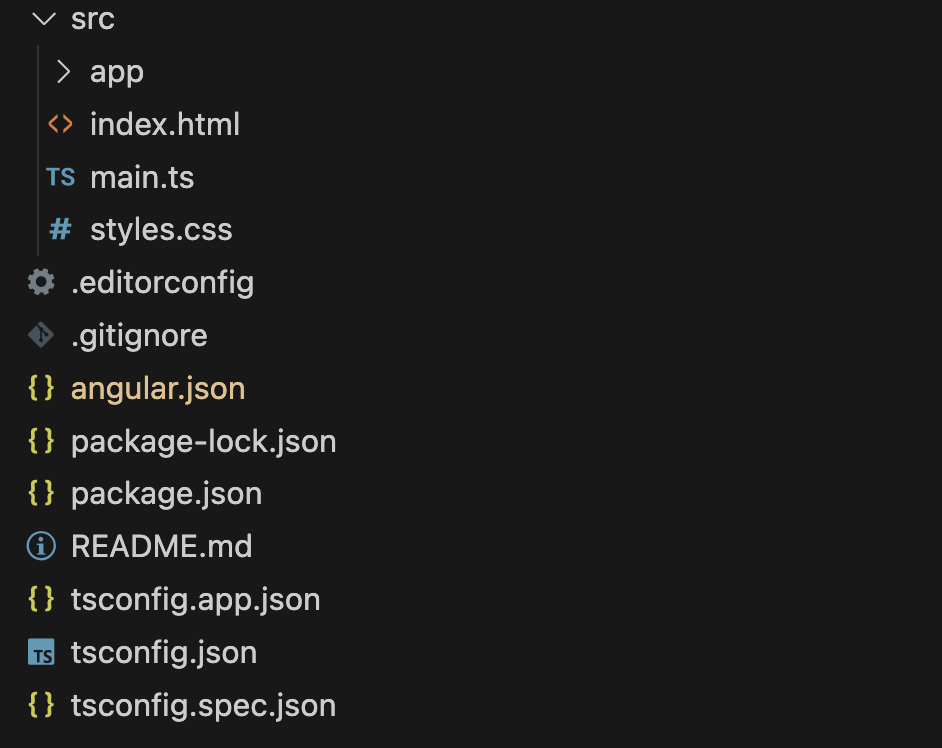
When you run the command ng new angular-app, Angular CLI generates the following structure:
structure+angular

📂 src/Application Source Code.

This folder contains the core files and configurations required for your Angular application.

Application Code

📂 app/
expand arrow

The main folder where components, modules, and services are stored. (We'll explore this in detail later.)

📄 index.html
expand arrow

The main HTML file where Angular injects the compiled application.

📄 main.ts
expand arrow

The entry point that bootstraps the root module of the application.

📄 styles.css
expand arrow

Global styles applied across the entire application.

Configuration Files

📄 angular.json
expand arrow

Defines project settings such as build configurations, styles, and paths.

📄 tsconfig.json
expand arrow

Contains TypeScript settings applied to the entire project.

📄 tsconfig.app.json
expand arrow

TypeScript configuration specific to the application code.

📄 tsconfig.spec.json
expand arrow

TypeScript settings for tests, including compilation rules.

📄 package.json
expand arrow

Lists project dependencies, package versions, and npm scripts.

📄 package-lock.json
expand arrow

Locks the exact versions of installed packages to ensure consistency.

📄 .editorconfig
expand arrow

Defines code formatting rules like indentation and encoding, supported by most editors.

Note
Note

These configuration files are essential for project settings, but you won't need to modify them frequently, especially as a beginner.

Additional Files

📄 .gitignore
expand arrow

Specifies files and folders that should be excluded from the Git repository.

📄 README.md
expand arrow

Contains project documentation, including installation steps and usage instructions.

Running an Angular Application

To launch your Angular app, first, open the terminal. In VS Code, you can use these shortcuts:

  • macOS: Cmd + J or Cmd + `;

  • Windows: Ctrl + J or Cmd + `.

Alternatively, go to ViewTerminal from the top menu.

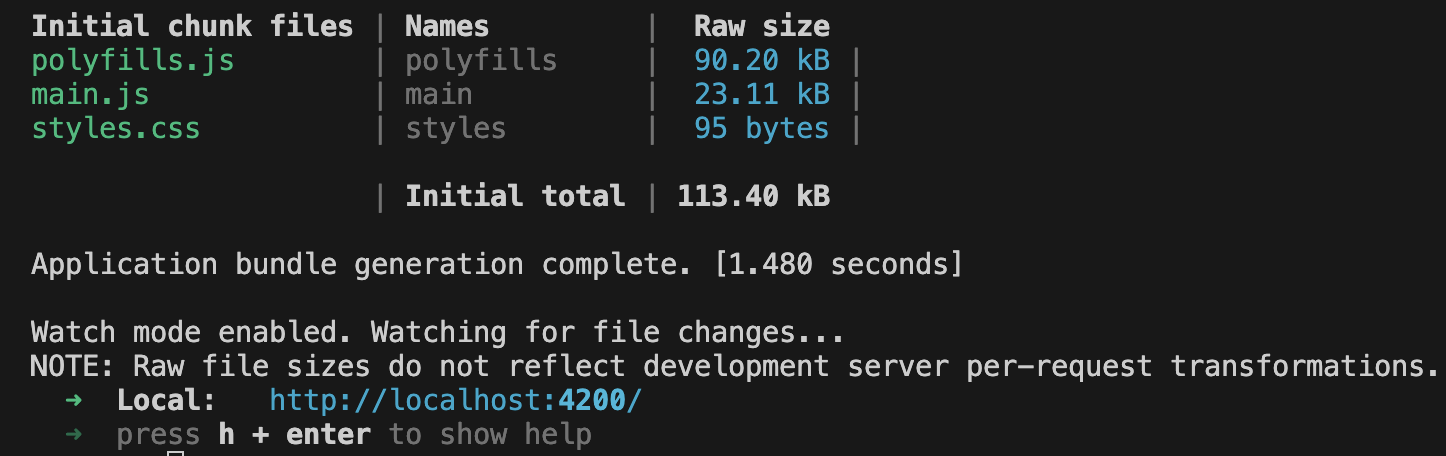
Now, run the following command:

ng serve

This command compiles the project and starts a local development server. Once the process is complete, the terminal will display a message with a URL:
output project angular start

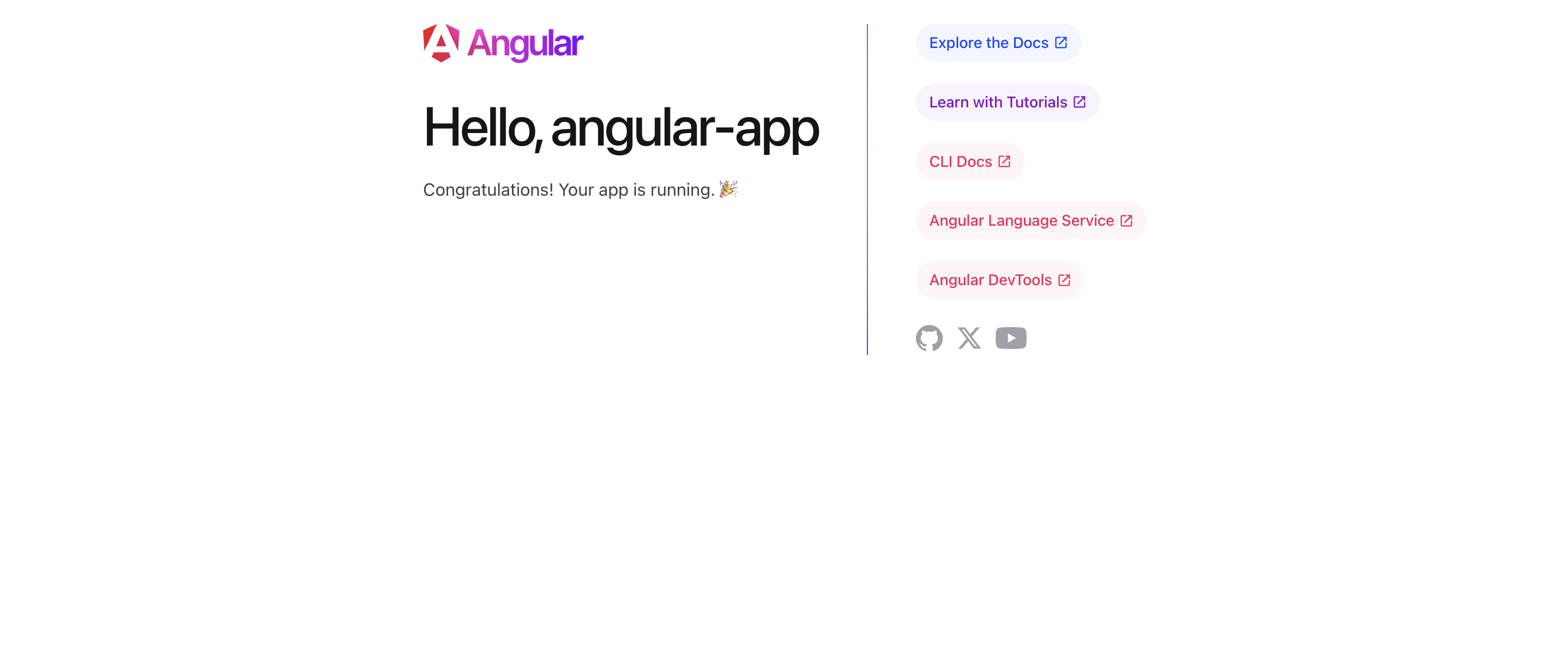
Open the URL (http://localhost:4200/) in your browser, and you'll see the Angular welcome page.
welcome-page-angular
Note
Note

The default welcome page is a basic template generated during project initialization. It confirms that your application has been successfully set up and is running.

1. What is the main purpose of the src folder in an Angular project?

2. What is the role of package.json in an Angular project?

question mark

What is the main purpose of the src folder in an Angular project?

Select the correct answer

question mark

What is the role of package.json in an Angular project?

Select the correct answer

Everything was clear?

How can we improve it?

Thanks for your feedback!

Section 1. Chapter 6

Ask AI

expand

Ask AI

ChatGPT

Ask anything or try one of the suggested questions to begin our chat

Angular Project Structure

When you create a project using Angular CLI, it generates a well-organized folder and file structure. This structure plays a crucial role in organizing code, making development more efficient and scalable.

You'll explore the key folders and files that are automatically created when you set up a new Angular project.

Project Structure

When you run the command ng new angular-app, Angular CLI generates the following structure:

structure+angular

📂 src/Application Source Code.

This folder contains the core files and configurations required for your Angular application.

Application Code

📂 app/
expand arrow

The main folder where components, modules, and services are stored. (We'll explore this in detail later.)

📄 index.html
expand arrow

The main HTML file where Angular injects the compiled application.

📄 main.ts
expand arrow

The entry point that bootstraps the root module of the application.

📄 styles.css
expand arrow

Global styles applied across the entire application.

Configuration Files

📄 angular.json
expand arrow

Defines project settings such as build configurations, styles, and paths.

📄 tsconfig.json
expand arrow

Contains TypeScript settings applied to the entire project.

📄 tsconfig.app.json
expand arrow

TypeScript configuration specific to the application code.

📄 tsconfig.spec.json
expand arrow

TypeScript settings for tests, including compilation rules.

📄 package.json
expand arrow

Lists project dependencies, package versions, and npm scripts.

📄 package-lock.json
expand arrow

Locks the exact versions of installed packages to ensure consistency.

📄 .editorconfig
expand arrow

Defines code formatting rules like indentation and encoding, supported by most editors.

Note
Note

These configuration files are essential for project settings, but you won't need to modify them frequently, especially as a beginner.

Additional Files

📄 .gitignore
expand arrow

Specifies files and folders that should be excluded from the Git repository.

📄 README.md
expand arrow

Contains project documentation, including installation steps and usage instructions.

Running an Angular Application

To launch your Angular app, first, open the terminal. In VS Code, you can use these shortcuts:

  • macOS: Cmd + J or Cmd + `;

  • Windows: Ctrl + J or Cmd + `.

Alternatively, go to ViewTerminal from the top menu.

Now, run the following command:

ng serve

This command compiles the project and starts a local development server. Once the process is complete, the terminal will display a message with a URL:

output project angular start

Open the URL (http://localhost:4200/) in your browser, and you'll see the Angular welcome page.

welcome-page-angular
Note
Note

The default welcome page is a basic template generated during project initialization. It confirms that your application has been successfully set up and is running.

Everything was clear?

How can we improve it?

Thanks for your feedback!

Section 1. Chapter 6
some-alt