Understanding Claude and Getting Started
Swipe to show menu

Claude is a powerful AI assistant designed to help you work more efficiently. It supports long context, works with multiple files, and generates structured outputs, making it suitable for both simple tasks and complex workflows.
Claude stands out for its ability to handle large amounts of context, making it ideal for complex or multi-step tasks. It can work with longer inputs, multiple files, and ongoing conversations without losing track. It also provides more human-like interactions, making responses feel natural and easy to follow.

You can use Claude to summarize documents, extract key information, draft emails, and automate parts of your workflow. You can also simply chat with it, asking for ideas or exploring solutions. Here are some common ways to use Claude:
- Summarize and analyze long documents or reports;
- Extract structured data from files like spreadsheets or PDFs;
- Draft and refine emails, messages, or internal documents;
- Generate code or help debug simple scripts and automations;
- Build simple automations or AI agents for repetitive tasks;
- Create presentations, outlines, or meeting notes;
- Organize work with Projects and keep related materials together;
- Generate clear outputs like tables, lists, or formatted content.

Claude becomes most useful when you combine these capabilities into a single, efficient workflow.
Accessing Claude
Getting started with Claude is simple. You can access it in several ways, depending on your preference and device.

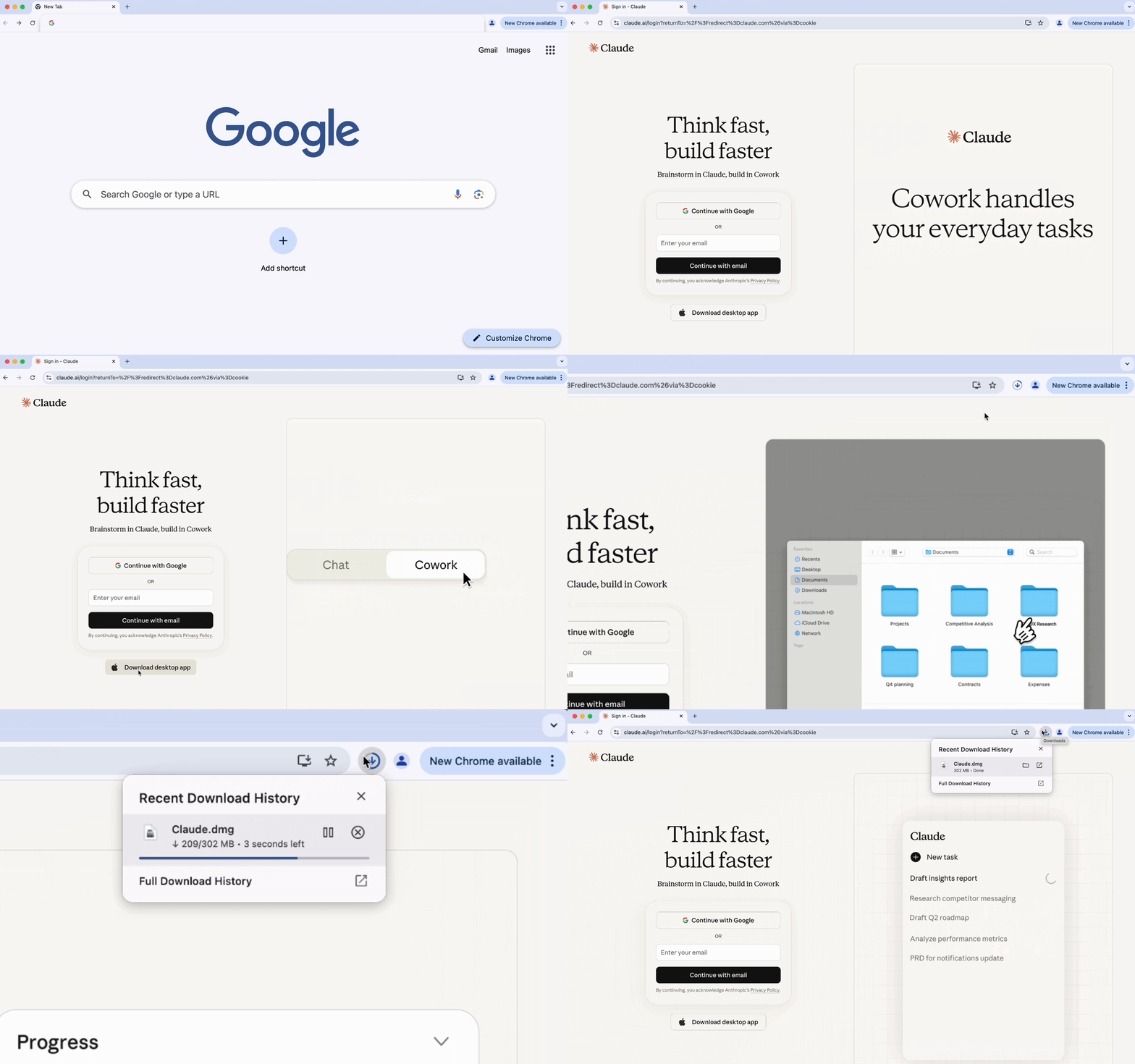
- Go to Claude's Go to Anthropic's official website in your browser;
- Sign up with your email or log in if you already have an account.
- Download the Claude desktop app from the official site;
- Install by following the on-screen instructions;
- Open the app and log in.
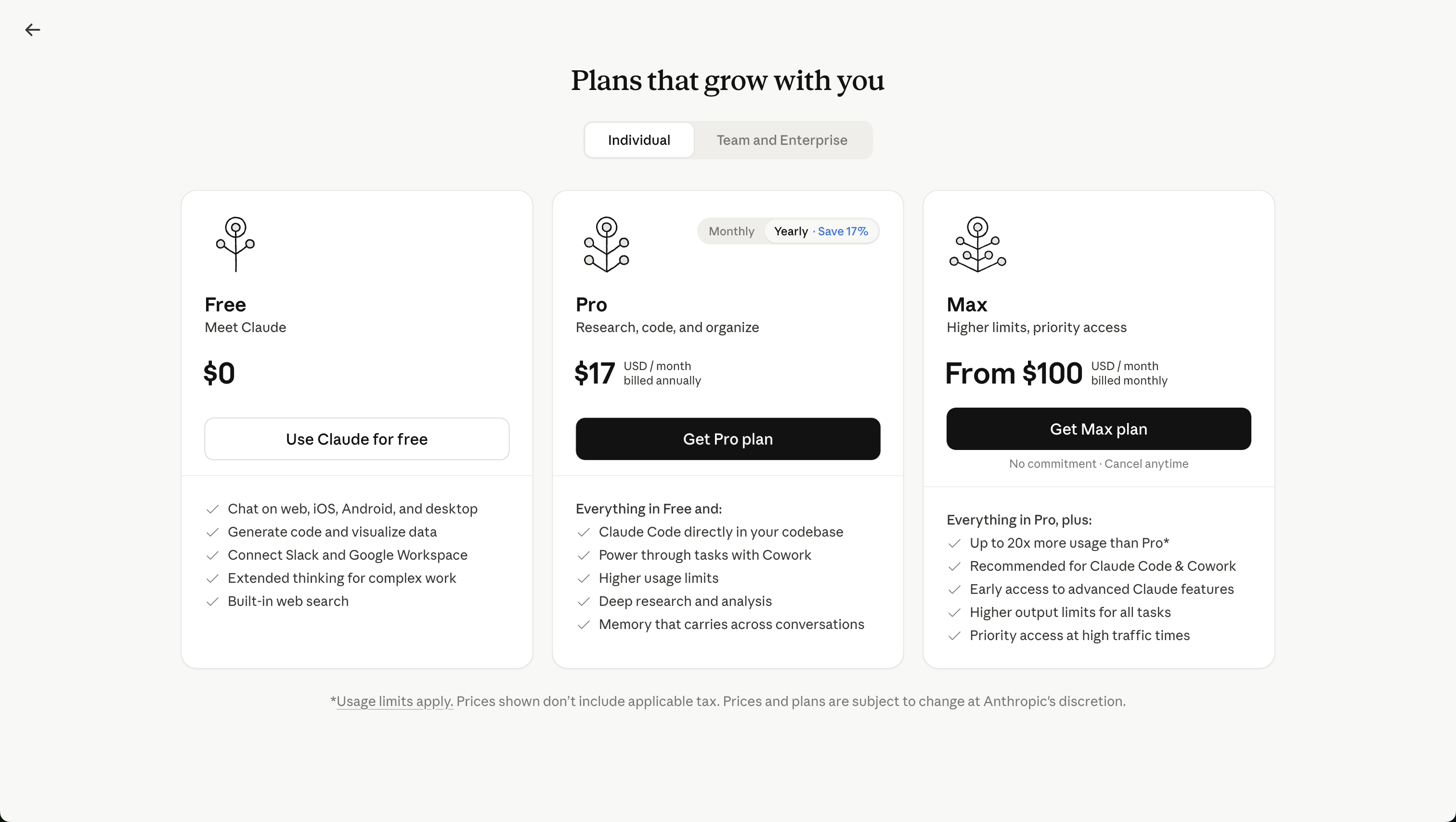
There is a free version of Claude, as well as paid plans that provide higher usage limits and access to more advanced features. Paid plans are useful for users who work with Claude regularly or need more capacity for larger projects.
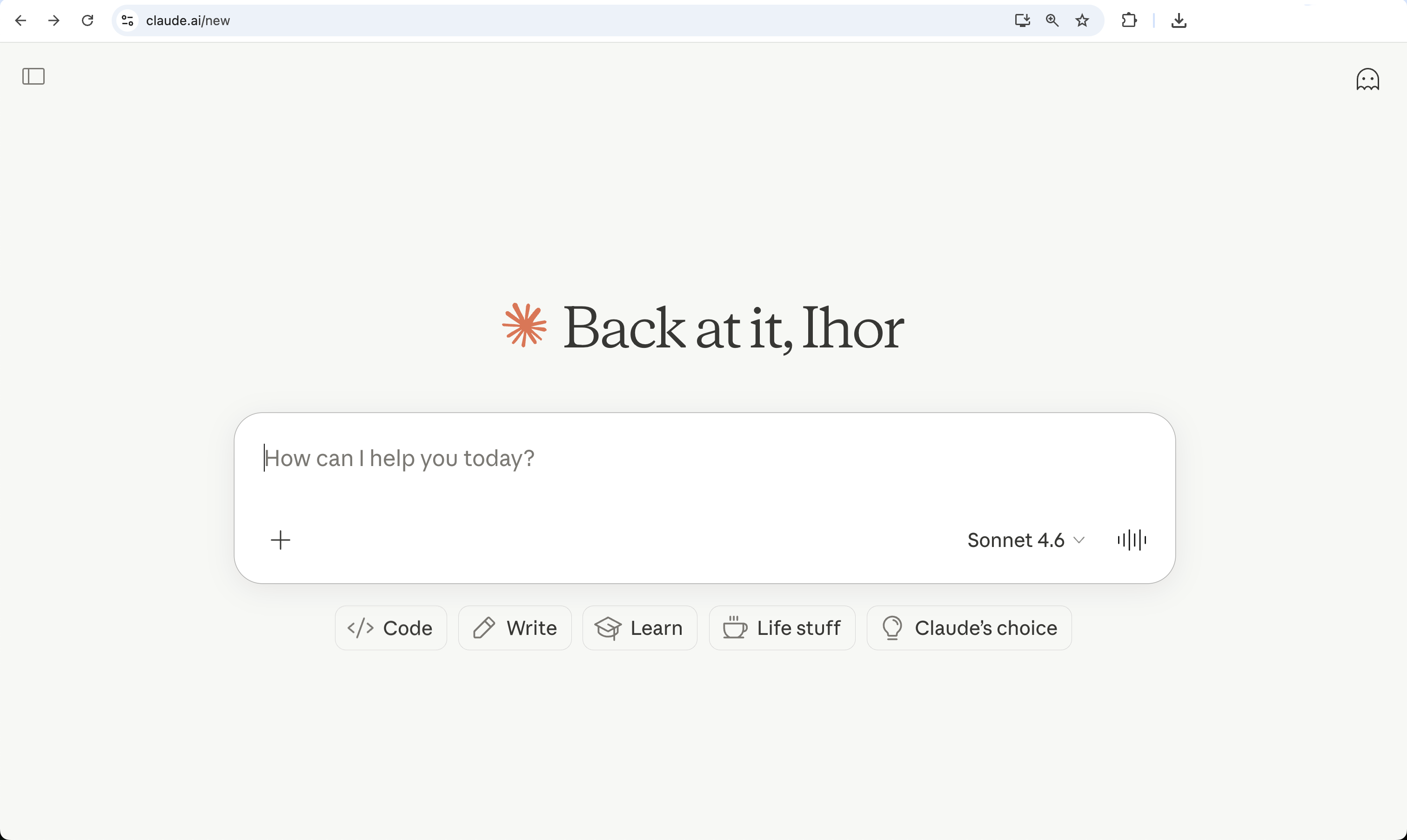
Claude is ready to help as soon as you log in.
Thanks for your feedback!
Ask AI

Ask AI

Ask anything or try one of the suggested questions to begin our chat
