Setting Up a Work Project
Swipe to show menu
To better understand how projects work, let’s set up a simple example project step by step. This will show how to organize your workspace and prepare it for real tasks.
Start by entering a project name. Use clear and descriptive naming that reflects the purpose or client, such as Q2 Financial Report or Client Intake Automation. This makes it easier to find and manage projects later. Once created, Claude provides a dedicated workspace where you can manage chats, files, and instructions in one place.
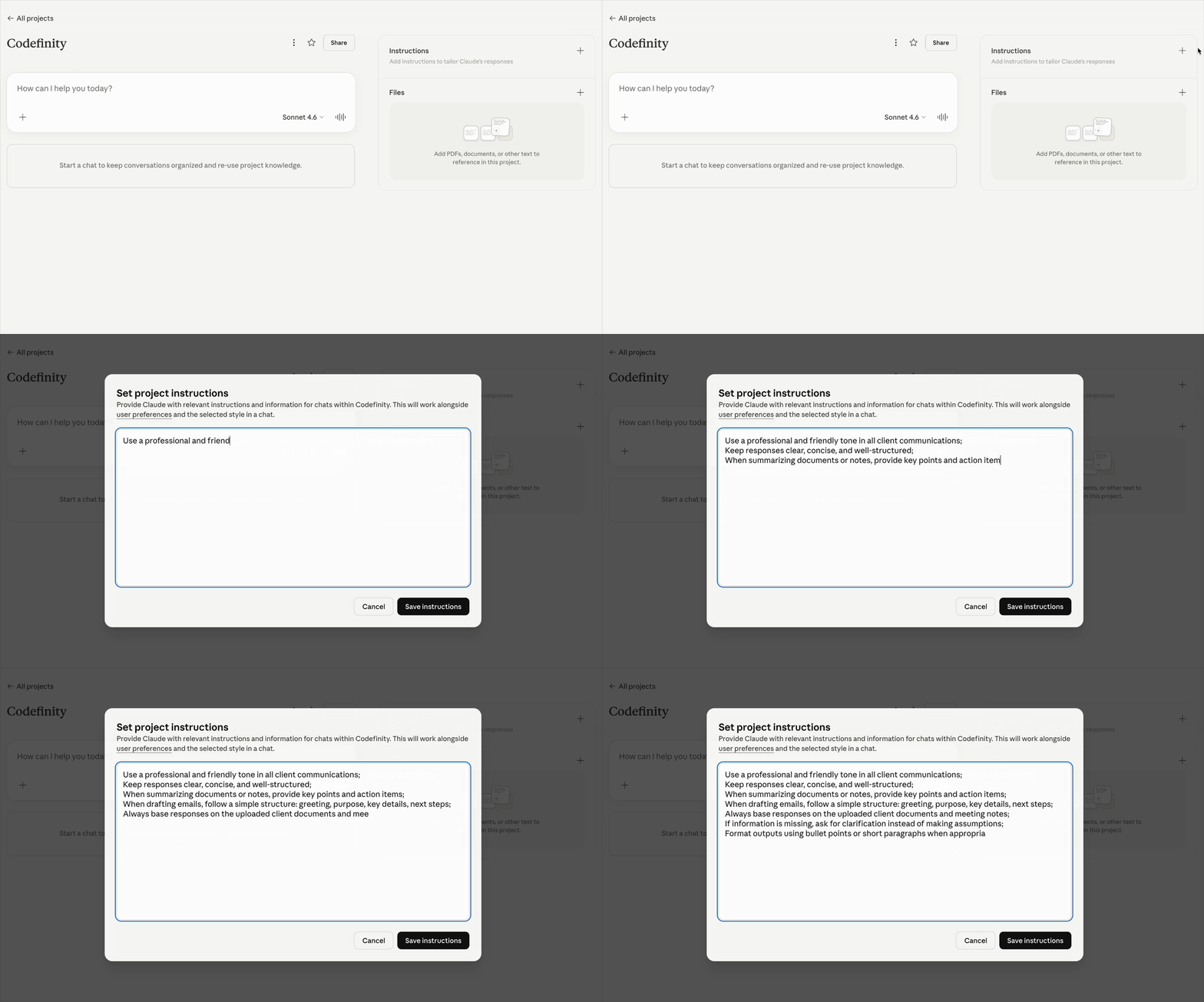
Then, define your instructions. In the Instructions section, add clear guidance for how Claude should respond. This can include tone, formatting preferences, or steps for recurring tasks. Since instructions persist, they ensure consistent results across sessions.
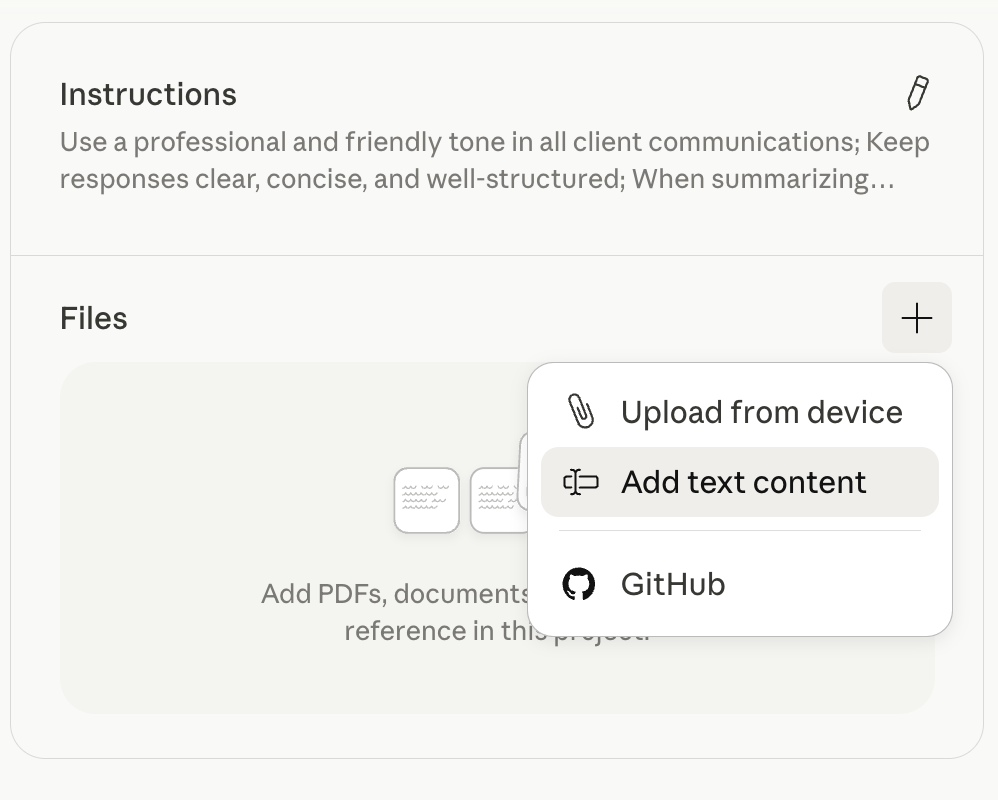
Next, organize your files. In the Files section, upload all relevant documents, spreadsheets, or reference materials. Use consistent and descriptive names like 2024_sales_data.xlsx or meeting_notes_march.docx. Keeping files well-structured helps you quickly locate and reuse information.
To see how this works in practice, imagine a consulting firm setting up a client onboarding workflow. The project might be named Acme Onboarding Workflow, with files and instructions organized to support that process.
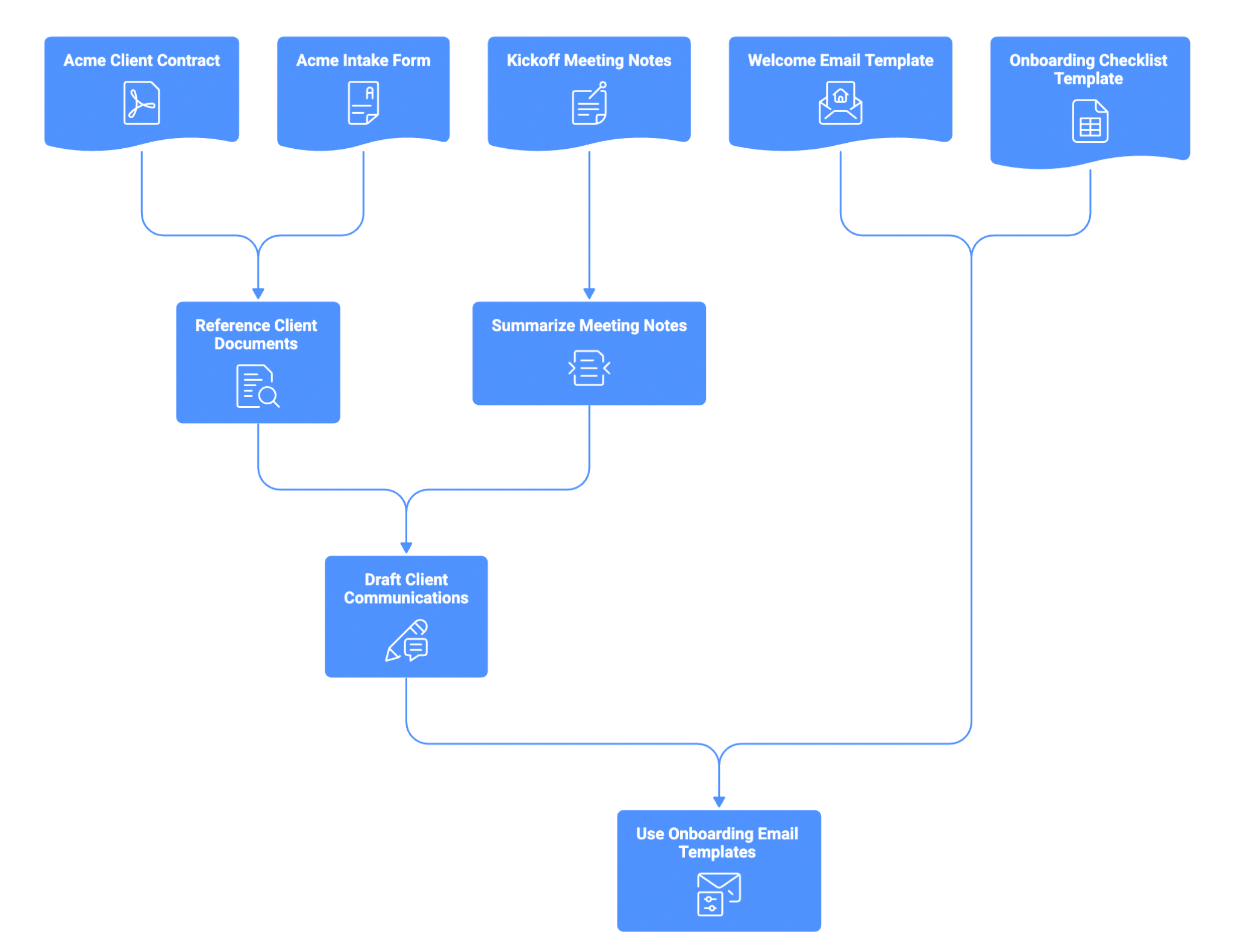

Upload key files like the client contract and intake form to have all essential information in one place.
Use Claude to quickly analyze and extract details from client documents when needed.
Add kickoff meeting notes to the project for context.
Ask Claude to summarize meeting notes into clear, actionable insights.
Use the gathered context to generate emails or messages tailored to the client.
Store reusable assets like welcome email templates and onboarding checklists.
Combine templates and generated content to deliver consistent, professional onboarding emails.
By following these steps and using clear naming conventions, organized folders, and detailed instructions, you will create a Claude project that supports seamless, ongoing work. This structure not only helps you manage files and conversations efficiently but also ensures that Claude can deliver consistent, high-quality output tailored to your workflow.
Thanks for your feedback!
Ask AI

Ask AI

Ask anything or try one of the suggested questions to begin our chat
