Claude Interface Overview
Swipe to show menu
To use Claude efficiently in your daily work, it's important to understand its main interface elements and how each one supports different workflows. Each part of the interface is designed to help you navigate tasks faster and interact more effectively.
Claude helps streamline tasks like chatting, managing projects, uploading files, and customizing settings. Below is a concise walkthrough of each key area, with practical tips to improve real-world productivity.
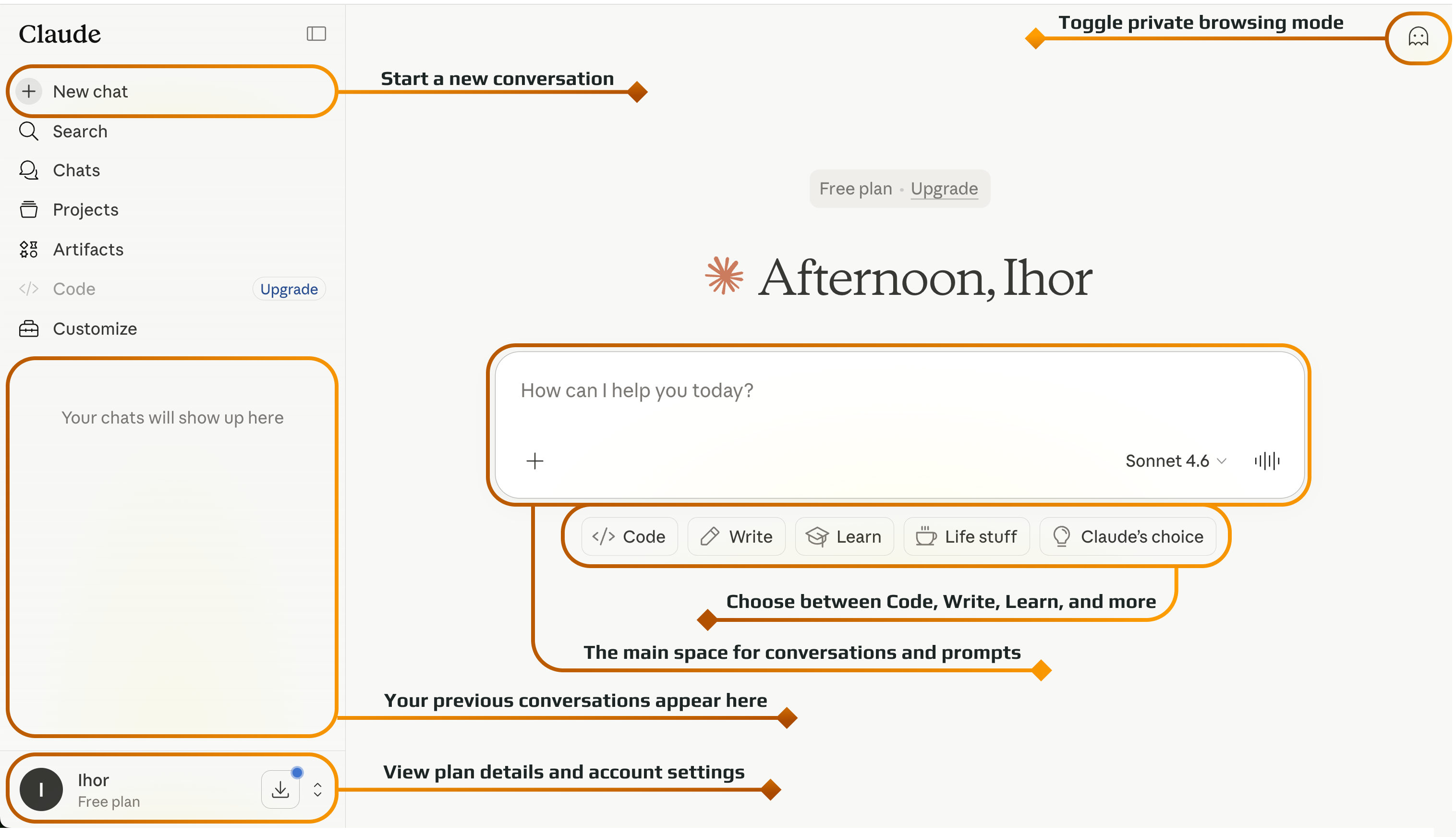

Claude is designed around conversations, but it becomes more powerful when you use all of its features. Understanding how they work together helps you build a more efficient and organized workflow.

Click New chat to begin a new session with Claude.
Use the sidebar to access Search, Chats, Projects, Artifacts, Code and Customize options.
View your previous conversations in the left panel for easy reference.
Type your messages or requests in the central input box to interact with Claude.
Switch between different modes like Code, Write, Learn, Life stuff, or let Claude choose the best mode for your task.
Access your profile, subscription plan, and settings from the bottom-left corner.
Enable or disable private mode from the top-right corner to control your privacy.
Once you are familiar with these interface elements, interacting with Claude becomes much more intuitive. Instead of just asking questions, you can structure your workflow, manage context, and get more precise results with less effort.
Thanks for your feedback!
Ask AI

Ask AI

Ask anything or try one of the suggested questions to begin our chat
