Choosing Between Chat and Projects
Swipe to show menu
When you use Claude for work, you have two main ways to interact chat mode and project mode. Each is designed for different types of tasks, and understanding when to use each will help you work more efficiently.

Best for quick, one-off questions or simple tasks. Use chat mode for fast answers, brainstorming, or requests that don't need to be saved. Chats don’t remember instructions or files after the conversation ends.
Ideal for ongoing or complex work. Use project mode to save context, files, and instructions across sessions, making it useful for reports or multi-step tasks.
The choice between chat and project modes depends on your needs for context, persistence, and complexity. Choosing the right mode saves you time and prevents losing important information.
Creating and using chats is straightforward. Every time you send a prompt, a chat is created and saved automatically. Projects, however, need to be created manually.
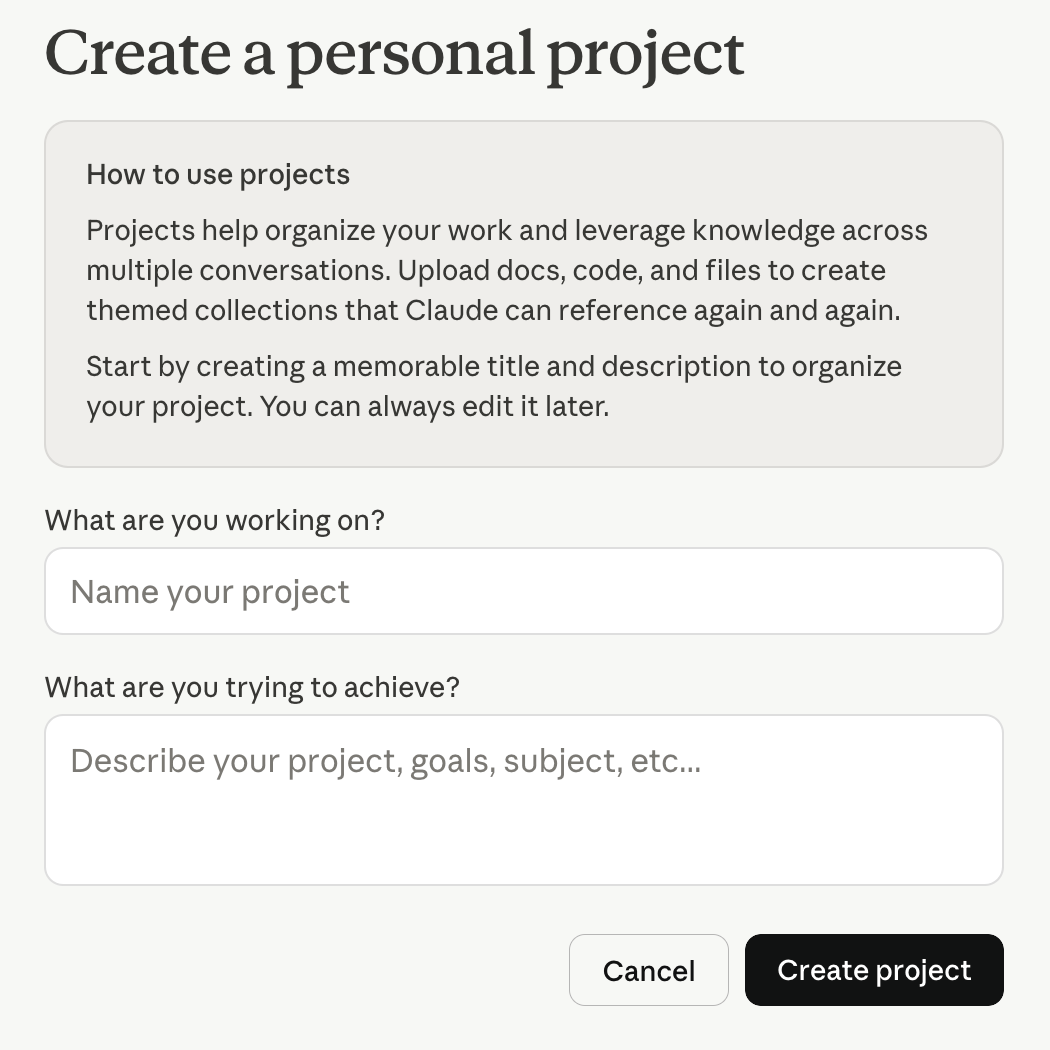
To create a Claude project, go to the Projects section, click New Project, add a name, and start working inside it. This helps keep your chats, files, and instructions organized in one place.
Unlike regular chats, conversations here are tied to the project and can reuse its context. On the right, the Instructions section allows you to define how Claude should respond, while the Files section lets you upload documents for reference. This layout helps you keep chats, files, and instructions together, making it easier to manage ongoing or complex tasks.
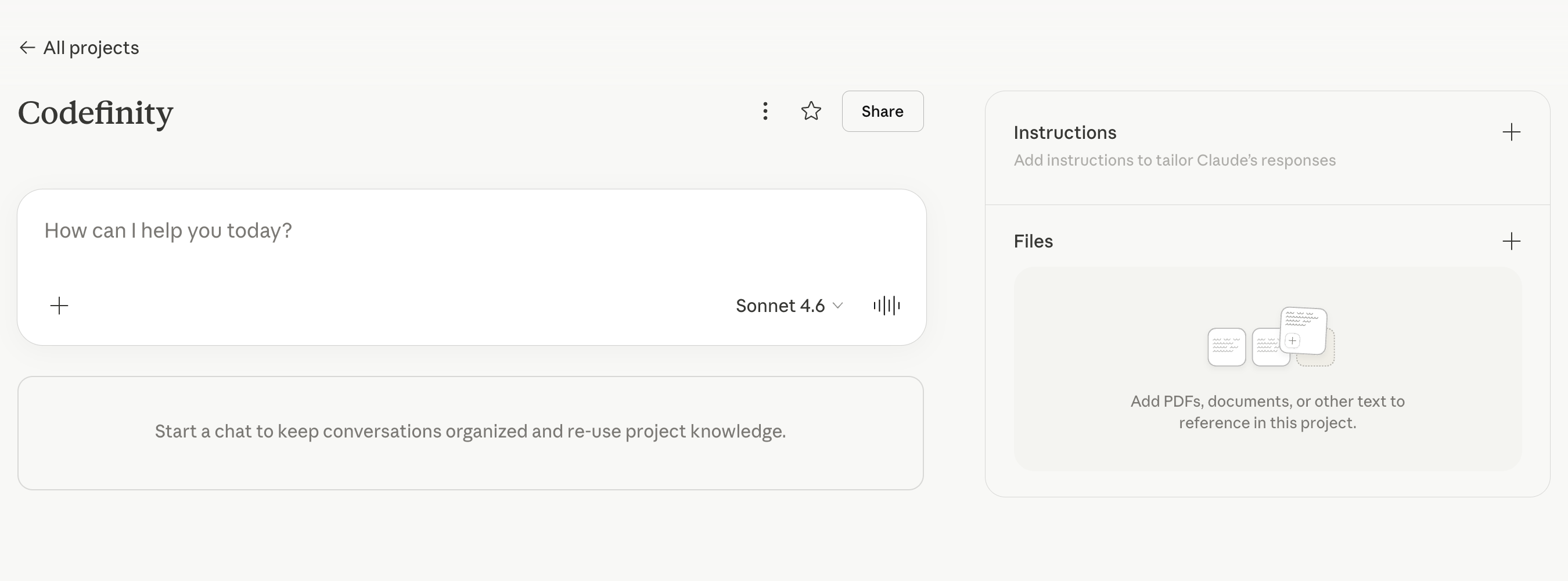
At the top, you can see the project name along with basic controls like sharing and project options. In the center, there is the main input area, where you start a chat within the project.

Most of your future work will be done inside projects, where you can keep everything organized and reuse context across tasks.
Thanks for your feedback!
Ask AI

Ask AI

Ask anything or try one of the suggested questions to begin our chat
