Insert Function Tool in Excel
The INSERT FUNCTION (Fx) Command is your secret weapon for mastering Excel.
This powerful tool opens up a world of built-in functions, making calculations, data analysis, and manipulation a breeze.
In this chapter, we'll dive into how to use the INSERT FUNCTION command to supercharge your Excel skills.
Key Points
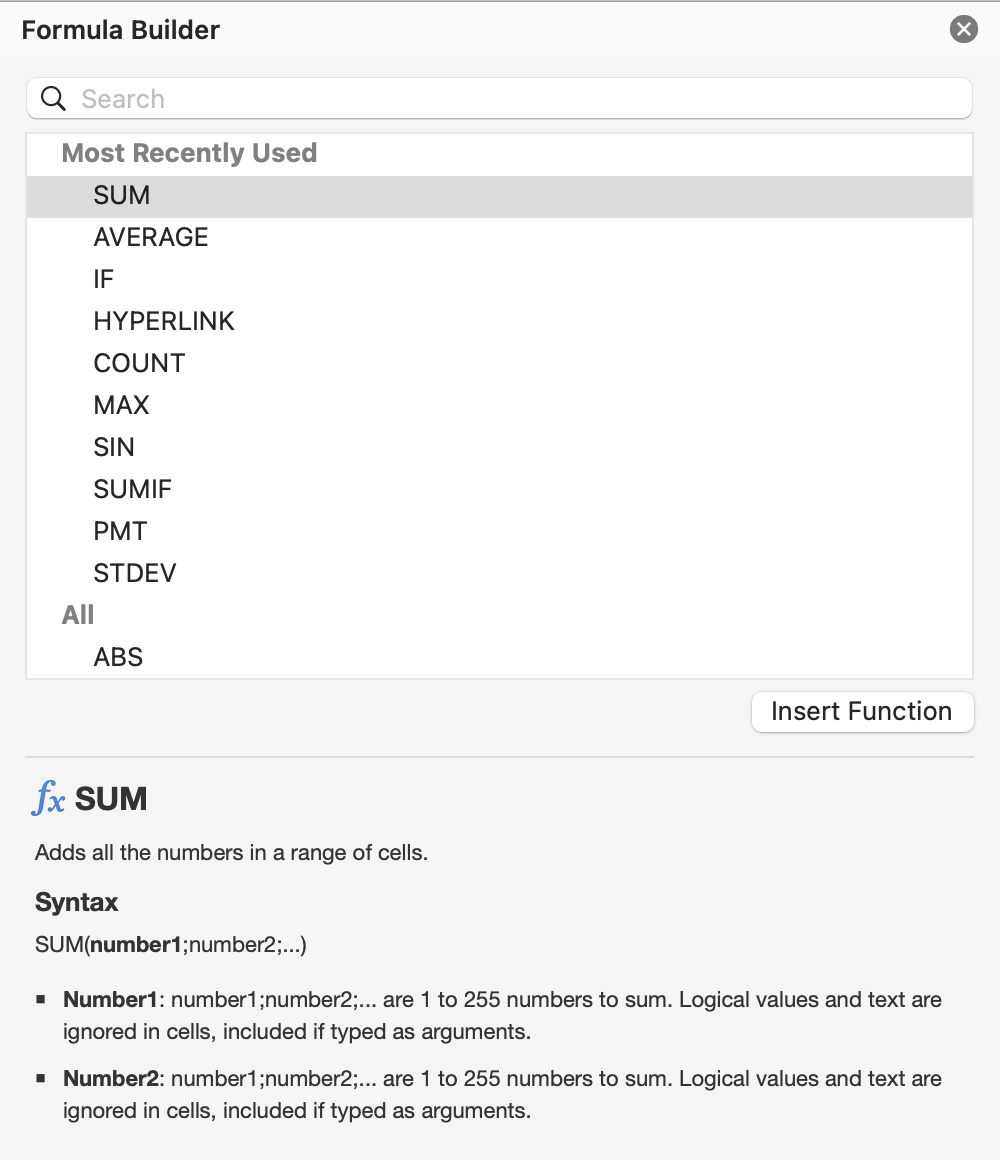
- The insert function command (labeled as fx) is found on the Formula bar;
- The fx dialog box allows you to search or browse through categories;
- Function arguments are values or references that the function needs to perform its calculation;
- Excel's AutoComplete feature suggests function names and syntax as you enter arguments;
- You can select up to 255 different ranges or cells to include in a single function.
Thanks for your feedback!
Insert Function Tool in Excel
Swipe to show menu
The INSERT FUNCTION (Fx) Command is your secret weapon for mastering Excel.
This powerful tool opens up a world of built-in functions, making calculations, data analysis, and manipulation a breeze.
In this chapter, we'll dive into how to use the INSERT FUNCTION command to supercharge your Excel skills.
Key Points
- The insert function command (labeled as fx) is found on the Formula bar;
- The fx dialog box allows you to search or browse through categories;
- Function arguments are values or references that the function needs to perform its calculation;
- Excel's AutoComplete feature suggests function names and syntax as you enter arguments;
- You can select up to 255 different ranges or cells to include in a single function.
Swipe to start coding
Select F27.
-
Excel workflow: click
Insert Function (fx)→ chooseSUM→ clickOK→ add the following ranges:Number 1:B20:B26Number 2:C20:C26Number 3:D20:D26Number 4:E20:E26→ clickOK.
-
Platform workflow: click the formula bar (
fx) → type=SUM→ select the suggested function → enter the following ranges, separating each range with a comma (,) except the last one:B20:B26,C20:C26,D20:D26,E20:E26→ pressEnter.
 Switch to desktop for real-world practiceContinue from where you are using one of the options below
Thanks for your feedback!
Ask AI

Ask AI

Ask anything or try one of the suggested questions to begin our chat
