Section 3. Chapter 2
Working with Excel Cell References
Swipe to show menu
Understanding and effectively using cell references in Excel is a fundamental part of creating flexible and dynamic formulas.
Cell references can be relative, absolute, and mixed and understanding them allows you to build formulas that update automatically when your data changes.
Key Points
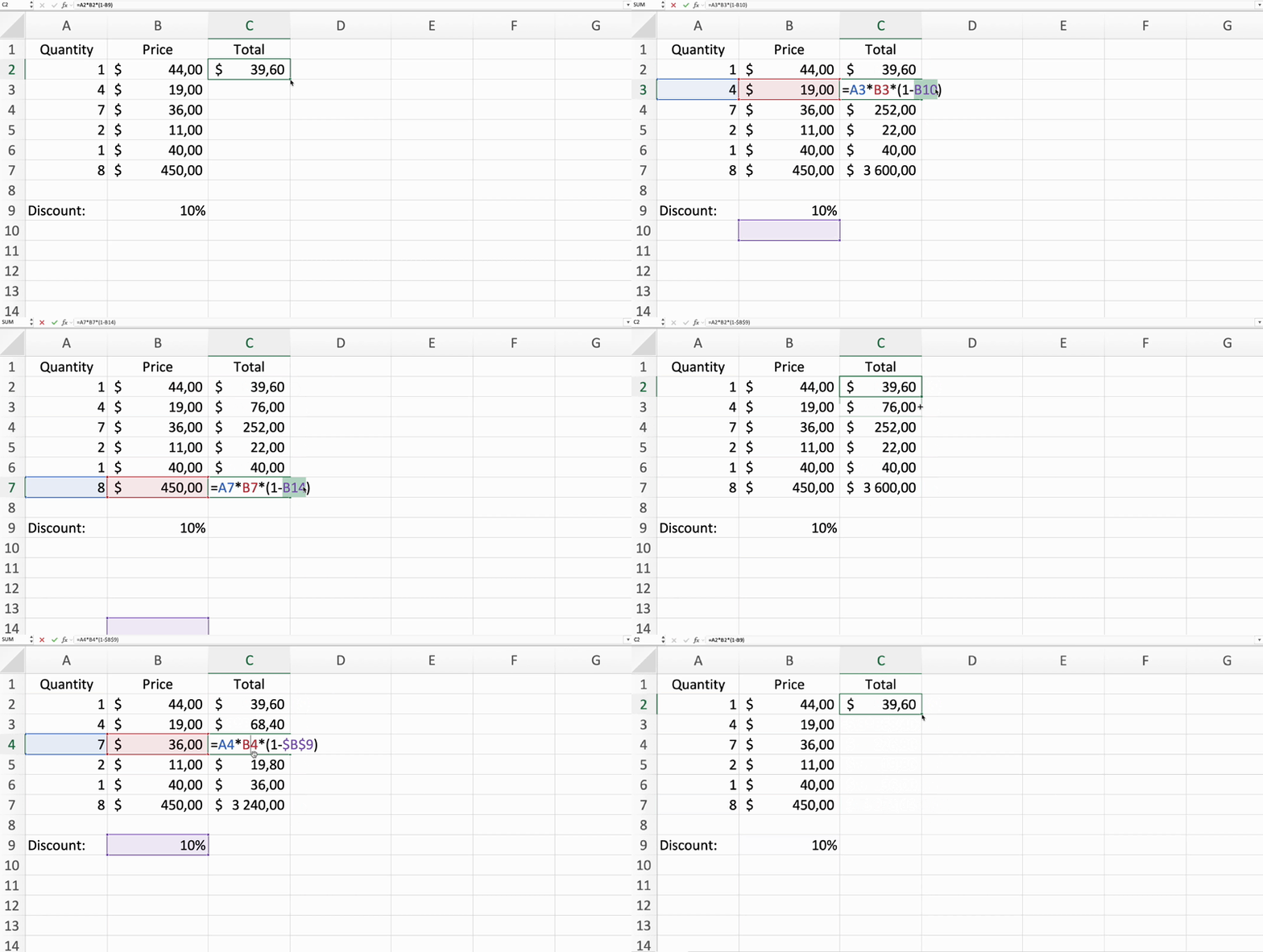
- When copying a relative reference to another cell it adjusts based on the new cell's position;
- Absolute references remain constant regardless of where the formula is copied by using dollar symbols (
$) before the row and the column references; - Mixed references combine relative and absolute references, locking either the row or column using the dollar (
$) symbol.
Task
Swipe to start coding
- Select
E6→ add$beforeBand15so the formula becomes=D6*$B$15→ pressEnter→ drag the fill handle down toE12. - Select
F6→ drag the fill handle (the small square in the bottom-right corner of the cell) down toF12.
 Switch to desktop for real-world practiceContinue from where you are using one of the options below
Everything was clear?
Thanks for your feedback!
Section 3. Chapter 2
Ask AI

Ask AI

Ask anything or try one of the suggested questions to begin our chat
