From Data to Chart
Swipe to show menu
Excel offers two routes to create a chart. Recommended Charts is the faster starting point. Excel analyses the selected data and suggests chart types that fit its structure. The Charts group on the Insert tab gives you manual control to pick any type directly.

Column / Bar Chart
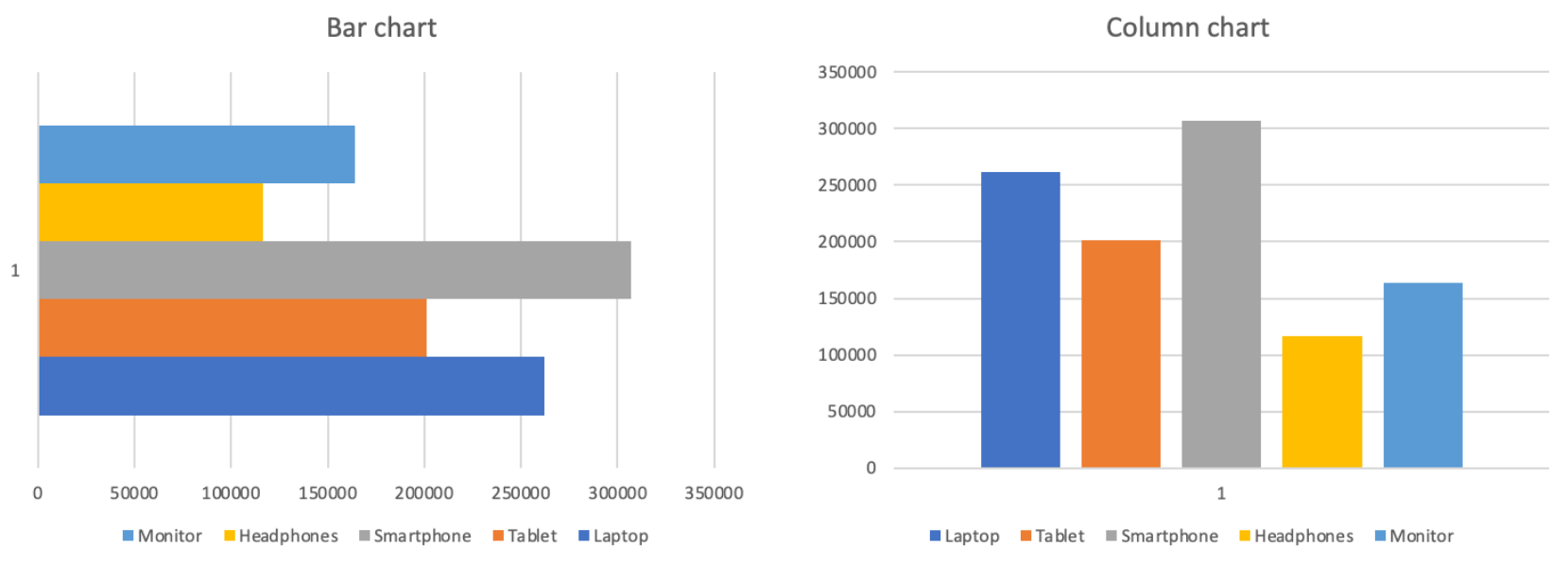
Height of each bar represents the value. Gaps between bars emphasise that the categories are discrete and independent, not part of a continuous sequence.
Comparison:
- Total revenue by product;
- Sales by region or category;
- Any ranking or side-by-side comparison;
- Not ideal for showing change over time.
Line Chart
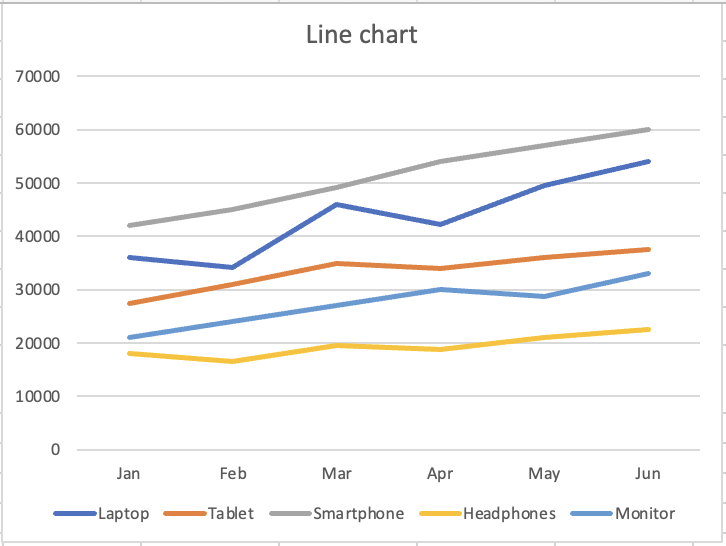
The continuous line implies movement and progression. Each point connects to the next, showing direction and momentum. The visual form tells the reader "this is changing."
Trend over time:
- Monthly revenue per product;
- Any metric tracked across time periods;
- Comparing trends of multiple series;
- Not ideal for comparing discrete categories.
Thanks for your feedback!
Ask AI

Ask AI

Ask anything or try one of the suggested questions to begin our chat
From Data to Chart
Excel offers two routes to create a chart. Recommended Charts is the faster starting point. Excel analyses the selected data and suggests chart types that fit its structure. The Charts group on the Insert tab gives you manual control to pick any type directly.
Column / Bar Chart
Height of each bar represents the value. Gaps between bars emphasise that the categories are discrete and independent, not part of a continuous sequence.
Comparison:
- Total revenue by product;
- Sales by region or category;
- Any ranking or side-by-side comparison;
- Not ideal for showing change over time.
Line Chart
The continuous line implies movement and progression. Each point connects to the next, showing direction and momentum. The visual form tells the reader "this is changing."
Trend over time:
- Monthly revenue per product;
- Any metric tracked across time periods;
- Comparing trends of multiple series;
- Not ideal for comparing discrete categories.
Thanks for your feedback!
