Displaying and Highlighting Excel Formulas
Swipe to show menu
Understanding how to display and highlight formulas is essential for ensuring accuracy and efficiency in your work.
Key Points
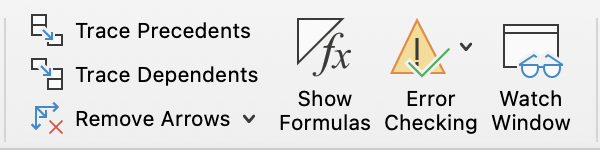
- To display formulas, go to the Formulas tab → Formula Auditing group → Show Formulas;
- Highlight cells containing formulas using Find & Select on the Home tab → Editing group;
- Use Go To Special via the Home tab → Editing group to select cells that contain formulas.
Essential Keyboard Shortcut
Everything was clear?
Thanks for your feedback!
Section 4. Chapter 1
Ask AI

Ask AI

Ask anything or try one of the suggested questions to begin our chat
Section 4. Chapter 1
