Formulas and Functions in Excel
Swipe to show menu
Formulas and functions are the bread and butter of Excel. They are the tools that let you perform calculations, analyze data, and make your spreadsheets work smarter for you.
Key Points
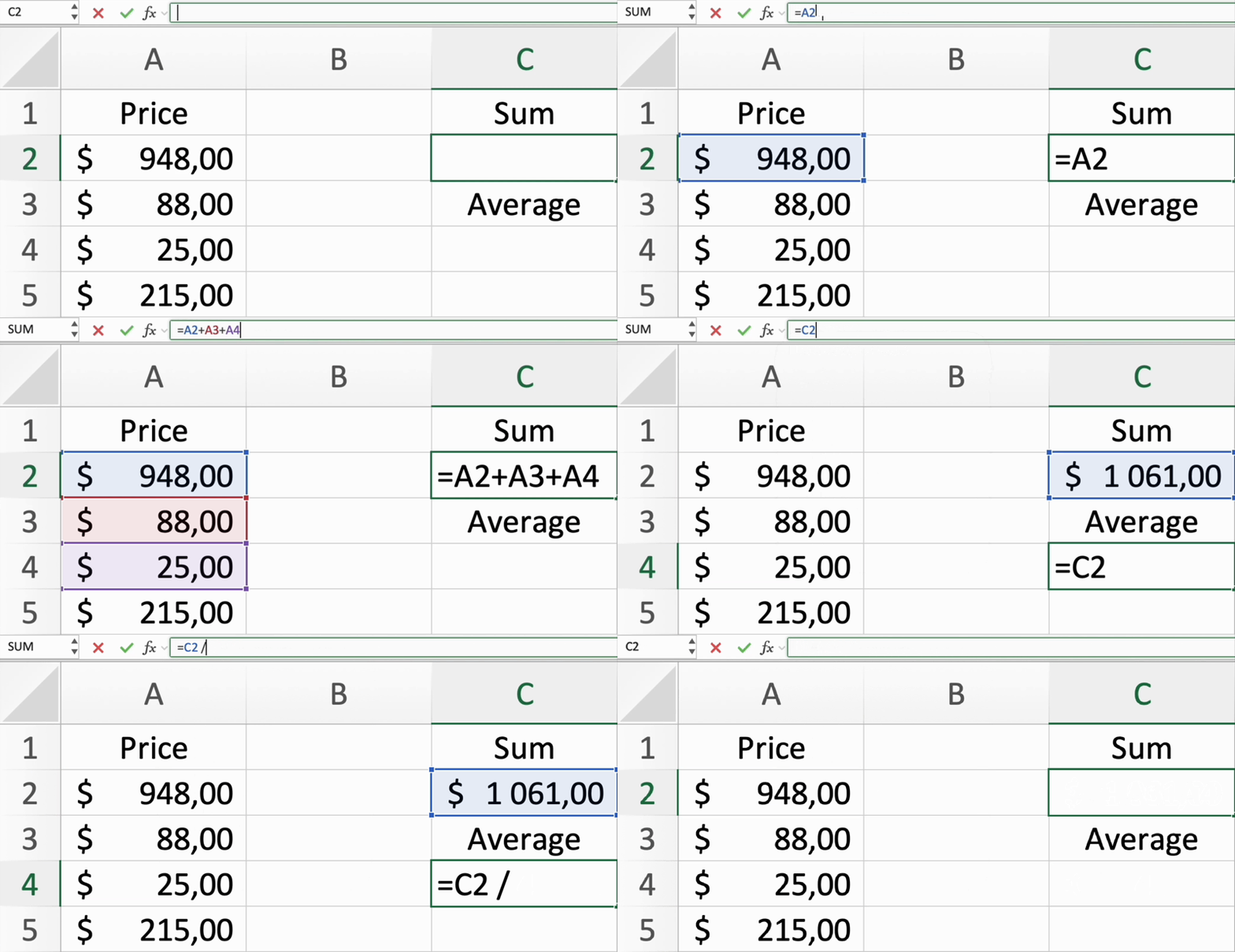
- Formulas are basic math equations you type into a cell to get a result;
- Functions are pre-built formulas that simplify complex calculations;
- A formula structure starts with an equal sign (
=), followed by the calculation including numbers, cell references, and operators; - Operators are symbols indicating calculations such as
+(addition),-(subtraction),*(multiplication),/(division) and^(exponents); - Operands are items in the formula such as numbers, cell references or other formulas;
- The order of operations in Excel follows BODMAS - Brackets, Orders, Division/Multiplication and Addition/Subtraction.
Everything was clear?
Thanks for your feedback!
Section 3. Chapter 1
Ask AI

Ask AI

Ask anything or try one of the suggested questions to begin our chat
Formulas and Functions in Excel
Formulas and functions are the bread and butter of Excel. They are the tools that let you perform calculations, analyze data, and make your spreadsheets work smarter for you.
Key Points
- Formulas are basic math equations you type into a cell to get a result;
- Functions are pre-built formulas that simplify complex calculations;
- A formula structure starts with an equal sign (
=), followed by the calculation including numbers, cell references, and operators; - Operators are symbols indicating calculations such as
+(addition),-(subtraction),*(multiplication),/(division) and^(exponents); - Operands are items in the formula such as numbers, cell references or other formulas;
- The order of operations in Excel follows BODMAS - Brackets, Orders, Division/Multiplication and Addition/Subtraction.
Everything was clear?
Thanks for your feedback!
Section 3. Chapter 1
